





Multifunctional calculator computer versionSoftware introduction
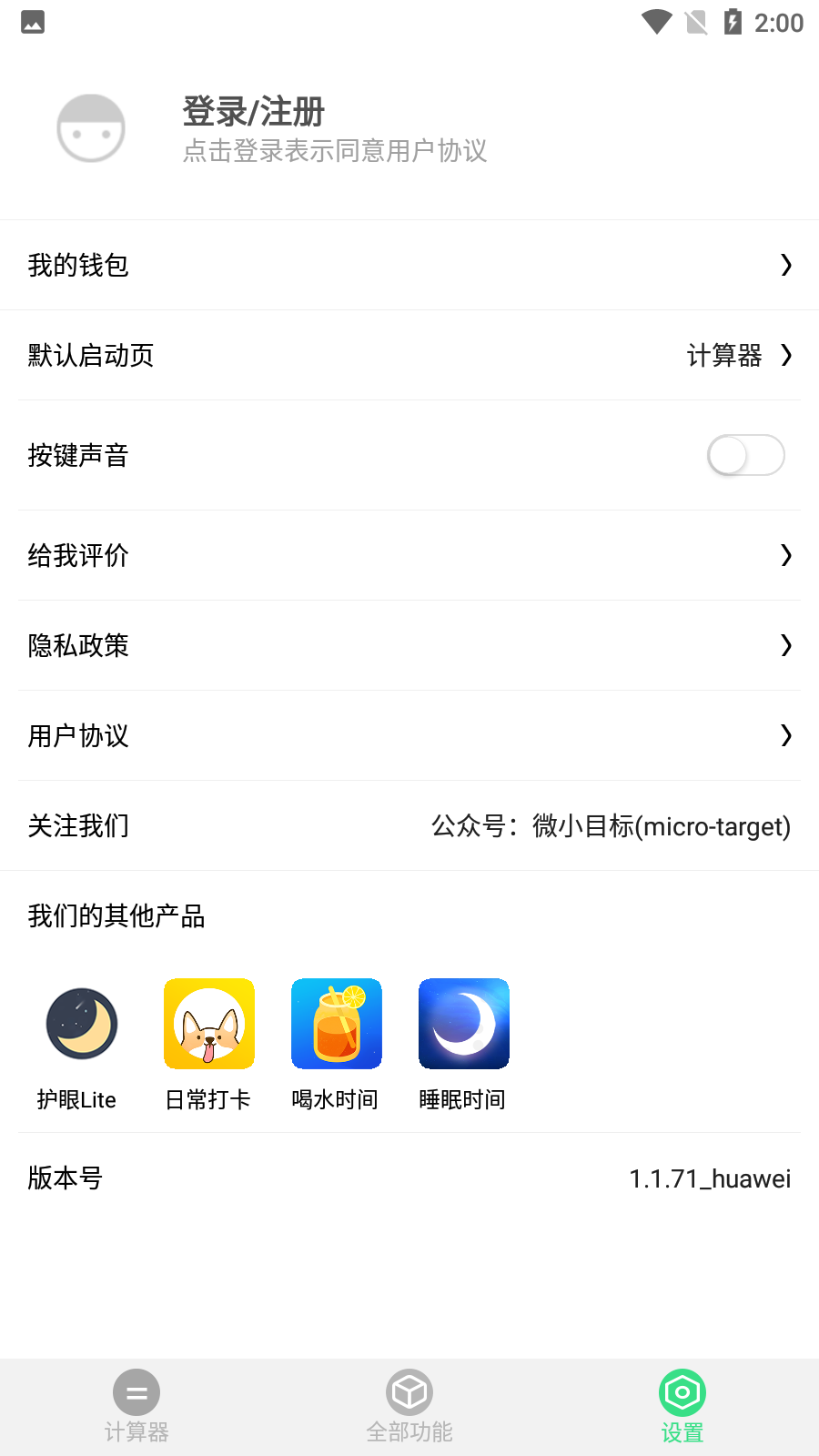
A comprehensive multi-function calculator, including standard calculator, scientific calculator, unit conversion, practical tools, learning assistant, supports voice playback, can query calculation history, etc., to meet the minimalist calculation needs of recording daily life accounts and memos.

Multifunctional calculator computer versionSoftware function
【Standard Calculator】Supports four arithmetic operations such as addition, subtraction, multiplication and division, making it easy to view historical records
【Scientific calculator】There are also trigonometric function calculator, angle and radian system switching, logarithm, factorial, square root
【Voice Calculator】Voice playback and restoration of physical calculator experience
【Relatives Calculator】Three aunts and six wives, relative names
【Date Calculator】Date, age calculator
【Case Conversion】Convert lowercase amounts to uppercase with one click, making financial reimbursement easier
【Financial Calculator】Compound interest calculator, interest calculator, exchange rate conversion, loan calculation
Multifunctional calculator computer versionSoftware features
【Base Converter】Free conversion between binary, octal, decimal and hexadecimal
【Learning Assistant】Calculation formulas, mathematical formulas, physical formulas, chemical formulas, element cycles, addition formulas, brief history of China, brief history of the world, Xiaohe double spelling learning, color value query, Morse code query, English naming, commonly used digit numbers, time zone query, area code query
【Practical tool box】Ruler, protractor, mirror, color palette, flashlight
【Unit conversion】Length unit, area, volume, capacity, pressure, temperature, speed conversion, weight conversion, power heat energy conversion, storage unit
Installation steps
Special note: The installation package provided by Huajun Software Park contains the Android emulator and software APK files. For the computer version, you need to install the emulator first and then install the APK file.
1. First download the installation package from Huajun Software Park. The software package contains an emulator exe installation program and an APK file and unzip them. First click on the exe program to install the emulator.

2. Double-click "Tencent Mobile Game Assistant.exe" file to enter the installation interface. Users can click "Install" to select the system's default installation address for installation, or click "Custom Installation" to select the installation path. Custom installation is recommended here.

3. Wait for the Tencent Mobile Game Assistant emulator to be installed, and then click "Start Now" to open the emulator.

4. Enter the main interface of the simulator, click the icon in the upper right corner and select the "Local APK Installation" button.

5. In the pop-up window, click the decompressed APK file, and then click Open.
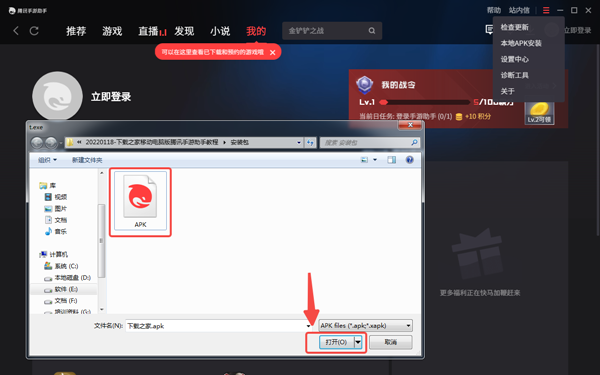
6. After that, the software will enter the installation process. You need to wait for a moment. After the software installation is completed, it will appear in my software list. Click the icon and double-click to open it.

Multifunctional calculator computer versionChange log
1. The details are more outstanding!
2. BUG gone without a trace
Huajun editor recommends:
A very good educational and teaching software. The editor also uses this software. It is powerful, green and safe. This site also providesHomework Help 2021,Homework Help 2021,Master of Laws Postgraduate Entrance Examination,Driving school test subject one,Chinese Examination Online SchoolWaiting for you to download.










Your comment needs to be reviewed before it can be displayed