





- Green versionView
- Green versionView
- Green versionView

Jinzhou Watermark AssistantSoftware features
Simple interface, "zero threshold" for operation
Intuitive layout: The functions are clearly classified, and the main interface directly displays the entrances such as "Add Watermark", "Remove Watermark" and "Format Conversion", without having to learn complex menus.
Drag and drop upload: supports dragging files directly to the software window and automatically identifies image/video types.
Real-time preview: When adjusting watermark parameters, the right window displays the effect in real time to avoid repeated saving of tests.
Optimized for non-professional users
Default templates: Provides a variety of watermark styles (such as e-commerce copyright information, social media ID), and can be applied with one click.
Intelligent guidance: When removing watermarks, the software will automatically analyze the background and recommend the best repair mode to reduce the difficulty of the operation.
Lossless processing: The original file quality is retained by default to avoid blurry images or video freezes caused by watermark operations.
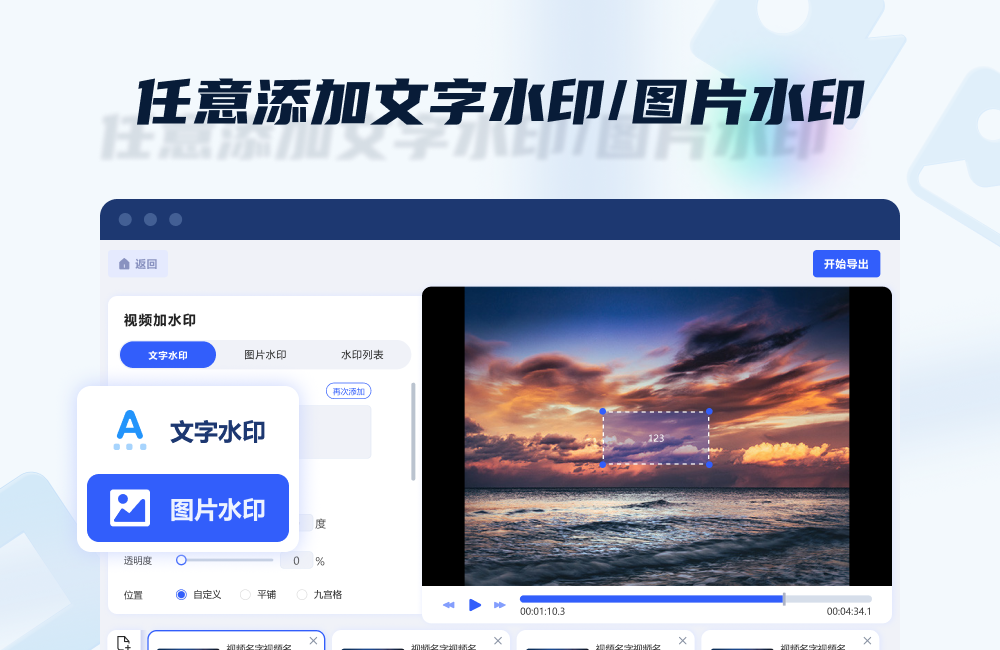
Jinzhou watermark assistant software functions
watermark removal
Image watermark removal: Supports the removal of text watermarks, logos, scratches, stains and other defects in images, and provides two modes: intelligent AI watermark removal and manual smear removal. Intelligent AI watermark removal automatically identifies and fills the watermark area through algorithms, which is suitable for simple backgrounds; manual smear removal uses the brush tool to accurately smear the watermark position, and supports adjusting the smear range and repair intensity.
Video watermark removal: supports the removal of watermarks, subtitles, logos, etc. in videos, provides rectangular tools and brush tools to customize the watermark area, and supports batch processing of multiple video files.
Watermark added
Adding watermarks to pictures: Supports adding text watermarks, picture watermarks (such as LOGO), and shape watermarks (such as rectangles, circles), and can freely adjust the position, size, transparency, rotation angle and other parameters of the watermark. Supports batch processing of multiple images to improve work efficiency.
Video watermarking: Supports adding static or dynamic watermarks (such as rolling subtitles, transparent LOGO) to the video screen, and the display duration and appearance/disappearance time of the watermark can be customized. Supports batch processing of multiple video files.
Format support
The video formats supported for import and export include hundreds of mainstream formats such as webm, mkv, mov, vob, mp4, m2ts, etc.
Image formats supported for import and export include bmp, jpg, jpeg, png, tiff, etc.
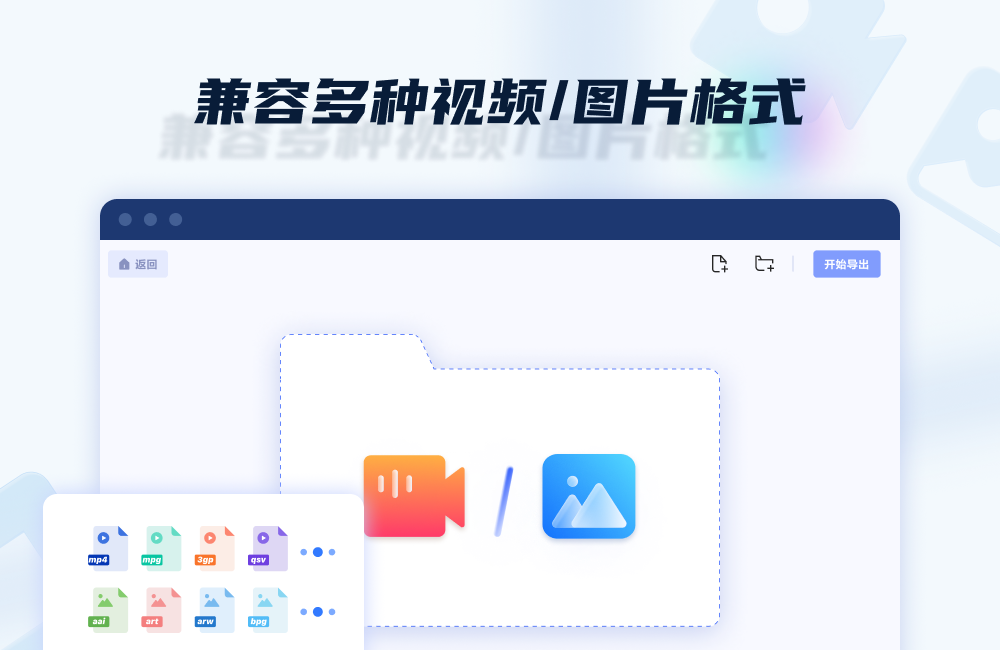
Highlights of Jinzhou Watermark Assistant Software
Watermark processing can be done at a glance
Supports video and picture watermark removal, frame selection of watermark area, one-click operation, perfect and seamless watermark removal
Supports adding text watermarks or pictures to videos/pictures, and supports adding multiple watermarks at the same time
Compatible with multiple video/picture formats
All major video and picture formats are supported.
Drag and drop to select the files you want to process, and remove or add watermarks through simple editing. It’s easy to use!
Batch process image/video files
Multiple videos, picture files or folders can be added to make batch operations more efficient and faster, greatly improving your efficiency.
Frequently Asked Questions about Jinzhou Watermark Assistant Software
How to add watermark to video?
After opening the Jinzhou Watermark Assistant, select the [Video Watermark] function.
Add a video file, click [Add watermark removal area] (note that this may be a description error, it should be a watermark addition area), and select or specify the location where the watermark will be added.
You can choose to add a text watermark or an image watermark, and customize the size, position, color, transparency, etc. of the watermark.
After confirming that it is correct, click to export or save the video.
Jinzhou Watermark Assistant software update log
1: Optimized performance
2: We are serious about solving bug problems
Huajun editor recommends:
Don’t miss it when you pass by. If you miss Jinzhou Watermark Assistant, you will never experience such a good service again. This site also recommends to youAquaSoft Stages,Video clip format factory,EV screen recording,Video watermark removal tool (Remove Logo from Video) v1.0,Vegas pro video editing software















Useful
Useful
Useful