
If you are looking for software to use, go to Huajun Software Park! software release AI product list

Hello, if there is a need for software inclusion, please package the software and attach the software name, software introduction, software-related screenshots, software icon, soft copy, business license (if you do not have a business license, please provide the front and back of the corresponding developer ID card and a photo of yourself holding the ID card), and send it to email http://softwaredownload4.com/sbdm/user/login

Close >>

Send to email:news@onlinedown.net

Close >>

Location: Home pageAndroid softwareApplicationLife services Vitus satellite map

99.59%

0.41%
QR code

Scan the QR code to access the mobile version

Permissions: View

The following important permissions need to be called
360 degree reinforcement
INTERNET<访问网络> Access network connections, which may generate GPRS traffic
WRITE_EXTERNAL_STORAGE<写入外部存储> Allows programs to write to external storage, such as writing files on an SD card
READ_EXTERNAL_STORAGE<访问外部存储> Permission to access external storage
ACCESS_COARSE_LOCATION<获取错略位置> The user's incorrect longitude and latitude information is obtained through WiFi or mobile base stations. The positioning accuracy is approximately 30 to 1500 meters.
ACCESS_FINE_LOCATION<获取精确位置> Receive satellite positioning information through the GPS chip, with positioning accuracy within 10 meters
FOREGROUND_SERVICE<未知权限>Unknown permissions
ACCESS_BACKGROUND_LOCATION<未知权限>Unknown permissions
ACCESS_NETWORK_STATE<获取网络状态> Get network information status, such as whether the current network connection is valid
ACCESS_WIFI_STATE<获取WiFi状态> Get the current WiFi access status and WLAN hotspot information
CHANGE_WIFI_STATE<改变WiFi状态> Change WiFi status
READ_PHONE_STATE<读取电话状态> Access phone status
ACCESS_LOCATION_EXTRA_COMMANDS<访问定位额外命令> Allows programs to access additional positioning provider directives
CAMERA<拍照权限> Allow access to camera to take photos
RECORD_AUDIO<录音> Record sound through phone or headset mic
REQUEST_INSTALL_PACKAGES<未知权限>Unknown permissions
WAKE_LOCK<唤醒锁定> Allows background processes to continue running even after the phone screen is turned off
REQUEST_IGNORE_BATTERY_OPTIMIZATIONS<未知权限>Unknown permissions
GET_TASKS<获取任务信息> Allows the program to obtain currently or recently running applications
DEVICE_POWER<电源管理> Allows access to low-level power management
QUERY_ALL_PACKAGES<未知权限>Unknown permissions
BLUETOOTH<使用蓝牙> Allows the program to connect to paired Bluetooth devices
SYSTEM_ALERT_WINDOW<显示系统窗口> Show system window
MODIFY_AUDIO_SETTINGS<修改声音设置> Modify sound setting information
VIBRATE<使用振动> Allow vibration
FLASHLIGHT<使用闪光灯> Allow access to flash

Vitus Satellite Map 1.9.8

Special area
Software size:65.2 MB
software language:Simplified Chinese
Software rating:
Software type:Domestic software
Software licensing:shareware
Update time:2024-12-31
Application platform:Android
Software classification:Life services
version:1.9.8
Registration number:Chongqing ICP No. 2021008242-2A
Software vendor:Chongqing Vitus Technology Co., Ltd.

Software introduction Related topics FAQ Download address

Basic introduction
Vitus satellite map segment first LOGO
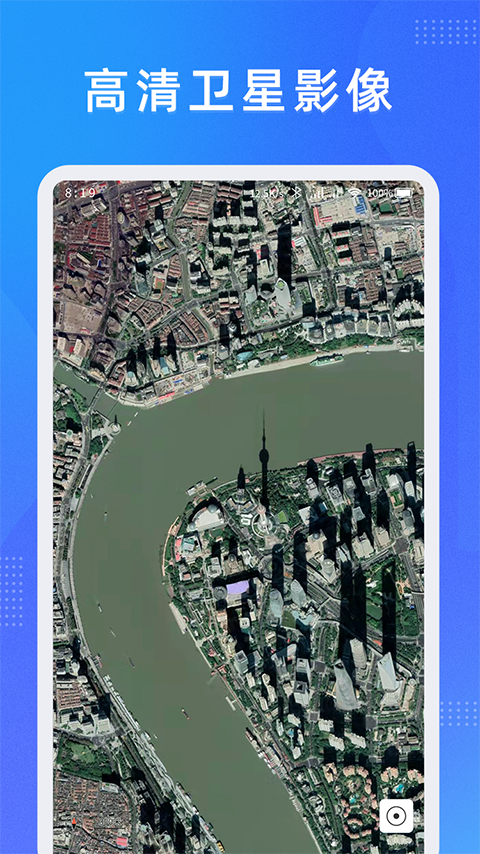
Vitus Satellite Map App, 3D Google Street View map installation software, has the most comprehensive information online query and understanding service. You can search for the latest street view maps here, view relevant instructions, and obtain AR real-life demonstration effects, allowing you to easily see the world at home, and you don’t have to worry about getting lost when you go out. This site brings you the download of the Android version of the Vitus Map app. Friends who want a powerful street view map installation software may wish to try it!

Screenshot of Vitus satellite map

Vitus satellite mapSoftware features

​​​​​​​​​​​​​​​​​​​​​​​​​​​​​​​​​​​​​​​​ ​​​​​​​​​​​​​ ​​​​​​​​​​​​​​ ​​​​​​​​​​​​​​ ​​

      针对最全的路况及时的在线查询,多种路线信息可以更及时的在线查看和了解。

We have planned very detailed routes for you, allowing you to know and view the most comprehensive travel services in a timely manner.
Screenshot of Vitus satellite map

Vitus satellite mapSoftware Highlights

​​ 1. Use self-created technology to make satellite map display clearer and load more smoothly

​​ 2.Support offline maps and historical images

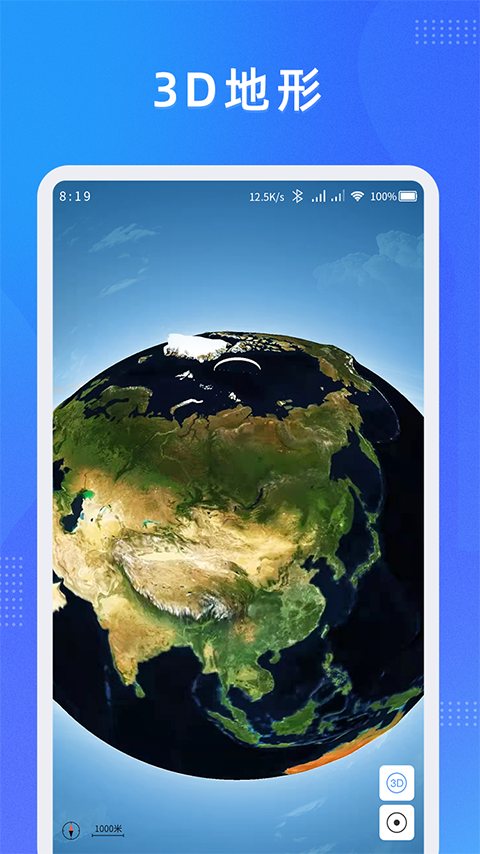
3. Provide common tools for planning and design, such as drawing points, drawing lines, drawing various graphics, making marks, measuring distances, measuring areas, etc.

​​ 4. Search global high-definition street views, 3D world street views, and see the world without leaving home

​ 5. Various map tools, including GPS tracks, altitude measurements, compass functions, compasses and other practical gadgets

Vitus satellite mapSoftware update log

1. Fixed BUG, the new version has a better experience

2. Some pages have been changed

Huajun editor recommends:

Vitus satellite map software feels really good! The editor specially tested it for this purpose, and it works really well.Meditation,a village,Settlement Consultant,Blacklight Talent Network,WeChat readingThese are all very good software tested by the editor, come and choose the one that suits you!

FAQ