





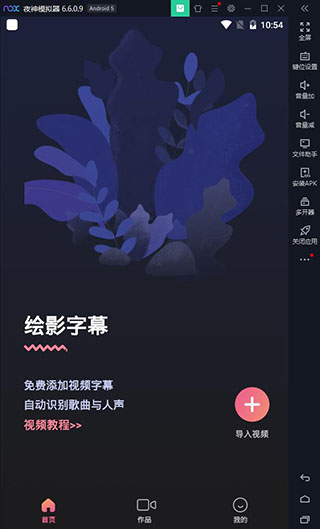
Computer version of Huiying subtitlesSoftware introduction
Huiying Subtitles provides a one-click service to add video subtitles, accurately identifies the human voice in the video, and automatically generates subtitles.
绘影字幕,让字幕编辑从未如此轻松!
If you are a short video creator on Douyin, Kuaishou, Weishi, etc.
If you are a VUE Vlog creation enthusiast
If you are a professional video editor
If you use video editing tools such as Cutout, Silhouette, iClip, Xiaoying, KineMaster, videoleap, and inshot to create videos
If you want to add subtitles to your video
Come and try Shadow Subtitles! It allows you to easily create high-quality videos with subtitles!
Computer version of Huiying subtitlesSoftware advantages
【Text style is up to you】
The computer version of Huiying Subtitles supports text color matching, font size, flower strokes, layout position, fonts, Chinese and English subtitles... everything is as you said, it is so personalized~
Easily create professional subtitles for popular videos, and there are more text styles waiting for you to unlock~
【Video background is now online】
A must-have background function for short video players! It’s beautiful and easy to use! With a massive library of background materials, you can add an exquisite background to your video and take your style to the next level~
Various background materials are available for you to choose from, and you can apply them with one click to become high-end in seconds.
【Intelligent recognition and easy proofreading】
Intelligent and powerful speech recognition technology, the recognition rate is as high as 99%, freeing your hands from hard typing!
It doesn’t matter if ordinary FA is not good. It supports text proofreading and everyone can create perfect subtitles~
FAQ
Failed to export video or subtitles
Phenomenon: An error message is displayed during the export process or the file is damaged.
Reason: The video duration is too long, the system workload is too large, or the format is incompatible.
suggestion:
Process long videos in segments to avoid exporting them all at once.
Select the "Export Video" function to directly generate the finished product with subtitles instead of downloading the subtitles file separately.
Use desktop software such as Premiere and Final Cut for secondary editing.
Bilingual subtitle production issues
Phenomenon: Misalignment or translation errors occur when modifying Chinese and English bilingual subtitles.
Reason: The automatic translation function conflicts with manual modification.
Suggestions:
Automatic translation is turned on during the first revision and turned off during the second review.
The manuscripts are arranged in the format of "one line of original sound, one line of translation" to ensure that the timelines match.
Installation steps
Special note: The installation package provided by Huajun Software Park contains the Android emulator and software APK files. For the computer version, you need to install the emulator first and then install the APK file.
1. First download the installation package from Huajun Software Park. The software package contains an Android emulator exe installation program and an APK file and unzip it. First click on the exe program to install the lightning simulator.
2. Double-click "Lightning simulator.exe" file to enter the installation interface. Users can click "Quick Installation" to select the system's default installation address for installation, or click "Custom Installation" to choose the installation path. Custom installation is recommended here.
3. WaitingLightning simulatorAfter the installation is complete, click "Try Now" to open the emulator.
4. Enter the main interface of the lightning simulator and clickRight column APK iconSelect the "Local APK Install" button.
5. In the pop-up window, click on the decompressed APK file, and then click to open.
6. After that, the software will enter the installation process. You need to wait for a moment. After the software installation is completed, it will appear in my software list. Click the icon and double-click to open it.






Computer version of Huiying subtitlesSoftware update log
1. Sweep the bug out and carry it out to the end
2. The most stable version ever
Huajun editor recommends:
The computer version of Huiying Subtitles has always been a common video playback software for most friends. It has such a dominant position in the minds of netizens. The editor of Huajun Software Park recommends all users to download the computer version of Huiying Subtitles. Come and download it. In addition, there are360 Film and Television Collection 2021,Film and Television Collection 2021,Chinese Voice,Yayou Music,Chinese CinemaAvailable for download.




Useful
Useful
Useful