





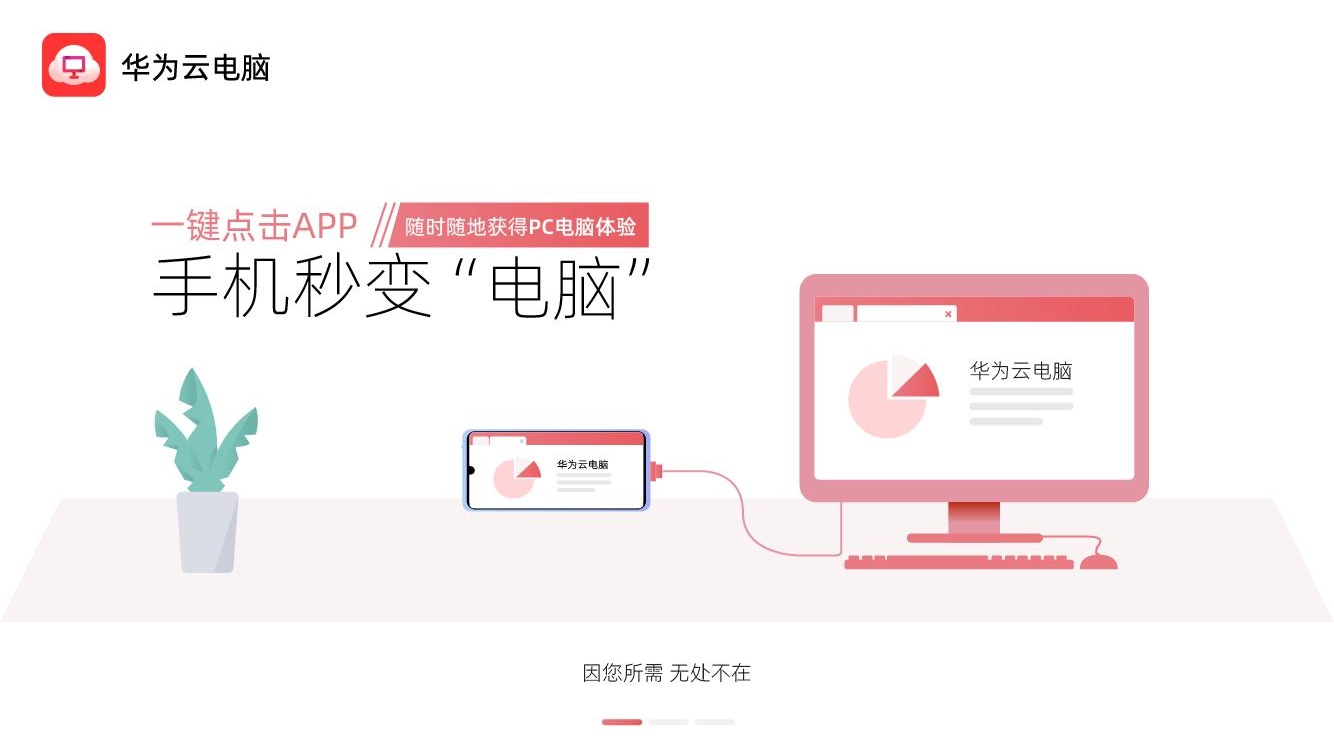
Huawei Cloud PC version software introduction
When it is connected to a computer, it can have the same Windows system and interface as a computer, helping users to quickly create/share PPTs, process table data, edit documents and other daily tasks just like on a computer. It can even support multiple windows running at the same time, browse the web, query information and shop, which is equivalent to a small-screen computer. Not only that, Huawei Cloud Computer can also release mobile phone hardware resources, provide stronger performance, more flexible specifications, and is compatible with all application software in the Windows ecosystem.
Highlights of Huawei Cloud PC version software
With one click on the app, your phone turns into a computer in seconds, giving you a PC experience anytime, anywhere
Business office, rendering and drawing, data storage, and file transfer can be easily handled, and mobile office can be used anytime and anywhere.
No need to buy a new computer, client games can also be played on mobile phones, and you can have fun anytime and anywhere
Provides 10 minutes of trial time every day, you can easily try it without spending money to see if it meets your needs

Huawei Cloud PC version software functions
1. Display clarity
Non-natural images use lossless compression: automatically identify text, windows frames, lines and other non-natural images in the entire image, Use lossless compression for unnatural images; use appropriate compression rates for natural images such as photos and pictures.
Repeated image data is not transmitted: Automatically identify the unchanged parts of the image, and only the changed parts of the data will be transmitted, greatly reducing bandwidth.
Supports multiple image compression algorithms: Supports multiple image compression algorithms, and can select the optimal compression algorithm according to different image characteristics and scenarios.
2. Video playback
Intelligent recognition of video scenes: Automatically identify video data/ordinary GDI data. The video data is encoded with efficient H.264 or MPEG2 and fully utilizes the TC hardware capabilities for decoding.
Frame rate dynamic adjustment: Dynamically adjust the frame rate of video playback (above 35) according to the quality of the network, giving priority to ensuring video smoothness.
Dynamic adaptive video data: Automatically adjust the size of the video data stream according to the display resolution and video playback window size, reducing CPU consumption and improving user experience.
Multimedia redirection: Make full use of TC's local hardware decoding capabilities, support automatic reconnection playback after disconnection, dynamic adjustment of traffic, and support up to 1080P video playback.
Flash redirection: Download the Flash video source file in fragments to the client for local decoding and playback, improving the Flash viewing experience.
Remarks: The decoding mode can be configured in the background. After the configuration is completed, the system automatically selects the decoding mode. If local decoding is satisfied, local decoding is automatically selected. If it is not, virtual machine side decoding is automatically selected without manual intervention. (Constraints: Local decoding has requirements for the player. Currently, only MediaPlayer video players are supported. Other player systems automatically select virtual machine side decoding).
Application awareness: Targeted optimization of commonly used video playback software (Flash) and image processing software (such as Photoshop).
3. Sound
Operators require the PESQ value of voice calls to be >3.3. If it is lower than 3.3, the voice quality is considered not to meet commercial requirements. Huawei's solution can reach 3.4 for voice common channel PESQ and 3.8 for voice bypass.
High-fidelity Music compression algorithm: Automatically recognize sound scenes, Music uses high-fidelity music encoding and decoding algorithms, which greatly improves the quality of music playback.
人声优化:VoIP场景启动人声优化的电信语音算法和自动降噪处理,即使嘈杂环境也能通话自如。
Low latency: Improve VoIP sound processing priority to ensure real-time voice performance.
High sampling rate: Use 44.1K sound sampling rate to avoid loss of sound quality at the source.
4. High-definition mapping
120M HD video editing.
Installation steps
Special note: The installation package provided by Huajun Software Park contains the Android emulator and software APK files. For the computer version, you need to install the emulator first and then install the APK file.
1. First download the installation package from Huajun Software Park. The software package contains an Android emulator exe installation program and an APK file and unzip it. First click on the exe program to install the lightning simulator.

2. Double-click "Lightning simulator.exe" file to enter the installation interface. Users can click "Quick Installation" to select the system's default installation address for installation, or click "Custom Installation" to choose the installation path. Custom installation is recommended here.

3. WaitingLightning simulatorAfter the installation is complete, click "Try Now" to open the emulator.

4. Enter the main interface of the lightning simulator and clickRight column APK iconSelect the "Local APK Install" button.

5. In the pop-up window, click on the decompressed APK file, and then click to open.

6. After that, the software will enter the installation process. You need to wait for a moment. After the software installation is completed, it will appear in my software list. Click the icon and double-click to open it. 
Huawei Cloud PC version update log
1. The pace of optimization never stops!
2. More little surprises are waiting for you to discover~
Huajun editor recommends:
Huawei Cloud PC version is a conscientious product with guaranteed performance. I personally tested it and I believe you can try it on my children’s shoes! There are more useful software in our Huajun Software ParkHappy Century,Meituan Butler!




Your comment needs to be reviewed before it can be displayed