





- Green versionView
- Green versionView
- Green versionView
- Green versionView
- Green versionView
Things to note:
Friends who use Mac to install or download application software often encounter the following three error situations. The editor here provides you with solutions to help you solve the Mac error problem:
1. "...the software is damaged and cannot be opened. You should move it to the Trash"
2. "The xxx software cannot be opened becauseApple can't check if it contains malware"
3. "Cannot open xxxsoftware because it comes from an unidentified developer"
Don’t panic if you encounter the above three situations, follow the editor’s instructions and solve them easily.
1. Turn on any source in the computer settings.Open any source.
2. Opening any source will solve the problem of most software error reports. If it does not work, it means that you need to bypass application signature authentication by executing command line code. Execute command bypassiosnotarizationGatekeeper.
3. If the above operations still cannot solve the problem, then you need tocloseSIPSystem integrity protectionOnly then can.
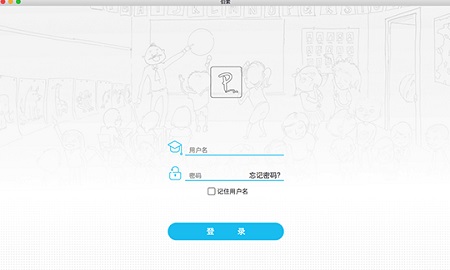
Bertso Cloud Academy Teacher Terminal Mac Software Functions
1. Quick setup
Offline + online improve the quality of teaching, turning 2 days into 7 days of value-added teaching services.
2. Online interaction
Breaking through space limitations, multi-terminal and cross-platform, making teaching more focused and learning easier.
3. HD live broadcast
Change passive invitations into active experiences to increase student conversion rates.
4. Top technology
?
Anti-piracy video formats to protect intellectual property rights.
Features of Bertso Cloud Academy teacher’s Mac software
1. Live broadcast school: highly restored traditional blackboard handwriting; real-time voice synchronization, live broadcast for thousands of people, no lag; efficient interaction, automatic storage of historical classes with 0 delay, convenient for repeated learning.
2. Micro-course production: vivid whiteboard, smooth writing; dynamic video, pictures and texts; simple and easy to use, time-saving and efficient; share on WeChat/QQ and spread widely.
3. Education Supermarket: Institutional content is reused; online courses are sold flexibly; Q&A services are sold for cash; web version and WeChat education supermarket are supported.
4. Teaching and research preparation: offline teaching and research are cloud-based; exchange and learn teaching and research content; and can be used in offline teaching.
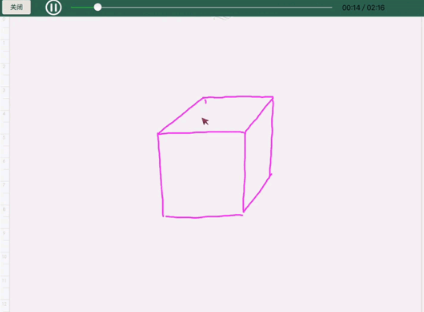
Advantages of Bertso Cloud School Teacher’s Mac Software
1. Personal notes
Record learning problems through text, pictures, and sounds, and the questions you have asked will never be lost.
2. Multi-terminal synchronization
Automatically synchronize course content, historical questions, collect them at any time, and easy to view.
3. Education supermarket
With one-click purchase, you can enjoy services from famous teachers, a variety of products, and more revenue.

Frequently Asked Questions about Bertso Cloud Academy Teacher Terminal for Mac
Question: Can’t middle school students see the homework assigned by the teacher on the Mac at Bertso Cloud Academy?
Answer: After the teacher assigns the homework, the students do not see the homework in the homework module on the student side; there are the following situations:
1. The teacher determines the validity period of the class to which the assignment is issued. If the class validity period expires or has not yet started, all students in the class will not receive the assignment;
Solution: Modify the class validity period before issuing assignments;
2. The student is not in the class or the student enters the class after the teacher assigns the assignment, and will not receive the assignment assigned by the teacher;
Solution: Add the student to the class, publish the assignment to the student again, and select the designated student in the assignment settings - recipients.
Question: Middle school students on the Mac of Bertso Cloud Academy teacher cannot submit homework?
Answer: The students received the homework from the teacher, but there is no "Do Assignment" button and the students cannot submit the homework online.
The teacher needs to check the settings of this assignment:
1. Check the submission time under the assignment. If there is no submission time, the online submission button is turned off in the assignment settings, and the student does not have a "do homework" button;
2. Check the submission time under the assignment. If there is the word "deadline" after the submission time, the assignment settings have turned off the overdue submission button, and you will not be able to do the assignment after the submission time;
Solution: Rearrange.
Bertso Cloud Academy Teacher Terminal Mac Update Log
1. Optimize content
2. The details are more outstanding and bugs are gone.
Huajun editor recommends:
Looking around, there are software similar to this software everywhere on the Internet. If you are not used to this software, you might as well give it a try.Baidu Input Method For Mac,Mac OS X,CrossOver Pro For Mac,CleanMyMac,Boot CampWait for the software, I hope you like it!




Useful
Useful
Useful