





Stickman CS2Game introduction
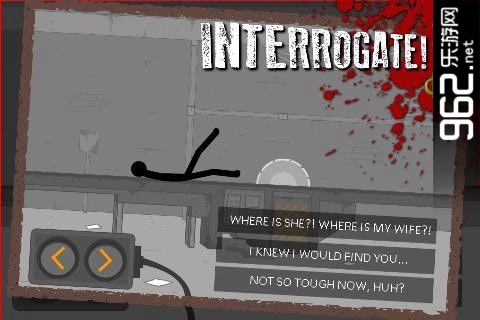
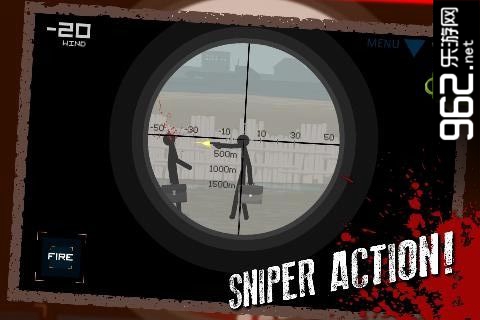
"Stickman CS2" is a game that every man will want to play after watching it. The game is beautifully designed. The stick figures are still the same as those in Flash many years ago. They are as simple and bloody as ever. The realistic sounds of loading and firing make you extremely excited. The moment you hit your head, you will feel the pleasure and sense of accomplishment of being a killer... The plot of the game also advances with the progress of the mission, truly allowing you to experience the life of a killer.
Stickman CS2Game features
- Based on the Flash game, the sequel to "Stickman CS2";
- Action cut scenes, bloody game graphics;
- 25 missions, 10 weapons.
Stickman CS2 Gameplay
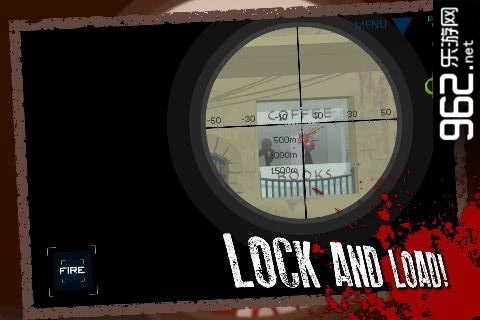
There are different scenes set up in the game. Players can choose death game or capture the flag mode. Different modes and scenes will give everyone different feelings. Don’t panic when you encounter enemies. You need to calmly shoot. The main goal of playing this game is to destroy the enemies and leave them with nowhere to escape.
Installation steps
Special note: The installation package provided by Huajun Software Park contains the Android emulator and software APK files. For the computer version, you need to install the emulator first and then install the APK file.
1. First download the installation package from Huajun Software Park. The software package contains an Android emulator exe installation program and an APK file and unzip it. First click on the exe program to install the lightning simulator.

2. Double-click "Lightning simulator.exe" file to enter the installation interface. Users can click "Quick Installation" to select the system's default installation address for installation, or click "Custom Installation" to choose the installation path. Custom installation is recommended here.

3. WaitingLightning simulatorAfter the installation is complete, click "Try Now" to open the emulator.

4. Enter the main interface of the lightning simulator and clickRight column APK iconSelect the "Local APK Install" button.

5. In the pop-up window, click on the decompressed APK file, and then click to open.

6. After that, the software will enter the installation process. You need to wait for a moment. After the software installation is completed, it will appear in my software list. Click the icon and double-click to open it. 
Stickman CS2 update log
1. Optimize content
2. The details are more outstanding and the bugs are gone.
Huajun editor recommends:
After continuous official updates and iterations, Stickman CS2 has become very stable and powerful, meeting all your needs. The editor has also prepared for youEnd the battlefield,Survival in the fog,Victory is justice,Gun Soul Apocalypse,Bastion Front: Destruction and Creation




Useful
Useful
Useful