




360 browserThe doctor is360 secure browserIt has a built-in professional problem diagnosis and repair tool, and also provides a stand-alone version for users to download directly. It focuses on solving various abnormal problems that may be encountered during the use of 360 Browser. It is a powerful assistant for users to optimize browser performance and ensure browsing security. Friends who like 360 Browser Doctor, come to Huajun Software Park to download and experience it!
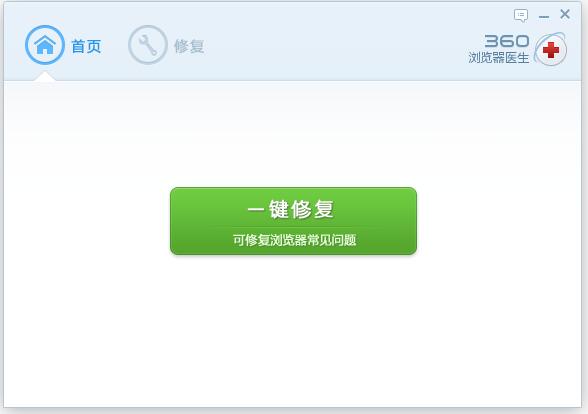
360 Browser Doctor Software Functions
Browser exception fix
Page loading problems: For problems such as web pages that cannot be opened and formats are confusing, functions such as clearing the browser cache and restoring default image settings are provided to quickly restore the normal display of the page.
Stuttering and crashing: Solve the problem of slow browser operation or frequent crashes by closing extensions that take up too many resources and resetting the browser kernel.
Compatibility issues: Supports restoring Chromium kernel default settings and fixes functional failures caused by kernel abnormalities.
Network problem diagnosis
Network outage first aid: Integrate the "network outage first aid kit" function, which can repair network layer problems such as network failure and ensure that the browser can access the Internet normally.
Plug-in and extension management
Malicious plug-in detection: Scan and remove potential security threat plug-ins to prevent privacy leaks and performance degradation.
Extension optimization: Supports closing all extensions and solving browser exceptions caused by extension conflicts.
Privacy and security protection
Privacy Cleanup: Clear private data such as cookies to reduce the risk of ad tracking.
Security settings repair: Turn off Flash hardware acceleration, optimize graphics card settings, and repair problems caused by abnormal security configurations.
Features of 360 Browser Doctor
Intelligent diagnosis: Automatically recommend repair solutions based on the browser's operating status, lowering the user's operating threshold and allowing even non-technical users to use it easily.
Strong compatibility: Supports repairing issues related to IE kernel and Chromium kernel, covers mainstream browser architectures, and is compatible with different versions of systems.
Resource optimization: By cleaning up useless data and closing redundant processes, it effectively improves browser running speed and optimizes user experience.
Security guarantee: During the repair process, malicious plug-ins and security setting anomalies are simultaneously detected to strengthen browser protection capabilities and protect user privacy.
360 Browser Doctor installation steps
1. Download the installation package of the official version of 360 Browser Doctor in Huajun Software Park

2. After downloading, unzip the compressed package into a folder named after this software

3. Open the folder and double-click the "exe" program
4.360 Browser Doctor is green software and can be used without installation.
360 Browser Doctor FAQ
How to use 360 Browser Doctor to fix problems?
Answer:
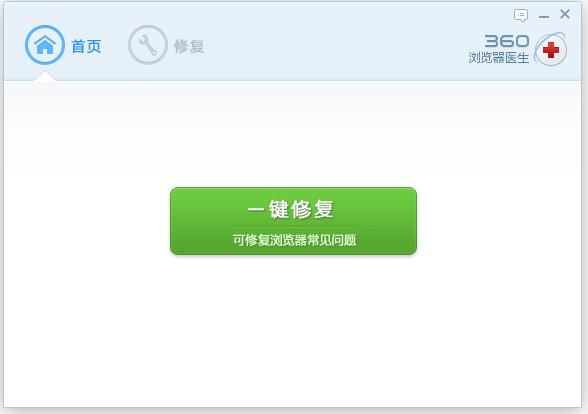
After opening 360 Browser Doctor, you will see an interface listing the types of problems that can be repaired.
Check the option that corresponds to your current browser issue.
Click the "Fix Now" button.
The system will prompt you to close 360 Safe Browser to repair it. Just follow the prompts.
After the repair is completed, restart the browser to see the effect.
360 Browser Doctor update log
1. Clear the browser cache to fix problems such as the page not opening.
2. Reset the IE kernel to fix problems such as IE not being able to be used.
3. Restore the default settings of chrome://flags
4. Restore the default settings of pictures to fix problems such as pictures not being displayed.
5. Clearing cookies can fix problems such as being unable to log in to the website.
6. Turn off Flash hardware acceleration to fix Flash playback abnormalities.
7. Turn off GPU acceleration under the Chromium kernel to fix video playback abnormalities under the Chromium kernel.
8. Optimize graphics card settings to fix video playback abnormalities for IE9 users and ATI graphics card users.
9. Turn off all extensions to fix problems such as slow browser operation.
10. Network outage first aid kit can repair problems such as network inability to connect
Huajun editor recommends:
360 Browser Doctor is a conscientious product with guaranteed performance. I personally tested it and I believe I can try it on my children’s shoes! There are more useful software in our Huajun Software ParkZhejiang Rural Credit Bank Online Banking Assistant,Aerospace Information Online Certification System,Zhejiang Rural Credit Union Online Banking Assistant,Minsheng Bank U treasure management tool,Tai Lung Bank Online Banking Control!












Useful
Useful
Useful