





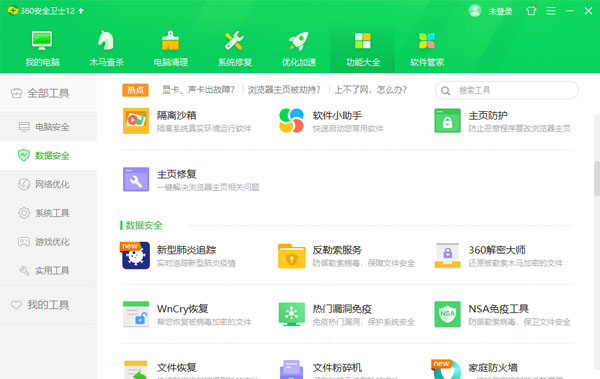
How to install the 360 installation package?
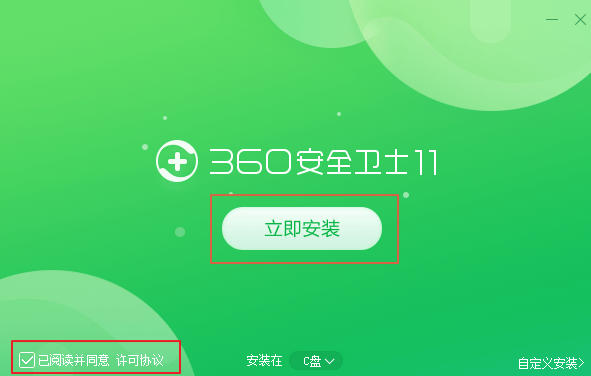
1. After downloading the official version of 360 Security Guard from this site, get an .exe file locally on your computer. Double-click the .exe file to enter the software installation interface. You need to check [Read and agree to the license agreement], and then click [Install Now]. The software will be installed to the C drive by default.
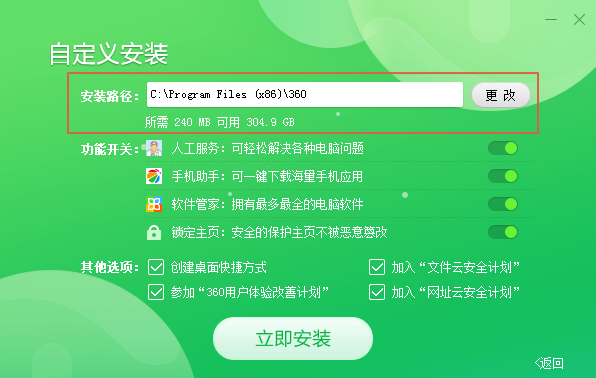
2. Or you can click [Custom Installation]. In the custom installation interface that opens, you can click [Change]. In the installation location window that opens, you can choose the installation location of the 360 Security Guard official version. After the selection is completed, you can select the options in the function switch and other options. You can choose by yourself. After the selection is completed, click [Install Now].
3. The official version of 360 Security Guard is being installed. You need to wait patiently for the software installation to be completed. The software will automatically open after completion.





Useful
Useful
Useful