





win7PE software frequently asked questions
How to use Dabaicai Win7PE boot image ISO to make a USB boot disk?
1. Visit the official website of Dabaicai or related download channels and download the latest version of Dabaicai Win7PE boot image ISO file.
2. Prepare a good-quality USB flash drive and ensure that its capacity is sufficient (generally recommended is 8GB or more).
3. Use the Dabaicai U disk boot disk creation tool or other similar tools to write the downloaded ISO file to the U disk to create a boot disk.
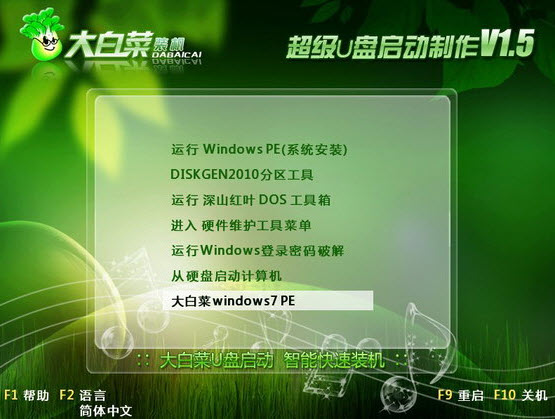
win7PE software introduction
Dabaicai win7pe boot image iso is a U disk boot disk creation tool provided by Dabaicai official website. Installing win7pe.iso to the U disk provides you with an image of the U disk installation system. You can install and maintain your system without a CD-ROM drive!
win7PE software features
Lightweight and highly flexible
It is small in size (about 94.75MB) and supports running directly from memory without relying on a hard disk.
Compatible with 32-bit/64-bit UEFI and BIOS modes, adaptable to new and old hardware.
Full-featured toolset
System repair: Integrated BCD editing tool, repair Windows boot tool, and can rebuild startup boot.
Data management: Supports FinalData data recovery and violent file deletion (solve write protection issues).
Safe operation: Provides Windows user password modification function and supports BitLocker encrypted disk access (requires additional components).
Pure experience without bundling
Mainstream versions (such as micro PE and FirPE) promise no forced installation and no home page locking to avoid the risk of rogue software.
Customized expansion capabilities
Supports plug-in architecture (such as Edgeless), users can freely add drivers, library files or themes to meet personalized needs.
win7PE software functions
System deployment and installation
Use Ghost's one-click backup and restore tool to quickly deploy system images (.gho).
Combined with the DISM tool to capture and apply Windows images, it supports offline system modifications.
Hardware diagnosis and maintenance
Partition management: DiskGenius and ADDS Chinese version provide lossless partition and MBR repair functions.
Driver backup: local drivers can be backed up before pre-installation to save subsequent configuration time.
Network and Security
Supports TCP/IP network connection and can access the file server via LAN.
Integrated ScanVirus security tool to support offline virus scanning.
Development and scripting support
Provides support for Windows Script Host (WSH) and ActiveX Data Objects (ADO), with optional integration of PowerShell.
Support batch file automation tasks (such as driver injection, system configuration).
How to use win7PE
1. In this example, Chinese cabbage uses win7pe, and then click the button "U disk startup item configuration" in the Chinese cabbage USB boot creation software;
2. Give a name, add the downloaded win7pe path, click Add, and after confirmation, click "One-click to create USB boot disk".
3. Because the volume of win7pe is more than 200 m, plus the original Chinese cabbage system, a total of more than 300 m of space in the USB flash drive will be used.
4. After the creation is completed, the boot partition of the USB disk cannot be seen, but you can see that the space of the USB disk may be reduced by 300m.
5. Restart the computer and set up the USB disk boot. The menu just defined is recommended. Select here to start the added win7pe system.
6. After starting win7pe, please note that win7pe automatically activates the network card driver and you can access the Internet directly.
FAQ
Crashes or blue screen after startup
Reason: The ISO file is too large (<50MB recommended), insufficient memory (>512MB required), and poor PE compatibility.
Solution:
Use a simplified version of PE or replace the USB disk to start the production tool (such as Rufus).
Check the hardware compatibility and give priority to the PE version that supports Legacy/UEFI dual mode.
win7PE update log
1. Optimized some functions
2. Solved many unbearable bugs
Huajun editor recommends:
The editor has also used360 browserSoftware with similar functions to this software is available in Huajun Software Park and can be downloaded and used!




Useful
Useful
Useful