





MathType (mathematical formula editor) software features
1.Applicable people
An essential tool for students, teachers, science professionals, and science students. Whether it is simple formulas and symbols or complex ones, you can easily input them.
2. Compatible with all versions of office
MathType has good compatibility with Office and can be used with office software or WPS
3.Multi-platform support
MathType mathematical formula editor is suitable for 800+ software applications and websites to create formulas
4.Support handwriting
"Open the input math panel" in the "Edit" menu supports handwritten input formulas, intelligently recognizes handwritten content, and you can complete writing with just a touch of the mouse.
5. Automated processing
MathType mathematical formula editor supports one-click conversion to Latex, Amslatex and other codes. Only appropriate modifications are needed to complete the editing task of the formula.
MathType (mathematical formula editor) installation tutorial
1. Download the MathType installation package from this site
2. Run the installation wizard, click Next and select the installation path.

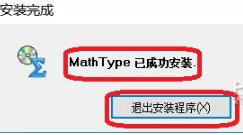
3. Wait for the installation to complete and run the MathType mathematical formula editor to use it.
How to use MathType (mathematical formula editor)
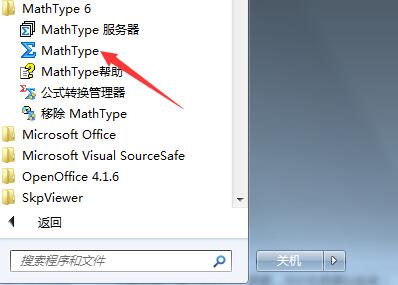
1. After installing the software on your computer according to the above MathType installation tutorial, you can click on the Start menu - All Programs, find MathType, and click to open and run. Of course, you can also directly double-click its shortcut on the desktop to open it.
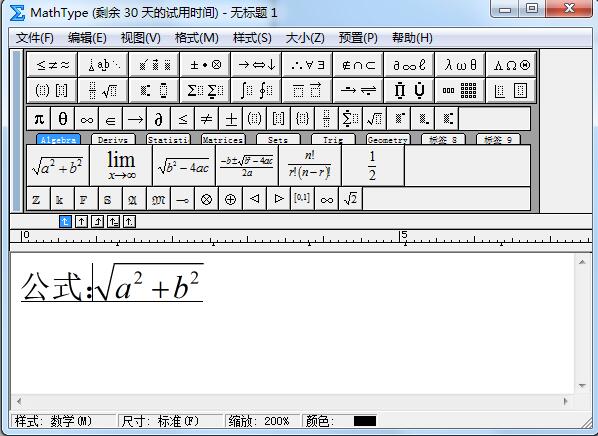
2. Enter the MathType main interface, as shown in the figure below, which is roughly divided into the menu bar, character, format bar, and formula editing area.

MathType (Math Equation Editor) FAQ
How does MathType insert spaces?
1. After starting the MathType software, first position the mouse to the place where you want to insert a space.
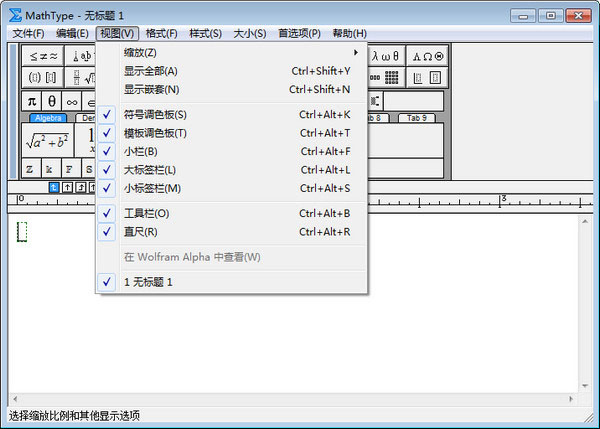
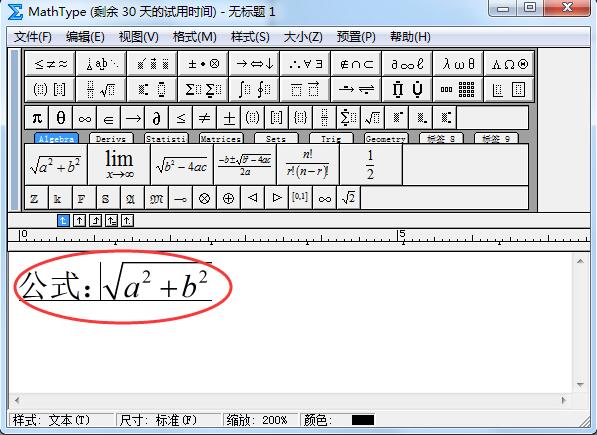
2. Click [Style] in the menu bar. Then we see that the default is the math option, and check it as the text option.
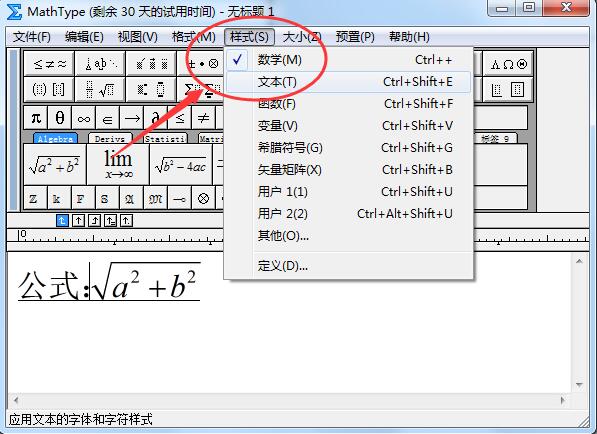
3. You can then enter spaces.
How to install MathType into Word?
Normally, when our computer has installed office software, it will be automatically added to the WORD toolbar after installation according to the above MathType installation tutorial. If it is not available, it can be added manually.
1. Start the WORD software, then click the File menu and click Options.

2. Open the WORD option and find the add-in on the left. Click the "Template" option in the management at the bottom of the interface.
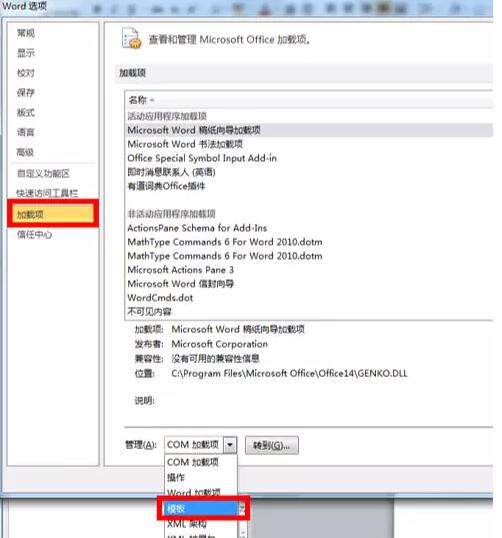
3. Then click the Go button on the lower right. Then the following interface will pop up:
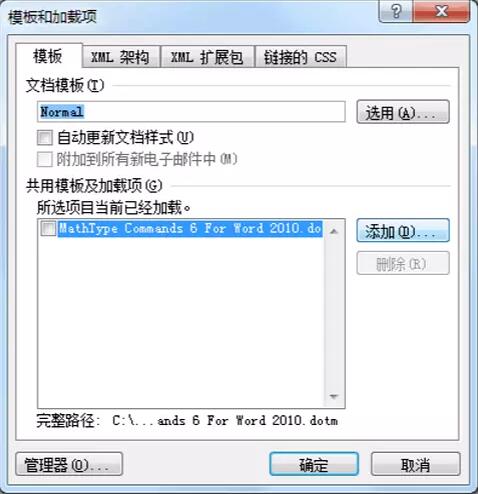
4. Click Add, find the file as shown below in the MathType installation folder, select it and click to open.

5. At this time, you will see the file we just added appearing in the "Templates and Add-ons" interface.
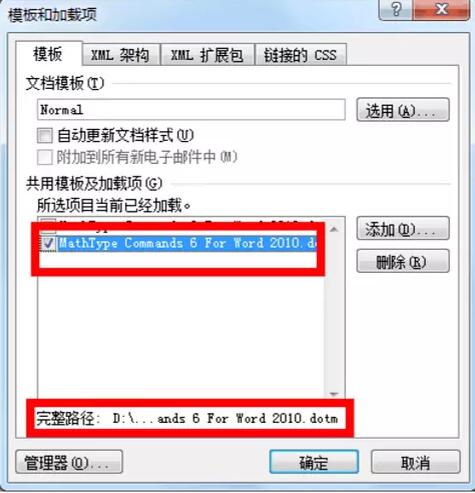
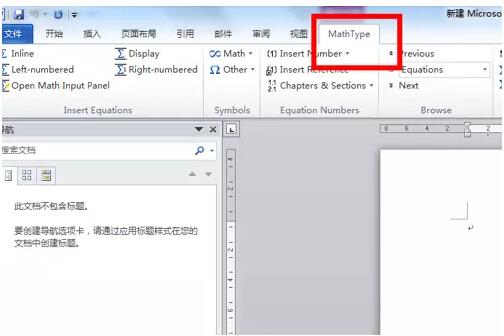
6. After finally clicking OK, the MathType function button will appear on the WORD toolbar, and you can use it to edit formulas.
MathType (mathematical formula editor) comparison of similar software
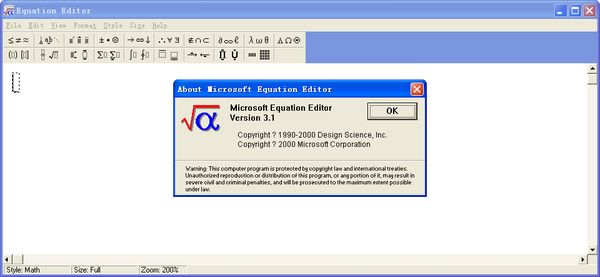
"Equation Editor" is one of the component tools of Microsoft OFFICE office software. If you have installed OFFICE office software on your computer, you only need to add this tool to edit mathematical formulas in WORD. It is simple and practical.
MathType (mathematical formula editor) is different, it does not depend on other software. After downloading and installing, you can use it alone. Of course, if you are used to using word or wps, you can also add it to the program for use, which can be said to be very convenient.
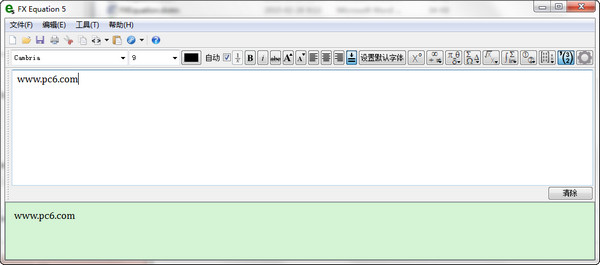
Each mathematical formula editor has its own merits. You can choose one according to your own usage habits and needs. If you are interested in Equation Editor, you can click the link below to download and experience it.
Equation Editor Mathematical formula editor:http://softwaredownload4.com/soft/635439.htm
MathType (Math Equation Editor) update log
1.MathType mathematical formula editor is perfectly compatible with Windows 10 operating system;
2. Can run on Office2016 and Office 365;
3. Newly compatible with 800+ software applications and websites;
4. MathPage supports MathJax technology;
5.MathType mathematical formula editor supports mathematical handwriting recognition;
6. Added support for more mathematical symbols and fonts;
7.MathType mathematical formula editor adds more saving formats.
|
Huajun editor recommends: MathType is a powerful mathematical formula editor. MathType can add complex mathematical formulas and symbols to various documents, and can be used to edit mathematics test papers, books, newspapers, papers, slide presentations, etc. In addition, this website also provides downloads of Maths Formulas 8, Math Ref: Math Ref, Equation Editor, etc. |















Useful
Useful
Useful