




Photo file recovery software features
Photo file recovery software supports scanning and recovery of various RAW digital photos such as JPG images, PNG images, EXIF images, NEF file recovery, CR2 file recovery, SR2 file recovery, etc., and supports photos taken by various digital cameras and video cameras.
Photo recovery software: It has good data scanning effect, fast speed and saves time. It is a powerful digital photo recovery software.
Photo file recovery software installation steps
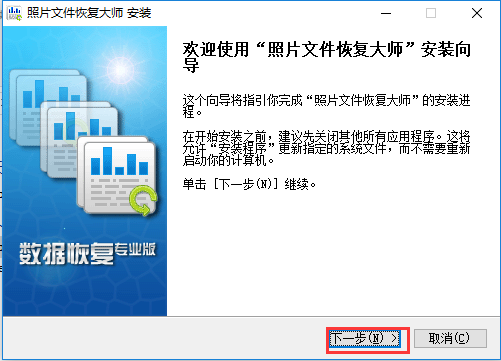
1. First download the photo file recovery software installation package from this site, unzip it and run the exe file to enter the installation wizard interface and click Next
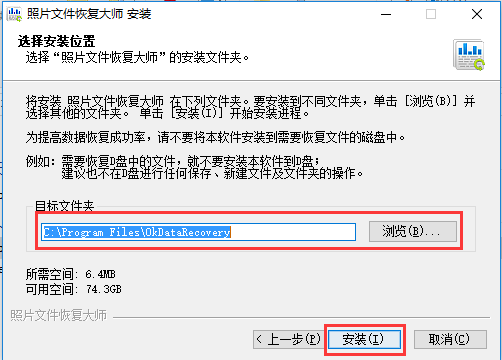
2. Enter the installation location selection interface, select the default installation to C drive or click Browse to select another installation location, and then click Install
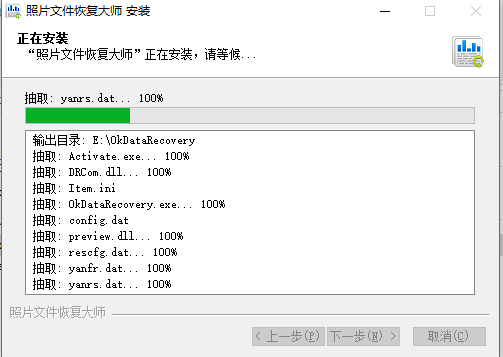
3. Enter the installation interface and wait patiently for the installation progress bar to complete.
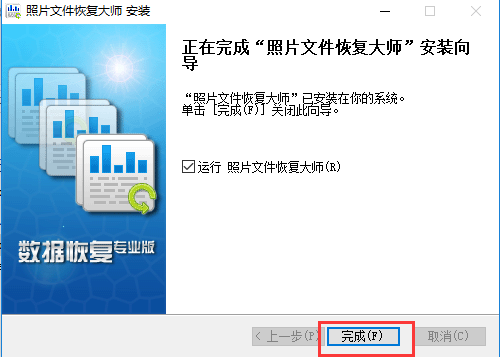
4. The photo file recovery software is installed, click Finish to use it.
How to use photo file recovery software
How to recover files deleted from Recycle Bin?
Step 1: After downloading and installing the photo file recovery software on this site, click to experience and run the software now.
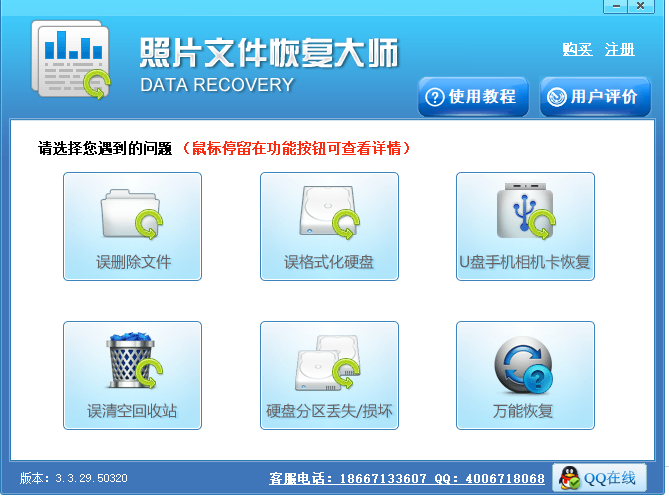
Step 2: The free version of the photo file recovery software has six functional options and descriptions. Each of them can easily solve the problems encountered by users. Here, it is recommended to select the "Accidental Empty Recycle Bin" option.
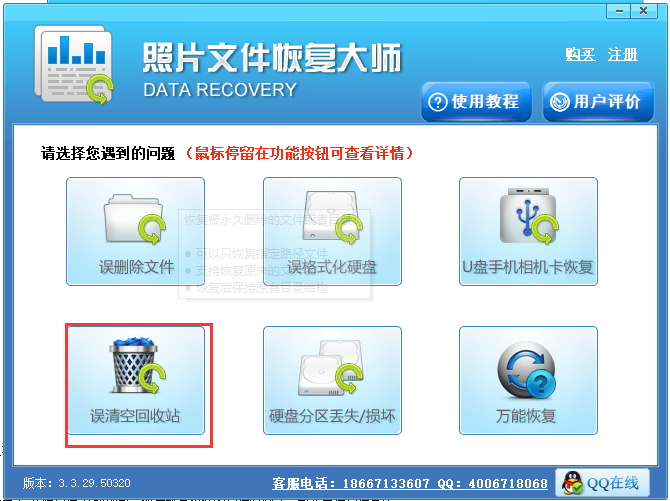
Step 3: After reading the computer partition information, it will be displayed on the interface. Here, check the drive disk partition and click the "Start Scan" button. Then it will be the scanning time of the software. Wait patiently for the scan to complete.
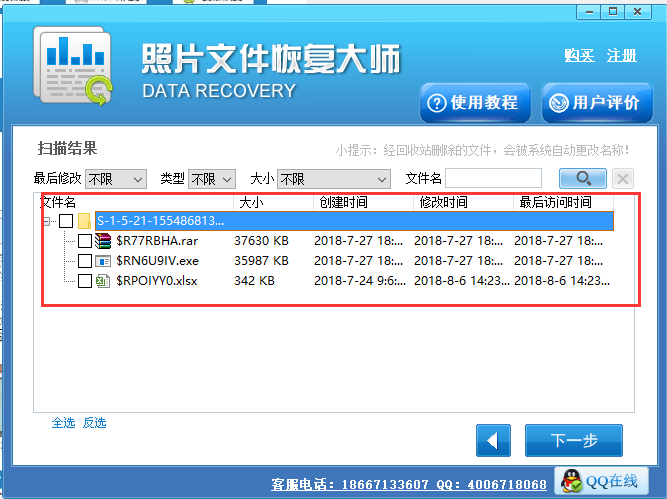
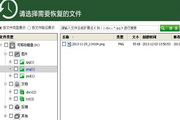
Step 4: After finishing, click on the format corresponding to the accidentally deleted file on the left side of the interface. On the right side is the specific file information. Find the required check box, and then click the "Next" button.
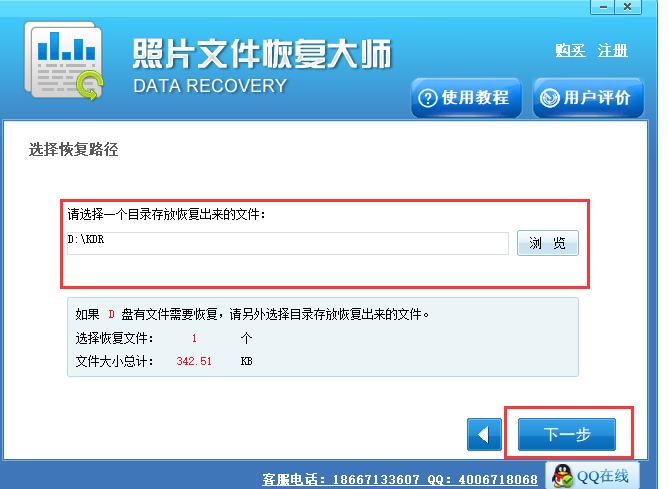
Step 5: Click the "Browse" button to customize the storage location of the selected file, and then click the "Restore" button to restore the selected file. After the recovery is completed, click the OK button in the prompt box to view the file.
After following the above five simple operations, the files deleted from the Recycle Bin will be quickly restored.
Photo File Recovery Software FAQ
What should I do if I want to use photo file recovery software to recover data in the Recycle Bin, but the data cannot be scanned?
Answer: If the data cannot be scanned after accidentally emptying the Recycle Bin, you can use the software's universal recovery mode to rescan, or scan the disk where the file was before it was placed in the Recycle Bin.
Why are the names of the folders scanned by the photo file recovery software different from those that were lost?
Answer: Because after recovery, the lost data is reclassified by file type and does not exist in the form of the original folder. You can open the recovered data and find the data you want based on the file type.
Where should the data recovered by photo file recovery software be stored? Can it be restored to the original disk?
Answer: When recovering data, please do not restore the data to the drive letter where you lost the file before. You should restore the data to another drive to avoid data being overwritten.
Comparison of similar photo file recovery software
"Kingsoft Photo Recovery"Based on the technical accumulation of previous products, it supports the recovery of pictures in more formats, improved the stability of data scanning, reduced the time required for data scanning, and provided functions such as filtering of scanned files.
91 Photo Recovery SoftwareIt is the photo recovery software with the fastest recovery speed and the most complete file recovery on the market. It can easily recover photos that have been accidentally deleted, formatted, or lost due to other device problems.
Happy Phone Recovery MasterIt is a data recovery software that is perfectly compatible with Windows and Mac computers. Kaixin Mobile Recovery Master can recover accidentally deleted contacts, memos, text messages, WeChat chat records, call records, WhatsApp chat records, pictures (photos, albums), calendars, Safari bookmarks, reminders and other nearly 16 types of iOS device data without jailbreaking the device. It also supports one-click export of data to achieve the perfect backup effect of important data.
Photo file recovery software update log:
1. Fixed several bugs;
2. Optimize details;
Huajun editor recommends:
The editor has also usedFoxit Data Recovery,DiskGenius Free Edition,filerecovery 2016,Gecko Data Recovery,Prickly Pear Data RecoverySoftware with similar functions to this software is available in Huajun Software Park and can be downloaded and used!










Useful
Useful
Useful