Hot search terms: 360 Security Guard Office365 360 browser WPS Office iQiyi Huawei Cloud Market Tencent Cloud Store
Hot search terms: 360 Security Guard Office365 360 browser WPS Office iQiyi Huawei Cloud Market Tencent Cloud Store

Other games Storage: 47.95GB Time: 2022-03-29
Software introduction: Issues related to the official version of the competitive map Eternal Calamity Where can I watch the personal journey of Eternal Calamity? NetEase Data At the same time, there will be no disaster...
Everlasting Calamity is a much-anticipated multiplayer action competitive game, so how to check the frame rate of Everlasting Calamity? How to check frame rate forever? Let the editor give you the answer below!

How to check the frame rate in Eternal Tribulation?
1. After starting the game, click the [Settings] icon in the upper right corner of the main interface.
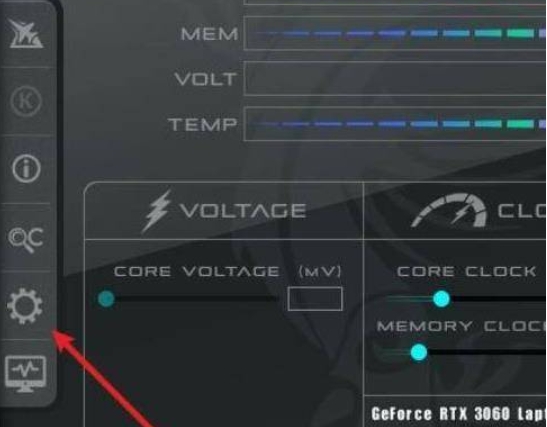
2. In the setting options, check [Display frame number], and the frame rate data will be displayed in the upper left corner of the screen in real time.
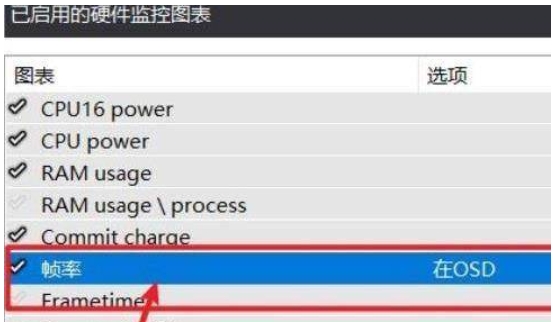
The above is what the editor of Huajun has compiled for you. How to check the frame rate of Yongjiewujian? Here’s how to always check the frame rate, I hope it helps.

 Steam
Steam
 Tencent Video
 WPS Office
 iQiyi
iQiyi
 Sohu video player
 Lightning simulator
 MuMu emulator
 Eggman Party
 WPS Office 2023
 How to transform into a Titan in Attack on Titan? -How to supply supplies in Attack on Titan game?
 Which character is good in Genshin Impact? -Recommended guide for Genshin Impact characters
 How does Ni Shuihan combo attacks with one click? -How does Nishuihan use coordinates to find paths?
 How to operate Forza Horizon 4 - How to operate Forza Horizon 4