
-
iSunshare RAR Password Genius
- Size: 7.02M
- Language: English
- Category: Password recovery
- System: winall






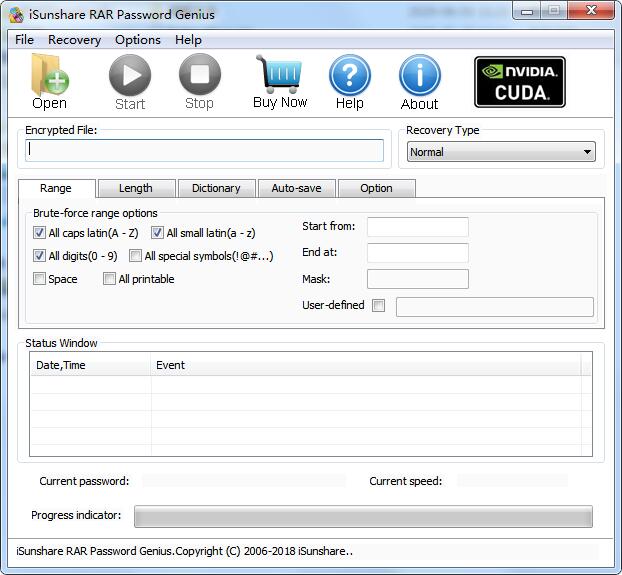
The latest version of iSunshare rar Password Genius is a software for recovering the password of RAR compressed files. As long as the user's computer has saved the rar file, the iSunshare rar Password Genius software can be used to recover the password of the file. The official version of iSunshare rar Password Genius can also use one or more computers to speed up password recovery.
iSunshare rar Password Genius function introduction
1. High RAR password recovery speed.
Four powerful rar password recovery methods for RAR Password Genius Standard users to choose based on their forgotten or lost RAR archive capabilities. And all accessible computers in the LAN can be used simultaneously to quickly recover RAR forgotten passwords for RAR Password Genius Professional users.
Different parameters can be set for the selected password attack type to improve rar password recovery efficiency.
Optimized for multi-processor systems and multi-core CPUs to increase the speed of rar password recovery.
2. Use one or more computers to speed up password recovery.
Standard version: Recover RAR/WinRAR archive passwords on one computer using four password attack types. Supports .rar files created by compression software such as RAR or WinRAR.
Professional Edition: Allows you to recover RAR passwords using one or multiple computers for faster password recovery.
3. Easy to use, no computer skills required.
Provides user-friendly interface.
Complete three steps for RAR password recovery. Start>Import>Decrypt.
Very few parameters need to be set and it is easy to set up for each rar password attack type.
4. Professional, timely and free technical support.
Provides professional user guide on RAR password recovery software.
Provide users with timely answers to every question via email.
iSunshare rar Password Genius installation steps
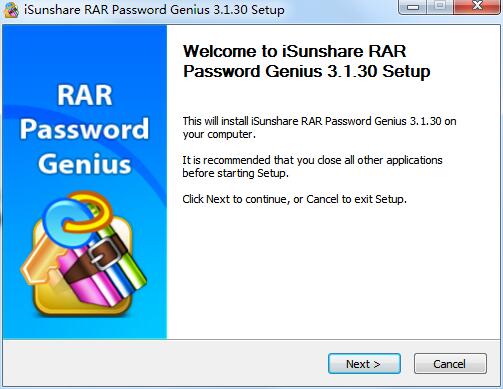
1. Download the latest version of iSunshare rar Password Genius installation package from Huajun Software Park. After unzipping, double-click the "exe" file to enter the installation wizard and click Next
2. Read the license agreement and click I Agree

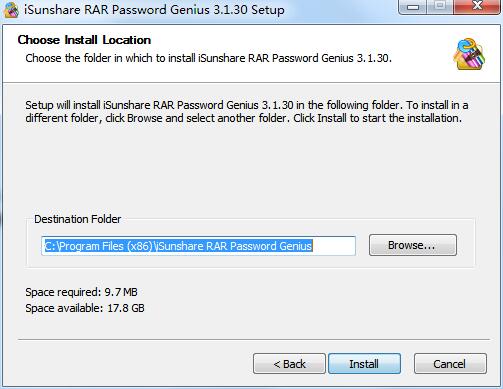
3. Click "Browse" to select the installation location. Generally, the default is C drive. It is recommended to install on D drive. Click Install.
4.iSunshare rar Password Genius is being installed, please wait patiently.

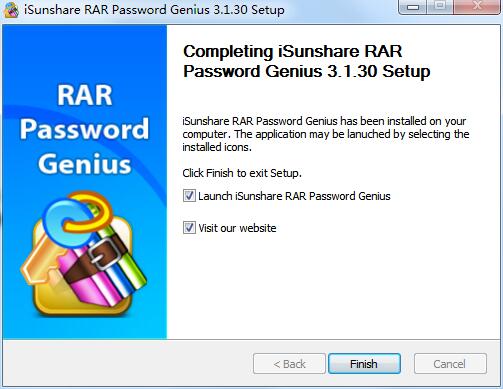
5.iSunshare rar Password Genius installation is complete, click Finish to exit the installation wizard
iSunshare RAR Password Genius update log:
1. The details are more outstanding!
2. BUG gone without a trace
Special instructions:
Hello, the software you are about to use is an auxiliary tool and may be intercepted and checked by major anti-virus software. This software may have risks, please pay attention to avoid it. If you want to continue using it, it is recommended to close various anti-virus software before use.
Attached is the password to decompress the software package: softwaredownload4.com
Huajun editor recommends:
iSunshare RAR Password Genius is a free software with wide application and powerful functions. The functions of this latest version have been highly praised by many netizens. It is strongly recommended that everyone download and use it. In addition, T4 Asterisk Password Viewer, Batch Butler, and Cloud Machine Manager are recommended for everyone to download and use.
Version: 3.1.30 latest version | Update time: 2024-12-30
Similar recommendations





Latest updates


How to choose file association in Video Pioneer? - How to select file associations for Video Pioneer
How to download movies from Video Pioneer? - How to download movies from Video Pioneer
How to search for videos on Video Pioneer? - How to search for videos by Video Pioneer
How to delete history in Video Pioneer? -How to delete history records by Video Pioneer
How to set the skin for Video Pioneer? -How to set skin for Video Pioneer
iSunshare RAR Password Genius Review
-
1st floor Huajun netizen 2020-07-12 05:21:28iSunshare RAR Password Genius software is very easy to use, downloads quickly and is very convenient!
-
2nd floor Huajun netizen 2018-04-22 04:18:13iSunshare RAR Password Genius hopes to do better and better, come on!
-
3rd floor Huajun netizen 2019-07-11 10:10:38iSunshare RAR Password Genius has comprehensive functions and is very convenient to use.
Recommended products




- Diablo game tool collection
- Group purchasing software collection area
- p2p seed search artifact download-P2P seed search artifact special topic
- adobe software encyclopedia - adobe full range of software downloads - adobe software downloads
- Safe Internet Encyclopedia
- Browser PC version download-browser download collection
- Diablo 3 game collection
- Anxin Quote Software
- Which Key Wizard software is better? Key Wizard software collection




