
-
Xunbo GVOD player
- Size: 10.44M
- Language: Simplified Chinese
- Category: Internet TV
- System: Winxp/vista/win7/2000/2003






Xunbo GVOD player is a high-definition on-demand video that does not occupy server bandwidth at all. It increases the chance of automatic inclusion of dogs and attracts massive traffic. Xunbo GVOD player is a web page independent player that uses Thunder hyper-threading network transmission technology. It can be played directly using the download address and does not occupy any bandwidth of the download server. Xunbo's pure and green installation package only contains web playback components and does not contain any playback clients that have nothing to do with web pages.

Features of Xunbo GVOD player
1. High-definition on-demand that saves server bandwidth
Using hyper-threading network transmission technology, massive clients can transmit data and the server can save more effort.
2. Increase the chance of being included in the automatic dog search engine
After being included by Dog, your website link will be displayed in a prominent position on the search results page, bringing massive traffic to the website.
3. Pure and green web player
The independent installation package only contains web playback components and does not contain any client player. Webmasters do not need to worry about website traffic being diverted.
4. Use the download address to play directly
Resources that can be added to the download list for download currently only support GVOD links.
Xunbo GVOD player installation method
1. After downloading the Xunbo GVOD player from this site, obtain the compressed package locally on your computer. After decompressing it using 360 compression software, double-click the .exe file to enter the software installation interface, and click [Next] to continue the installation.

2. Enter the Xunbo GVOD player installation agreement interface. You can read the contents of the agreement first. After reading, click [I Agree], and then click [Next] to continue the installation.

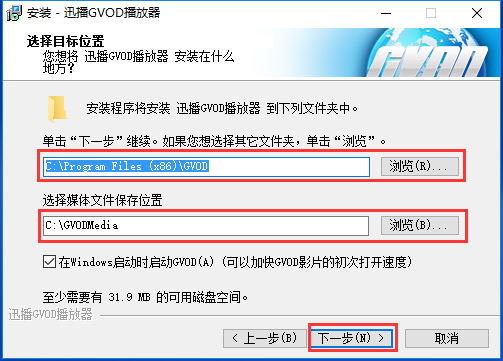
3. Select the Xunbo GVOD player installation location and [Media file saving location], you can click [Browse], in the window that opens, you can choose the software installation location and media file saving location, click [Next] after completing the selection.
4. Select the media type associated with Xunbo GVOD player. The editor recommends all options. After selecting, click [Next].

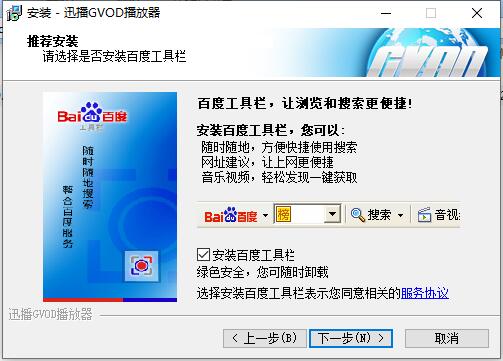
5. Prepare to install the Xunbo GVOD player, uncheck the [Install Baidu Toolbar] option, and click [Next] after completing the selection.
6. Xunbo GVOD player is being installed, you need to wait patiently for the software installation to be completed.

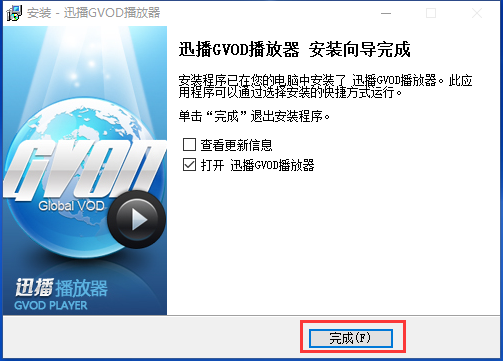
7. The Xunbo GVOD player installation is completed, click [Finish] to exit the installation program.
How to use Xunbo GVOD player
1. Open the desktop shortcut of Xunbo GVOD player. After opening the software, enter the main interface of the software. You can see the options of [Local File], [Torrent File] and [URL Address].
2. Click [Local File] and choose to open your local video file. After selecting, click [Open] to play it.

3. Click [URL Address] in the Xunbo GVOD player interface. In the window that opens, enter the URL address of the media file you want to play. After completing the input, click [OK] to play.

Xunbo GVOD Player FAQ
How to change the skin of Xunbo GVOD player?
1. Open the software, click [Menu], select the [View] option, and enter [Skin Management].
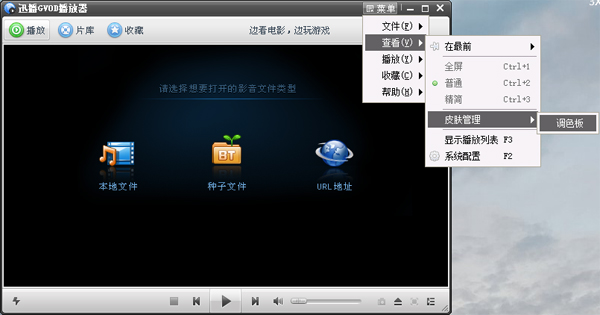
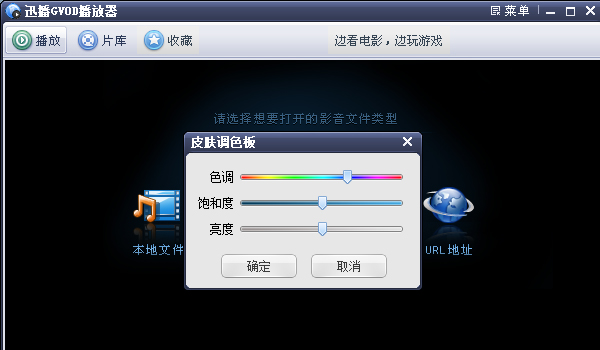
2. Enter the [Skin Palette], adjust the color of the software skin and click [OK].
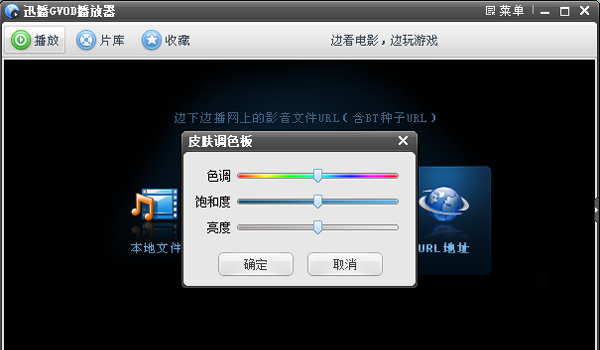
3. The skin replacement is successful.
The playback process is not smooth. Is there any good solution?
Under normal circumstances, when using GVOD to play a video, it can maintain very smooth playback; if it occasionally becomes unsmooth, you can choose to pause for 1 or 2 minutes to allow the video to have enough buffering time to download the video data to the local in advance, so that there will be no lag when you start playing again.
The playback is smooth, but the sound and picture are out of sync, there is sound but no picture, etc. What is the reason?
If the sound and picture are not synchronized, the CPU usage may be too high. It is recommended that you close the corresponding program; if there is sound but no picture, it may be a problem with the file itself. Please report the error to the movie webmaster and submit a sample of the unplayable file so that the problem can be solved as soon as possible.
Xunbo GVOD player update log
1. The cached file is a complete file and can be played using a local player.
2. Support shortcut lightning playback
3. Optimize p2p efficiency
4. Improve download speed
Huajun editor recommends:
Xunbo gvod player is a web page independent player that uses Thunder hyper-threading network transmission technology. Xunbo gvod player uses hyper-threading network transmission technology to transmit massive data to clients and save more effort on the server. Huajun Software Park also has popular software with the same functions as this software, such as: CD to MP3 format converter, .NET, cloud machine manager, etc. If you need it, you can add it to your collection!
Version: 1.6.2.3136 | Update time: 2024-12-23
Similar recommendations







Latest updates





How to download movies from Video Pioneer? - How to download movies from Video Pioneer
How to search for videos on Video Pioneer? - How to search for videos by Video Pioneer
How to delete history in Video Pioneer? -How to delete history records by Video Pioneer
How to set the skin for Video Pioneer? -How to set skin for Video Pioneer
Xunbo GVOD player review
-
1st floor Huajun netizen 2020-04-29 11:53:50Xunbo GVOD player is very useful, thank you! !
-
2nd floor Huajun netizen 2020-10-05 07:52:52Xunbo GVOD player software is very easy to use, the download speed is very fast and very convenient!
-
3rd floor Huajun netizen 2020-05-11 03:14:28Xunbo GVOD player is not bad, the download is very fast, I give you a good review!
Recommended products










- Diablo game tool collection
- Group purchasing software collection area
- p2p seed search artifact download-P2P seed search artifact special topic
- adobe software encyclopedia - adobe full range of software downloads - adobe software downloads
- Safe Internet Encyclopedia
- Browser PC version download-browser download collection
- Diablo 3 game collection
- Anxin Quote Software
- Which Key Wizard software is better? Key Wizard software collection




