
-
Jinshi Engineering Budget Quotation System Online Version
- Size: 272.96M
- Language: Simplified Chinese
- Category: Engineering construction
- System: Win







The newly revised online version of the Jinshi Engineering Budget Quotation System is a relatively common engineering quotation software used by engineering companies to provide budget quotations to customers: it supports configurations such as fees and tax rates, and the system automatically calculates fees and taxes. It supports adding material quotas, component quotas, quotation descriptions, material descriptions, etc. to the system database at one time. When making quotations and budgets in the future, you only need to browse and select material quotas and component quotas from the library, and add them with a click of the mouse. You only need to modify the quantity, and the calculation is fully automatic, making it convenient and fast to make project quotations and budgets for customers. Supports designing project budget by floor, room sequence, and sub-items. Report item column names can be customized, and A3 and A4 paper output can be customized. Supports fast project budgeting methods such as material components and project copying; supports rapid import of material quotas from excel files; supports customized cover images; supports exporting to Excel , Word, Pdf and other functions; supports Windows 64-bit and 32-bit systems. The default username and password are both master. For detailed usage of the software, please see the system’s “Help” menu. .
2. Features of the online version of Jinshi Engineering Budget Quotation System:
1. Use SQL As a database system, Server has powerful network functions. Multiple users can provide project budgets to multiple customers at the same time, using a unified database, unified management of material prices, automatic computer calculation, accurate and fast.
2. It can be used in a local area network or across the Internet, allowing multiple branches to use a unified database and save manpower. The budget can also be created by the estimator of one branch, and other branches can display, call and print it through the Internet.
3. Supports multi-user management. Different users have different permissions to achieve safe management effects.
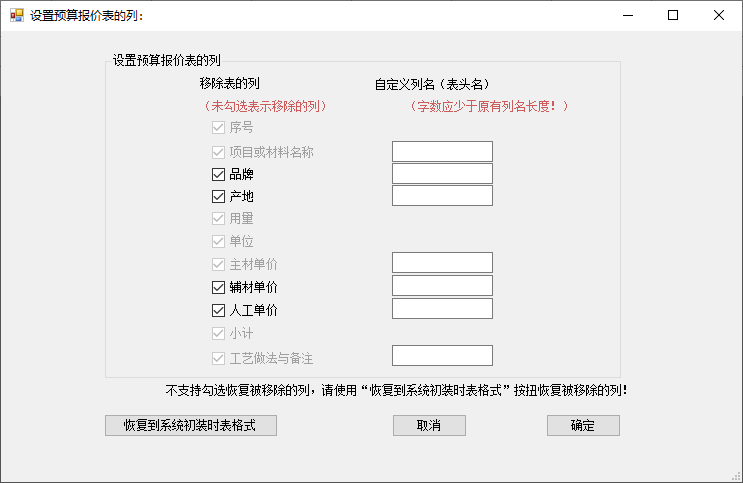
4. Supports customizing the quotation items of the budget quotation table (freely select columns according to company conditions) and quotation item names (customized column header names).
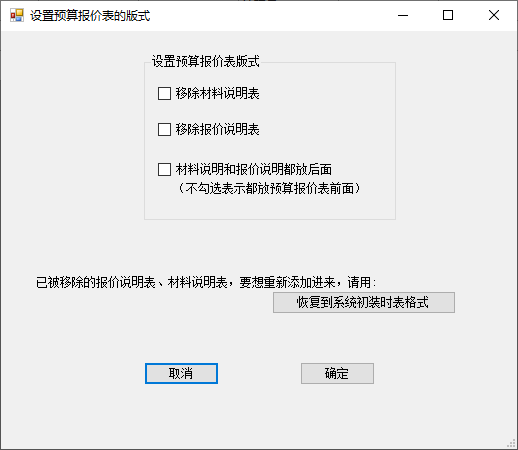
5. Supports custom printing of A4, A3 and other paper; the layout of the budget quotation table can be customized, and the quotation description table and material description table can be customized.
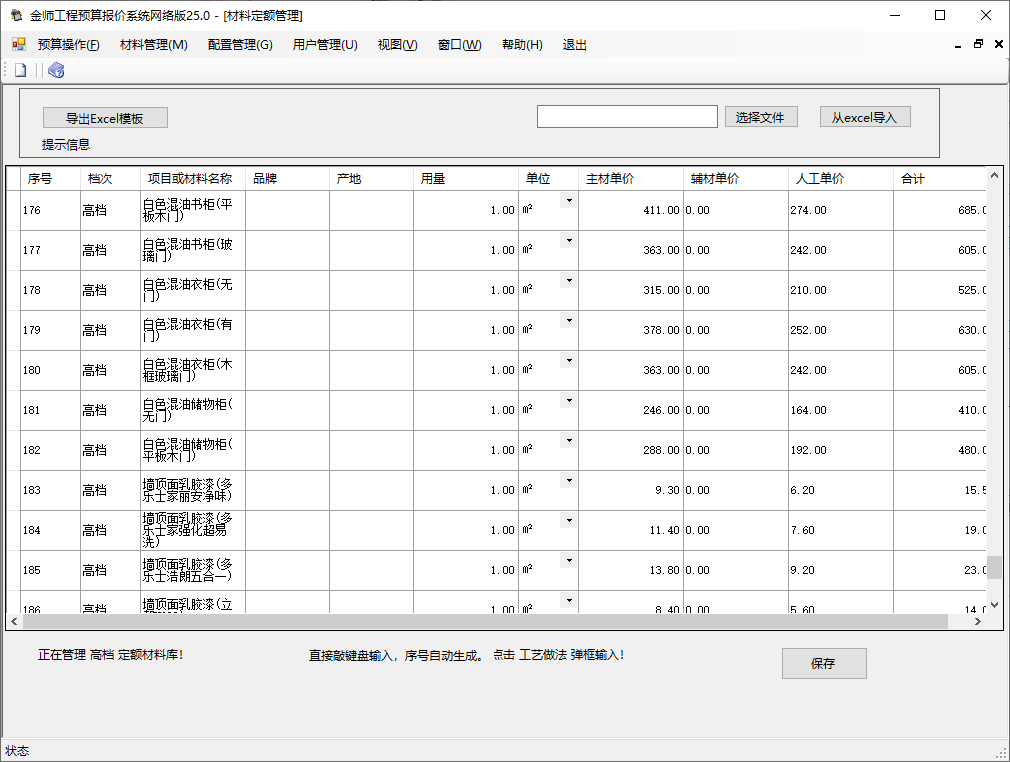
6. Support material quota import from excel, which is convenient and quick to use.
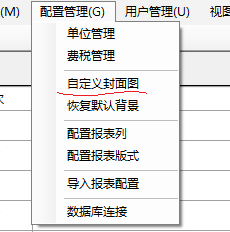
7. Support cover image customization to reflect company cultural characteristics.
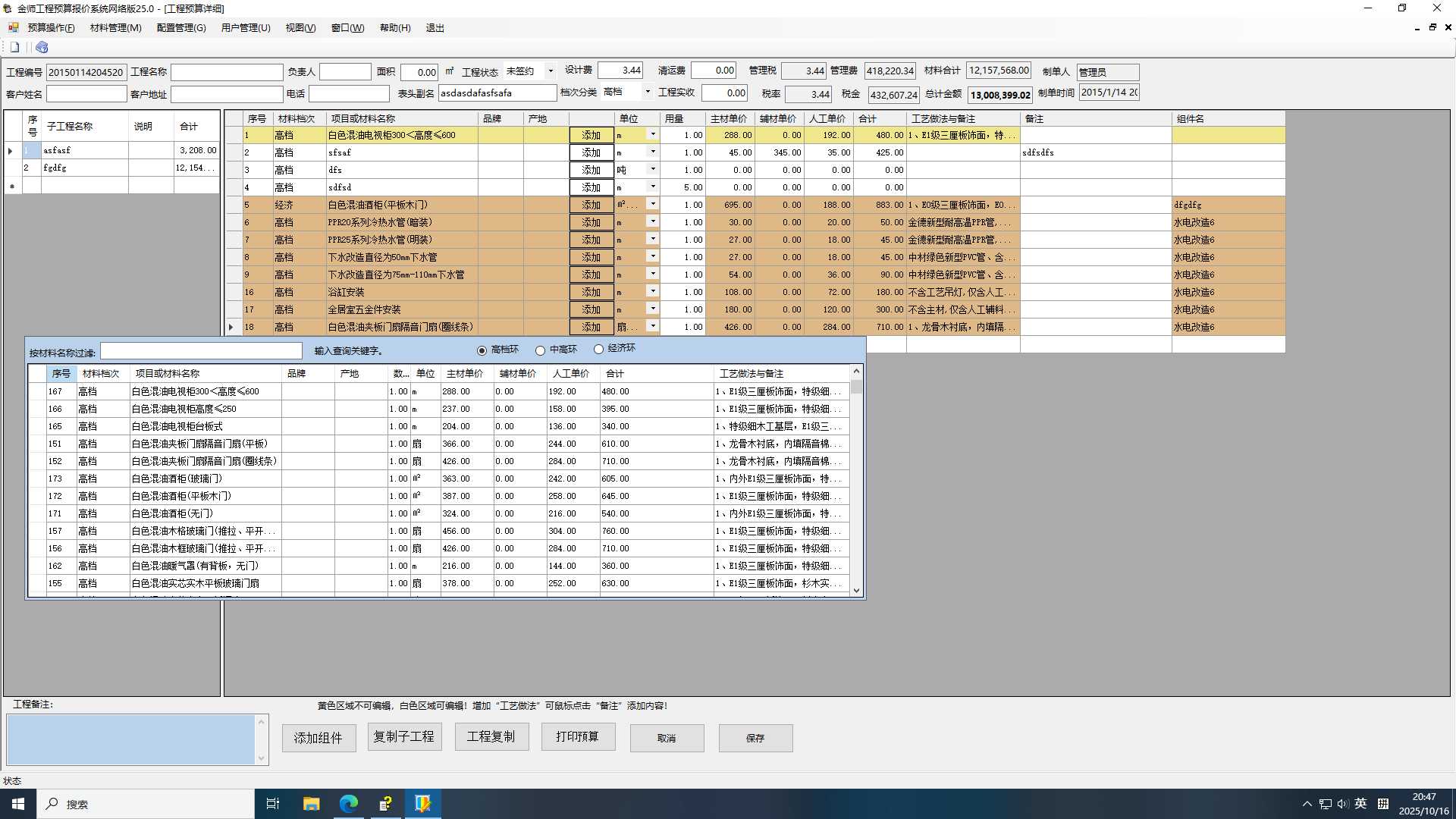
8. Supports quick budget operations such as component addition, sub-project copy, and project copy.
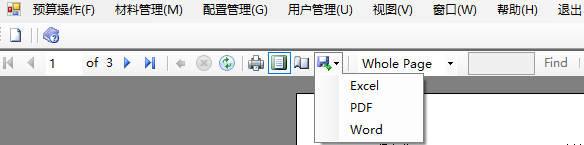
9. Supports exporting budget tables into various forms such as PDF, EXCEL, WORD, etc. for easy mobile use.
10. Easy to install. This system is cleverly designed to make network deployment easier.
3. How to use Jinshi Engineering Budget Quotation System Online Version 25.0:
1. Installation instructions:
Before using the online version, you need to install the database first. Note that you only need to install the database on one computer (the so-called server), and other computers do not need to install the database. Other computers only need to install the Jinshi Engineering Budget System (excluding the database part installation), and then use the same database online.
2. Database server installation (divided into 2 parts):
1). Install the database management system: Jinshi system uses sql express 2022 by default.
2), additional gold master system database:
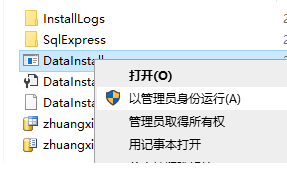
In order to facilitate users to install the database, we combined the above two parts and wrote an installation file. Unzip the downloaded Jinshi software package and run it in the DataInstall folder with super administrator privileges. DataInstall.exe file is enough.
Things to note:
1) Run the DataInstall.exe file with super administrator rights: right-click on the file and select "Run with administrator rights"
2) It is strongly recommended to turn off the firewall, anti-virus software, etc. before installation! To prevent online downloads from potentially containing viruses, you can perform an anti-virus scan first.
3). During installation, Windows will prompt you with a security prompt, please always answer "Allow".
The main prompt interface during the installation process of using Jinshi System DataInstall is as follows:
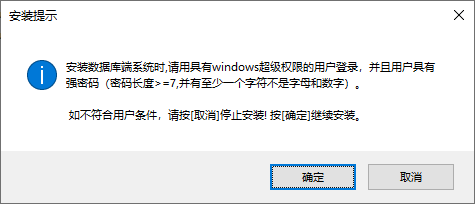
This is the password strength required for the current Windows user
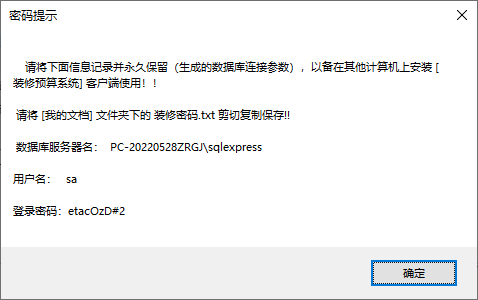
This password will be used for subsequent database connections.
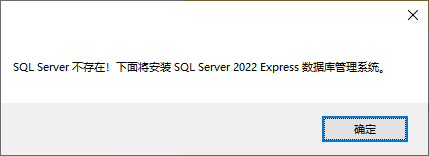
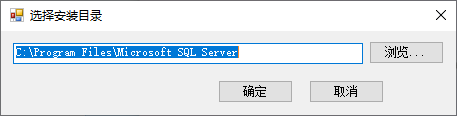
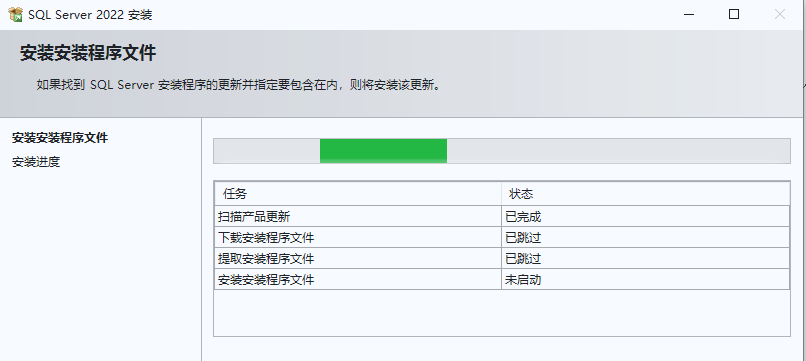
Officially started to install the sql express database management system silently
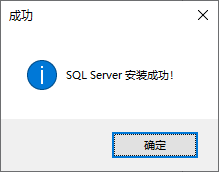
The installation of SQL Express database management system was successful. Don't wait impatiently, the installation of the Jinshi system database continues below.
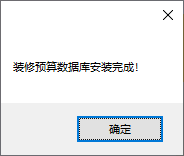
Congratulations, the installation of Jinshi system database was successful!
3. Installation of Jinshi Engineering Budget Quotation System (non-database part)
1). Log in to Windows with super administrator privileges (the administrator must have a password);
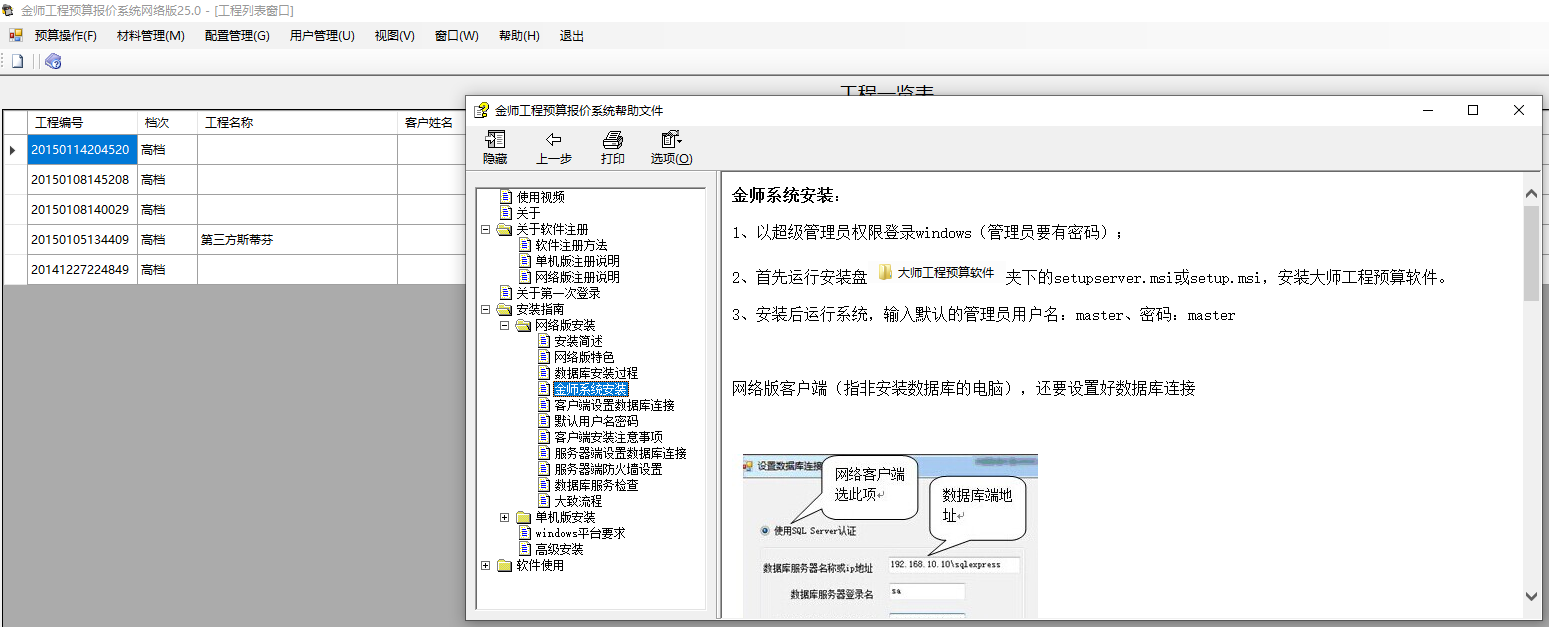
2). First, run setupserver.msi or setup.msi in the "Jinshi Engineering Budget System" folder on the installation disk to install the Jinshi Engineering Budget Quotation System.
3) After installation, log in to the running system and enter the default administrator username: master and password: master. When logging in for the first time, you will be asked to set up a database connection.
For detailed usage, please refer to the "Help" document.
4. Jinshi Engineering Budget Quotation System Online Version 25.0 Demonstration Video Software Background Image Customization Demonstration
5. Jinshi Engineering Budget Quotation System Online Version 25.0 Update Log
The copyright of the software belongs to the author personally, and reverse engineering is strictly prohibited.
In addition, this version is a standalone version, and previous versions cannot be upgraded to this version!
Jinshi Engineering Budget Quotation System Online Version Update Log:
Developer GG said there are really no bugs this time~
Huajun editor recommends:
The editor has also used concrete mix ratio calculator, Aimo Brain Map, Cloud Machine Manager and other software with similar functions to this software. Huajun Software Park provides them and can be downloaded and used!
Version: 25.0 | Update time: 2025-10-30
Similar recommendations





Latest updates





Comments on the online version of Jinshi Engineering Budget Quotation System
-
1st floor Huajun netizen 2015-05-14 15:27:27The online version 15.0 of Master Decoration Project Budget Software is very useful, thank you! !
-
2nd floor Huajun netizen 2017-07-29 14:13:22The online version 15.0 of the Master Decoration and Renovation Project Budget Software is not bad. It downloads very quickly. I give you a good review!
-
3rd floor Huajun netizen 2021-06-24 23:03:26Master Decoration Project Budget Software Online Version 15.0 hopes to do better and better, come on!
Recommended products
-

Steel weight calculation toolbox
-

General furniture purchase, sale and inventory management system
-

Pengye installation engineering measurement software
-
Install calculation software (unlocked version)
-
Yili Construction Progress Plan Bar Chart Software
-

Blu-ray Hardware Manual
-

Tianzheng construction time patch
-

Material weight calculator
-

Construction industry scaffolding engineering safety calculation software
-

Hongye List Pricing Software
- Diablo game tool collection
- Group purchasing software collection area
- p2p seed search artifact download-P2P seed search artifact special topic
- adobe software encyclopedia - adobe full range of software downloads - adobe software downloads
- Safe Internet Encyclopedia
- Browser PC version download-browser download collection
- Diablo 3 game collection
- Anxin Quote Software
- Which Key Wizard software is better? Key Wizard software collection




