
-
Audio and video storm (MYMPC) 2008
- Size: 20.68M
- Language: Simplified Chinese
- Category: video playback
- System: WinXP, Win7, WinAll






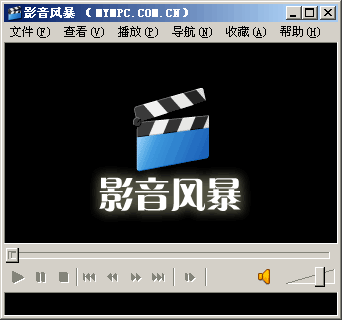
MYMPC is an all-in-one media player that fully supports all popular audio and video files and streaming media. As a supplement and improvement to Windows Media Player, My MPC Series·Baofeng Yingyin provides and upgrades the system's support for most common audio and video files and streams.
VideoStorm includes RealMedia, QuickTime, MPEG-4 (DivX,
Cooperating with the latest version of WMP, it can complete the playback of most popular audio and video files, streaming media, DVDs, etc. without any other special software.
VideoStorm installation mode
The installation program of MYMPC is a standard Windows program installation mode and provides you with three preset and one customized installation modes:
Typical installation: a form suitable for most users, installing all components and functions of MYMPC, with good compatibility and practicality
Typical installation 2: RealMedia and QuickTime components are not installed, the others are the same as "standard installation", suitable for users who like official players
Minimized: Suitable for users who have no encoding production or special media playback requirements. Only the most popular and commonly used media decoding solutions are installed, occupying a smaller space.
Custom: Suitable for advanced users, you can choose to install or not install any components according to your needs.
Video storm installation parameters
In addition, in order to facilitate users who have special requirements or need to perform silent installation, the installation program of MYMPC has set the following command line parameters:
/S - Silent installation (no user interface is displayed, if there are no other parameters, then
Install default components according to system default language and default settings)
(4). Minimum system requirements:
500MHz or above CPU, 128M or above memory, 100M or above hard disk space
AGP or PCIE specification graphics card with at least 8M of video memory
AC97 or HD-Audio compliant sound card
Win ME/2000/XP/2003, DirectX 8 or above (9 strongly recommended)
640×480×16-bit high-color screen
Audio and video storm (MYMPC) 2008 FAQ
Video playback freezes:
Check whether the network connection is stable. It is recommended to use a wired network or 5G Wi-Fi.
Adjust playback settings, such as turning hardware acceleration on or off, and try different settings to find the best results.
Make sure the graphics card driver is the latest version. You can download the latest driver from the graphics card manufacturer's official website.
Unable to play certain formats:
Although MYMPC supports multiple formats, some formats may not be playable. At this point, you can try to install the latest codec pack (such as K-Lite Codec Pack), or convert the video to a format supported by the software (such as MP4, AVI, etc.).
Video Storm (MYMPC) 2008 update log:
1. Fixed several bugs;
2. Optimize details;
Huajun editor recommends:
The editor personally tested the software of MYMPC 2008. The various functions are very simple and easy to operate. Even a new user like the editor can master it quickly. I highly praise it! This site also has similar software Zero Degree Player, FreeSmith, and .NET, which we recommend you download!
Version: 5.0 Simplified Chinese version | Update time: 2024-12-26
Similar recommendations







Latest updates





AV Storm (MYMPC) 2008 Review
-
1st floor Huajun netizen 2017-02-19 16:00:45Video Storm (MYMPC) 2008 is very useful, thank you! !
-
2nd floor Huajun netizen 2018-01-28 20:03:14The interface design of MYMPC 2008 is very easy to use and has rich functions. I highly recommend it!
-
3rd floor Huajun netizen 2018-10-21 13:47:21Video Storm (MYMPC) 2008 software is very easy to use, the download speed is very fast, and it is very convenient!
Recommended products









- Diablo game tool collection
- Group purchasing software collection area
- p2p seed search artifact download-P2P seed search artifact special topic
- adobe software encyclopedia - adobe full range of software downloads - adobe software downloads
- Safe Internet Encyclopedia
- Browser PC version download-browser download collection
- Diablo 3 game collection
- Anxin Quote Software
- Which Key Wizard software is better? Key Wizard software collection




