
-
365TcpView (network connection viewer)
- Size: 1.9M
- Language: Simplified Chinese
- Category: Network detection
- System: WinAll






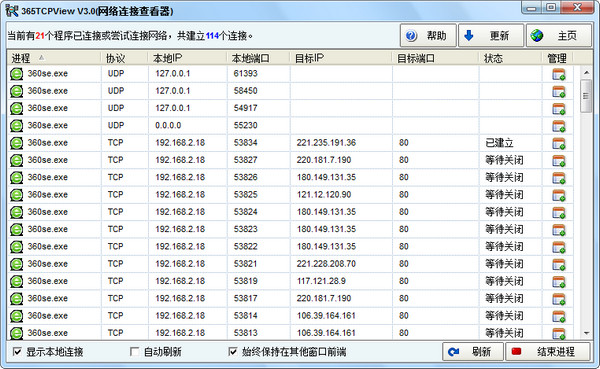
365TcpView (network connection viewer) can show you a detailed list of all TCP and UDP endpoints in the system, including local and remote addresses and the status of TCP connections. Users can check whether there are unauthorized connections through the shopping guide network, discover Trojans and end the process. Let Trojans have nowhere to hide.
Software features
1. Display all TCP and UDP network connection information in the system.
2. Display the local and original addresses, ports and TCP connection status.
3. Support automatic refresh and manual refresh.
4. Process details can be displayed.
5. You can end the process and close the connection.
Version: 3.0 official free version | Update time: 2024-12-26
Similar recommendations






Latest updates




365TcpView (Network Connection Viewer) Reviews
-
1st floor Huajun netizen 2021-05-29 00:05:32365TcpView (network connection viewer) is very useful, thank you! !
-
2nd floor Huajun netizen 2019-04-14 02:22:28The interface design of 365TcpView (network connection viewer) is easy to use and has rich functions. I highly recommend it!
-
3rd floor Huajun netizen 2019-10-26 17:46:34365TcpView (network connection viewer) is awesome! 100 million likes! ! !
Recommended products










- Diablo game tool collection
- Group purchasing software collection area
- p2p seed search artifact download-P2P seed search artifact special topic
- adobe software encyclopedia - adobe full range of software downloads - adobe software downloads
- Safe Internet Encyclopedia
- Browser PC version download-browser download collection
- Diablo 3 game collection
- Anxin Quote Software
- Which Key Wizard software is better? Key Wizard software collection




