
-
360 driver master
- Size: 10.56M
- Language: Simplified Chinese
- Category: hardware tools
- System: winAll






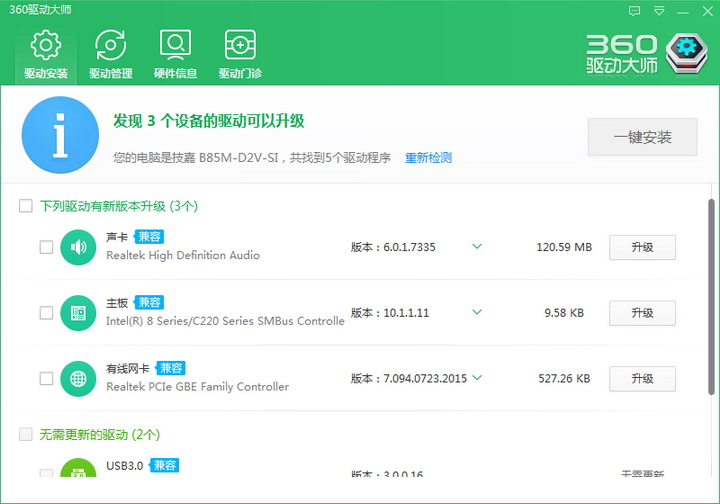
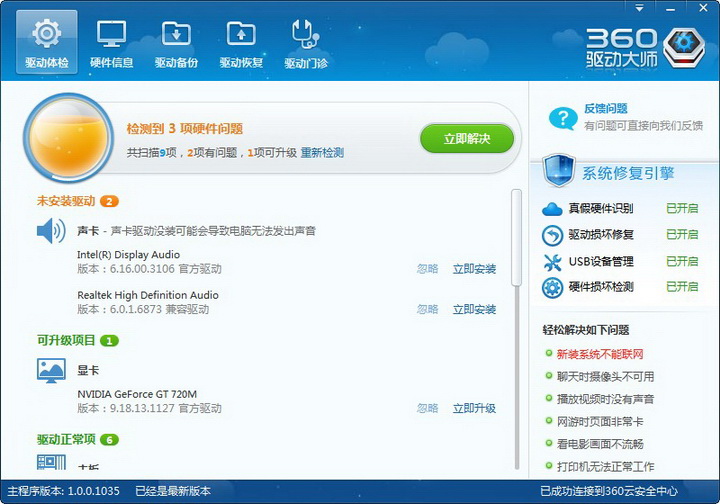


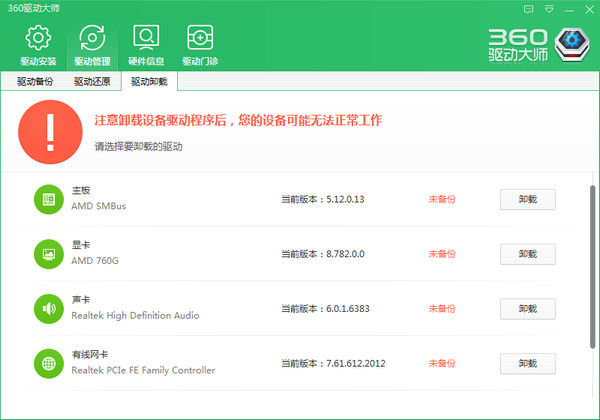
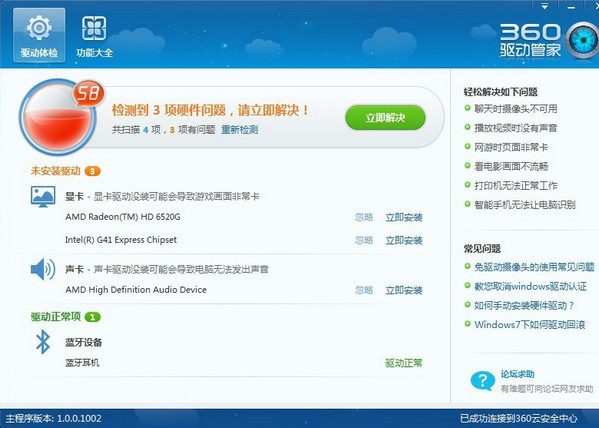
360 driver masterIt is a professional solution for driver installation and update software, with millions of driver library support, one-click driver installation, no manual operation required, the first driver check-up technology, allowing you to understand the status of your computer more intuitively, and the powerful cloud security center to ensure that the driver you download does not contain viruses, faster, faster, experience the fun of one-click installation and upgrade, the driver master will accompany you all the way. 360 Driver Master 2025 free download.
Features of 360 Driver Master software
Rich driver library: It has a million-level driver library, covering drivers for mainstream brands and peripherals. It supports the entire system from Windows XP to Win11, and can meet the driver needs of various devices.
Accurate driver identification: Using the unique technology of the online cloud, driver matching can be accurately performed, making driver installation easier and eliminating the need for users to manually search for suitable drivers.
Fast installation: Using cloud acceleration technology, the download speed is 30% faster than similar software, and the installation process automatically handles dependencies, reducing user intervention and making installation more efficient.
Safe and guaranteed: All drivers have been virus scanned by 360 Security Center to avoid downloading malicious programs or bundled software. At the same time, system patches, disk space, etc. will be automatically detected before installing the driver to ensure that the installation conditions are met.
Easy to operate: The user interface is simple and intuitive, and driver installation is one-click, no manual operation is required, even computer novices can easily get started.
360 driver master software functions
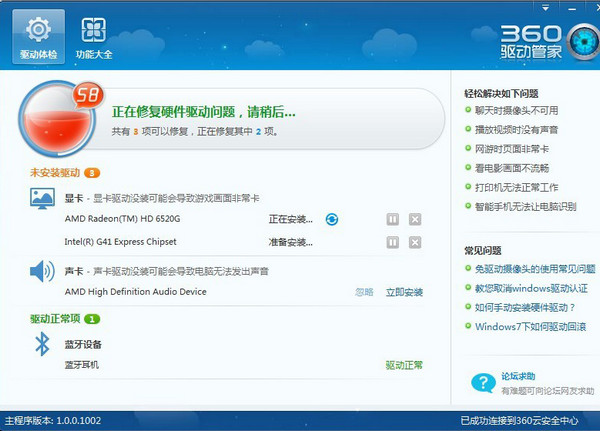
Drive physical examination and intelligent repair: The first driver physical examination technology can quickly detect driver missing, expired or abnormal status, and intuitively display the system health in the form of "physical examination score". It provides a "one-click repair" function based on the detection results, automatically matches the official driver and completes the installation.
Driver installation and update: It can automatically detect drivers that are missing or need to be upgraded in the system, match and install the latest drivers from a million-level driver library, support unattended installation, and also provide offline installation support. The network card version has a built-in universal network card driver, which can prioritize the installation of network card drivers in no network environment.
Driver backup and restoration: Supports one-click backup of drivers to the cloud or local disk. When restoring, you can quickly restore to the historical version to avoid driver loss after reinstalling the system. However, please note that backup and restoration must be performed under the same system version.
Hardware detection and security protection: Through cloud database comparison, counterfeit hardware such as fake graphics cards and fake hard drives can be detected with one click to prevent users from being deceived by unscrupulous merchants. At the same time, the system environment will be automatically detected before installing the driver to ensure that the installation conditions are met.
Plug-and-play optimization: Automatically identify and load drivers for plug-and-play devices such as USB flash drives and mobile hard disks, reducing problems such as "unrecognized devices" and truly allowing users to experience the fun of plug-and-play.
Driver cleaning and optimization: Scan and delete old driver files remaining in the system to free up disk space and improve system operating efficiency. If the hardware becomes abnormal after the update, you can also roll back to the stable version with one click without manual uninstallation.
How to use 360 Driver Master
1. Start the software
Automatically perform driver scanning and obtain physical examination scoring results:
2. Repair problematic projects
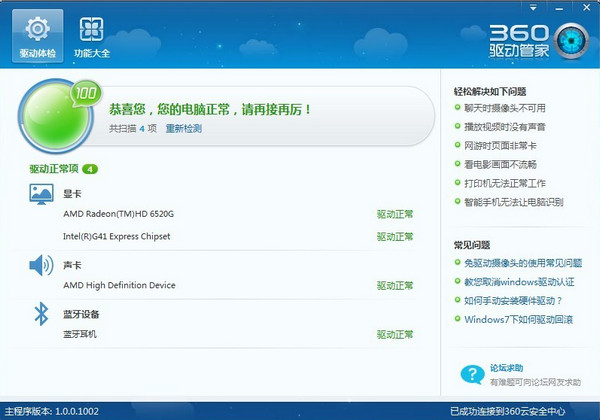
3. If no problems are found that can be fixed:
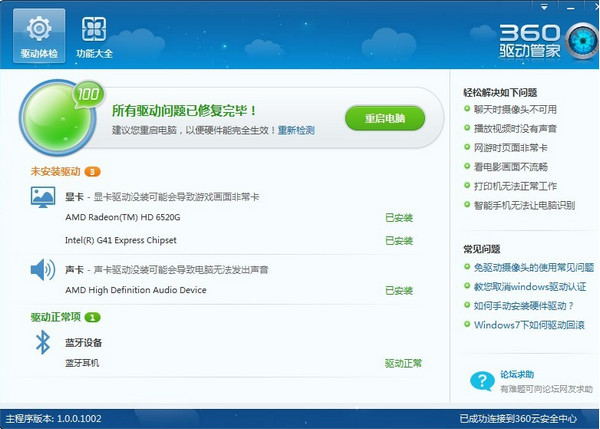
4. After the repair is completed, follow the prompts to restart.
FAQ
How does 360 Driver Master detect the driver?
After starting 360 Driver Master, the software will automatically detect the hardware devices on the computer and their corresponding driver status. Users can also click the "Detect Now" or "Comprehensive Diagnosis" button to manually trigger the detection process.
What should I do if I find there is a problem with the driver?
If 360 Driver Master detects that a driver has a problem or needs to be updated, the user can find the corresponding device in the driver list, and then click the "Install/Uninstall" or "One-click Install" button to repair or update. For some special cases, users can also choose to download and install the driver manually.
How to backup and restore drivers?
360 Driver Master provides driver backup and recovery functions. Users can find the corresponding options in the software interface and follow the prompts. Backup drivers can quickly restore the working status of hardware devices when a system problem occurs.
360 Driver Master update log
1. Improvement of product function integration
2. Fix a known issue
Huajun editor recommends:
As a software that is continuously updated and iterated, 360 Driver Master has been transformed in version updates to better meet user needs and bring users a very high user experience. The editor of Huajun Software Park recommends everyone to download and use it. In addition, there are Samsung Xpress M2029 printer driver, Samsung Xpress M2029 printer driver, Aerospace Information Aisino SK-600ii printer driver and other related software that are also pretty good and can be downloaded and used.
Version: 2.0.0.2130 | Update time: 2025-11-14
Similar recommendations




Latest updates




360 Driver Master Review
-
1st floor Huajun netizen 2021-10-18 16:17:49The interface design of 360 Driver Master is very easy to use and has rich functions. I highly recommend it!
-
2nd floor Huajun netizen 2021-09-23 03:08:25360 Driver Master software is very easy to use, the download speed is very fast and very convenient!
-
3rd floor Huajun netizen 2022-01-11 03:51:02360 Driver Master is not bad, the download is very fast, I give you a good review!
Recommended products








- Diablo game tool collection
- Group purchasing software collection area
- p2p seed search artifact download-P2P seed search artifact special topic
- adobe software encyclopedia - adobe full range of software downloads - adobe software downloads
- Safe Internet Encyclopedia
- Browser PC version download-browser download collection
- Diablo 3 game collection
- Anxin Quote Software
- Which Key Wizard software is better? Key Wizard software collection




