
-
Tencent Computer Manager
- Size: 275.98M
- Language: Simplified Chinese
- Category: System security
- System: Winall







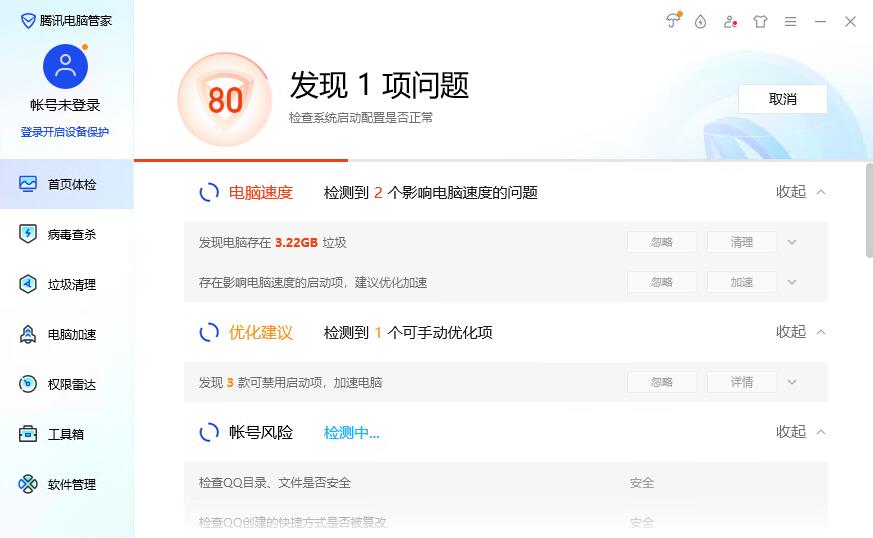
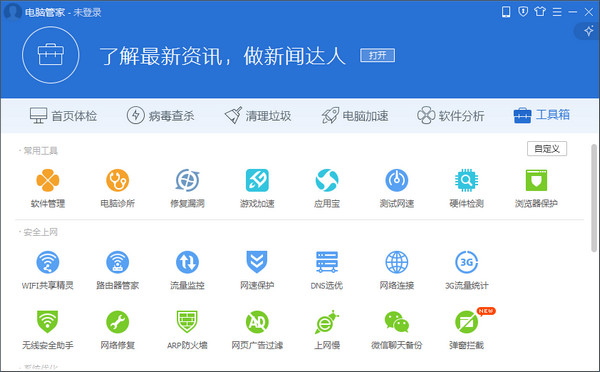
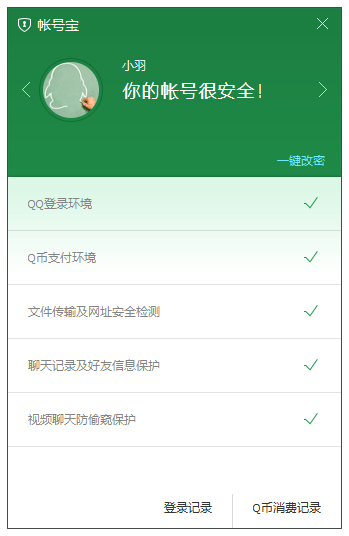
Tencent Computer Manager latest versionIt is a free computer installation protection software launched by Tencent. Tencent Computer Manager is powerful and supports system checking, virus killing and system cleaning.cacheGarbage etc. Tencent Computer Key can also detect the security of software downloaded from users’ computers in real time.safeProblems will be alerted to users in a timely manner. Friends in need, please come to Huajun Software Park to download it.

Tencent Computer Manager FAQ
How to check computer speed in Tencent Computer Manager?
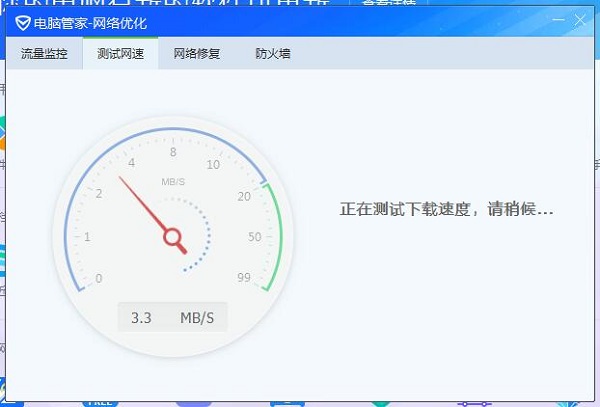
1. Open Tencent Computer Manager, click [Toolbox] in the lower right corner, and then click [Test network speed】.
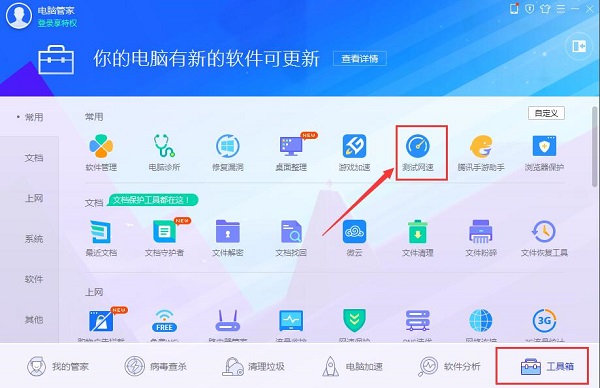
2. At this time, the window for testing the network speed will pop up, and the network speed test will be automatically performed. You need to wait for a while.
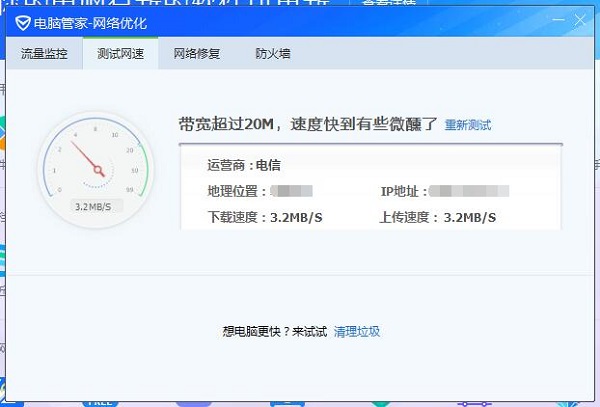
3. After the test is completed, the situation shown in the picture below will appear, and some information and network speed will appear.
How to set default settings in Tencent Computer ManagerBrowser?
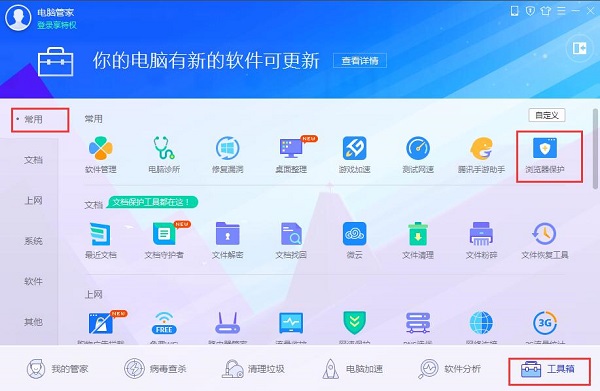
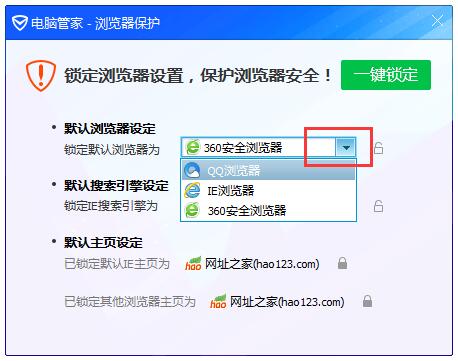
1. Open Tencent Computer Manager, click "Toolbox" on the toolbar below, and in "Common", click the "Browser Protection" function as shown in the picture.
2. The browser protection window will pop up. At this time, the browser has been set by default. We can click the lock button at the back.
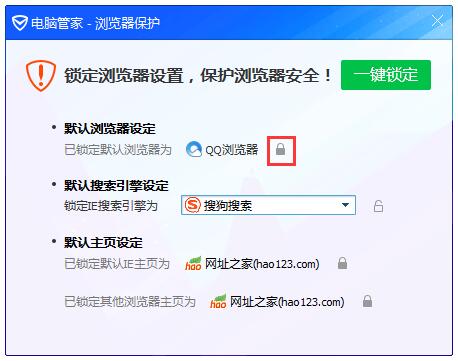
3. After clicking, you can select the browser. Click the drop-down button to select the default browser that needs to be set. After selecting, stop playing and click the lock button to lock the default browser.
How to solve the problem of accidentally deleting normal files?
Tencent Computer Manager uses cloud scanning and killing technology with a very low false alarm rate, but if you accidentally delete a normal file, you can restore it through the following steps:
Click "Quarantine" in the lower left corner of the Antivirus tab.
Select the files you want to recover in the quarantine list and click the "Recover" button
How to use Tencent Computer Manager
How to set startup items in Tencent Computer Manager?
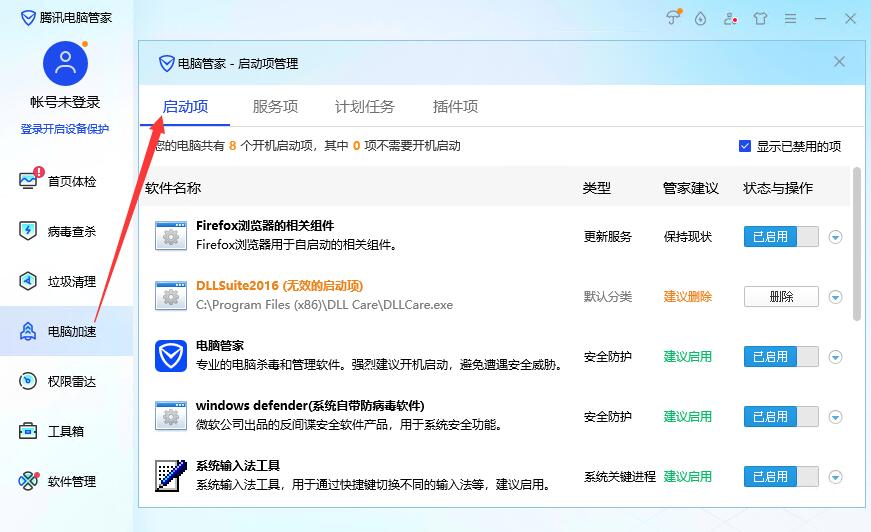
1. Click [Computer Acceleration] and then select the [Startup Items] button.
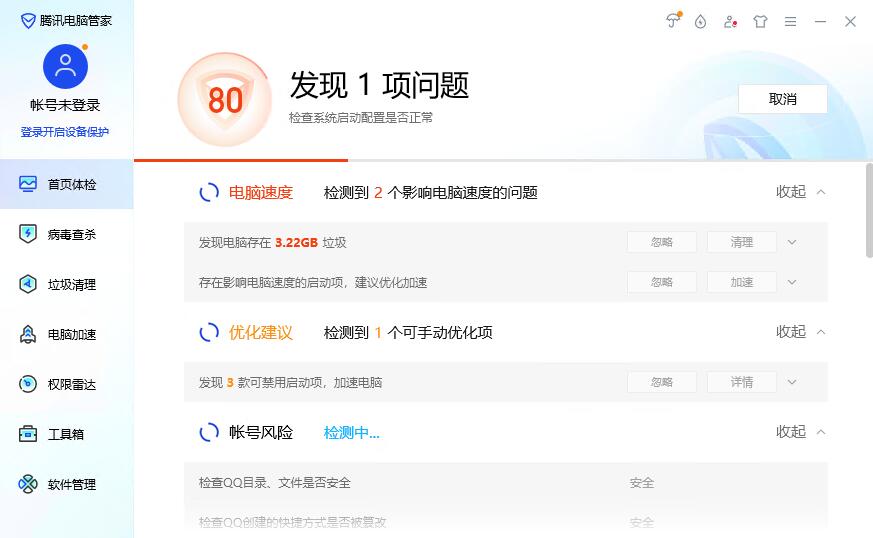
2. The interface that appears displays all startup items, which need to be turned on or off with a single click.
Features of Tencent Computer Manager software
"Antivirus + Management" two-in-one mode
It is the first to integrate security protection and system optimization functions. Users can meet diverse needs without installing multiple software and save system resources.
Tencent Ecological Synergy
It is deeply adapted to Tencent applications such as WeChat and QQ, providing exclusive cleaning and security protection to solve storage and security problems caused by social software.
user friendly interface
Small interface mode: lightweight and convenient, suitable for quick operation.
Large interface mode: displays detailed computer information to meet the needs of professional users.
Intelligent Assistant: Real-time monitoring of system status through desktop lightweight assistant, one-click cleaning acceleration.
Continuous updates and public welfare practices
Regularly update virus databases and functional modules to deal with new network threats.
Launch public welfare activities such as "Computer Cleanup Day", provide free computer maintenance services, and enhance users' security awareness.
Tencent Computer Manager Features
Virus detection and security protection
Multi-engine scanning: Using the independently developed "Eagle Eye" anti-virus engine and Tencent Security Cloud Library, combined with the world's largest risky website database, it can accurately identify and eliminate malicious programs such as viruses, Trojans, and ransomware.
Real-time protection: Provides webpage firewall, USB disk protection, vulnerability repair and other modules to intercept phishing websites, malicious links and 0day vulnerability attacks in real time, and protect system security in an all-round way.
Authoritative certification: Passing AV-TEST, VB100, Checkmark and other international authoritative anti-virus tests, its anti-virus capabilities rank among the top in the world.
System optimization and performance improvement
One-click acceleration: Intelligently clean up background processes, system junk and redundant files, free up memory, and increase computer speed.
Startup item management: Optimize startup items, reduce startup time, and solve the problem of slow startup.
Deep cleaning: Provides deep scanning for system disks, browser caches, software residues, etc. The first cleaning can release 15-20GB of space, and the long-term use effect is significant.
Garbage removal and storage management
Intelligent cleaning strategy: Dynamically adjust the cleaning scope according to user habits to avoid accidentally deleting key data, and support customized cleaning projects.
Large file scanning: Quickly locate redundant files such as videos and installation packages to solve the problem of storage expansion.
Special Cleaner for Social Software: In-depth linkage with WeChat and QQ, clear chat file cache with one click to prevent social tools from taking up too much space.
Software management
Software warehouse: Provides a large number of genuine software resources, supports one-click download, installation and update, without bundled plug-ins.
Smart uninstall: Completely clear software residual files and free up disk space.
Malware interception: Detect and remind to uninstall potentially risky software to ensure system purity.
Practical toolbox
File recovery: Helps users retrieve accidentally deleted files, and supports upgrading to the latest version to improve recovery success rate.
Network acceleration: Optimize the efficiency of corporate intranet connections and improve game frame rate stability.
ARP firewall: Prevent network attacks and ensure LAN security.
Tencent Computer Manager installation method
1. Open the Tencent Computer Manager installation package downloaded from this site and click [Custom Installation].
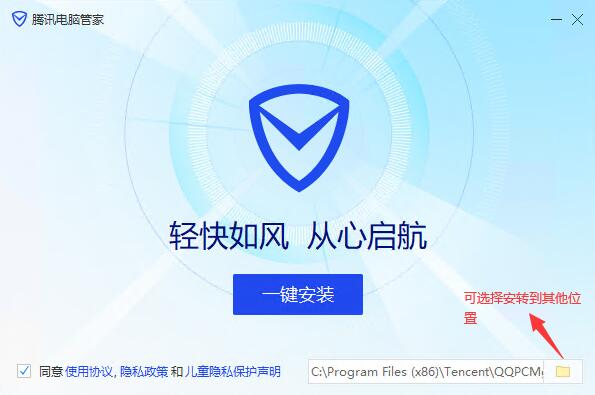
2. Select the installation directory, check [Join virus cloud scanning and killing plan], and click [Take me flying].
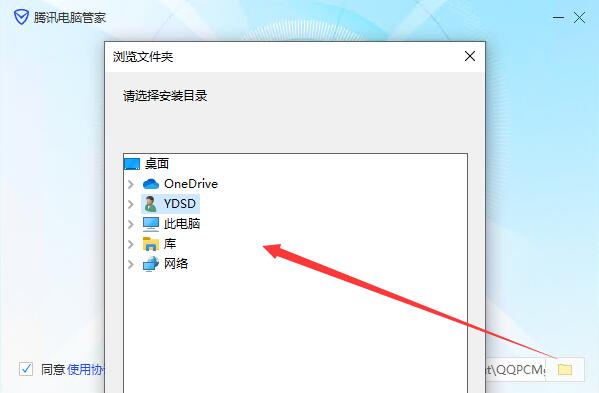
3. Wait for a while for the installation to be completed.
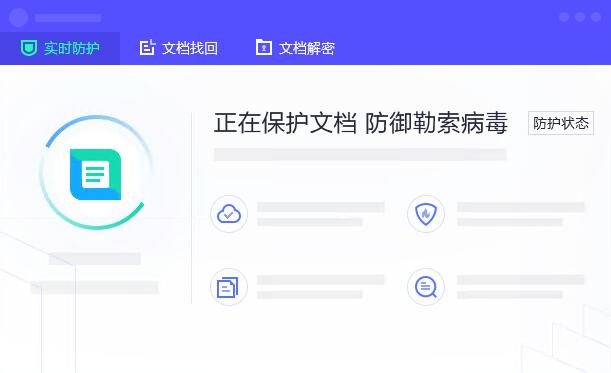
Which one is better, Tencent Computer Manager or 360 Guard?
1. Function comparison
360 Security Guard and Tencent Computer Manager are both computer protection and security software, and their functions are almost the same. They can detect and kill viruses and clean up garbage.
2. Comparison of included toolbox functions
Both softwares have toolbox functions, but the 360 Security Guard toolbox has more tools than Tencent Computer Manager and is more complete in function.
3. Scanning speed comparison
Both software can scan for viruses and junk, and their scanning speeds are almost the same.
both computer security protection software are relatively good. Users can choose to download and use them according to their own preferences and habits. 360 Security Guard download address: http://softwaredownload4.com/soft/50671.htm
Tencent Computer Manager update log
【New Vision】The visual style is newly upgraded, the refreshing interface is more warm, extremely simple, and the experience is smarter
【Security Capability Upgrade】The security capability has been improved to a higher level, the vulnerability repair capability has been comprehensively upgraded, the anti-virus and Trojans are more professional, the anti-malicious pop-ups are more comprehensive, and the anti-silent push installation is more thorough.
【Functions simplified】Function simplification focuses on solving the core problems of slow computer lag and full system disk
【Software management upgrade】Selected software topics, optimized search capabilities, faster and more accurate software positioning
【Intelligent Protection Center】Newly launched, it records computer behavior in real time and tells you in real time whether every behavior is safe.
【Desktop Butler】makes its debut, monitors computer running status around the clock, and provides smarter abnormal warnings
Huajun editor recommends:
Looking around, there are software similar to this software everywhere on the Internet. If you are not used to this software, you might as well try Youyi U disk encryption software, Kabbah 365 online rescue, .NET and other software. I hope you like it!
Version: 17.8.27865.210 | Update time: 2025-10-23
Similar recommendations






Latest updates




Tencent Computer Manager Review
-
1st floor Huajun netizen 2021-04-07 11:09:43Computer Manager is very useful, thank you! !
-
2nd floor Huajun netizen 2019-10-19 22:13:49Computer Butler hopes to do better and better, come on!
-
3rd floor Huajun netizen 2021-04-30 22:41:17Computer Manager is convenient, practical and powerful, and the software is very easy to use!
Recommended products










- Diablo game tool collection
- Group purchasing software collection area
- p2p seed search artifact download-P2P seed search artifact special topic
- adobe software encyclopedia - adobe full range of software downloads - adobe software downloads
- Safe Internet Encyclopedia
- Browser PC version download-browser download collection
- Diablo 3 game collection
- Anxin Quote Software
- Which Key Wizard software is better? Key Wizard software collection




