
-
Chromium browser
- Size: 190.17M
- Language: English
- Category: ad filter
- System: WinAll







Chromium browser is a web browser developed by Google. Chromium browser is simple to operate and easy to use, which can bring convenience to users. The software realizes a stable and safe web browsing environment, providing users with a safe browsing environment and free from viruses. Huajun Software Park provides you with Chromium browser download, welcome to download.
Chromium browser software introduction
1. The Chromium browser uses an additional Loader to store the configuration files and program files in the same folder.
2. You can set the browser as the default browser through "Set Default Browser.EXE".
3. Chromium browser optimizes browser configuration. Some commonly used browser plug-ins are attached.
4. The Chromium browser can "clear all personal information and custom settings through a batch file."
5. Loader is written in C language. Minimize the generation of junk files and resource usage.
Chromium browser installation steps
1. After downloading the Chromium browser from this site, get the exe file locally on your computer.
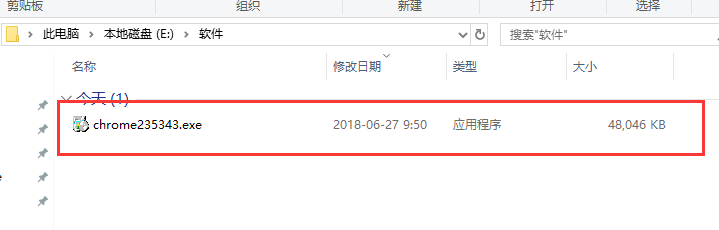
2. Double-click the .exe file to enter the Chromium browser installation interface, and click [Next] to continue the installation.
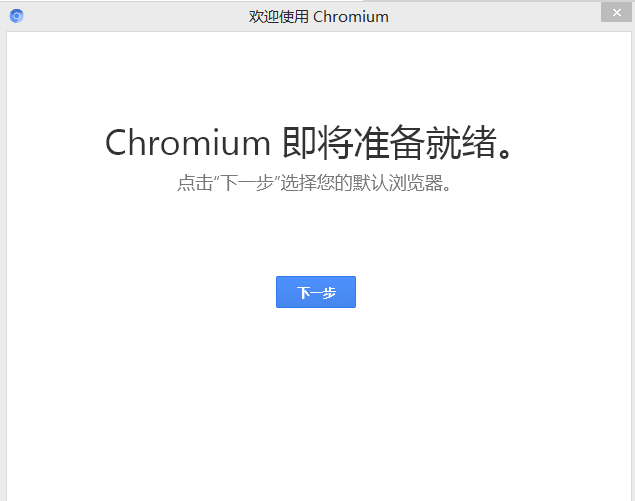
3. The chromium browser installation is completed.
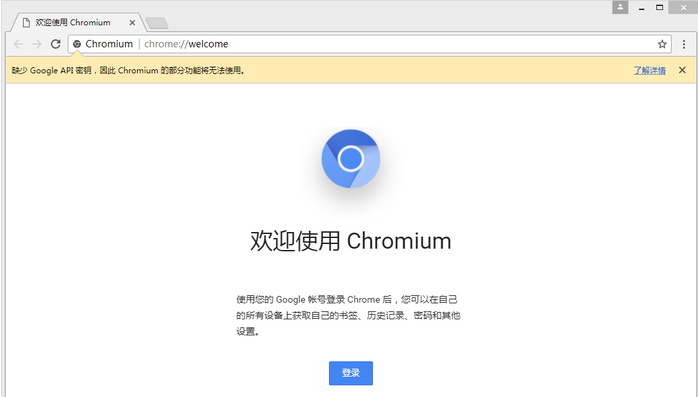
How to use chromium browser
How to adjust Chinese in chromium browser?
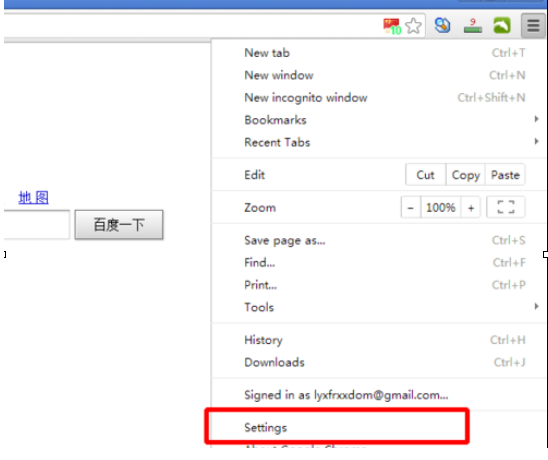
1. Open the chromium browser, open the soft folder, click the three horizontal bars icon in the upper right corner, and select [Settings] from the pop-up options.
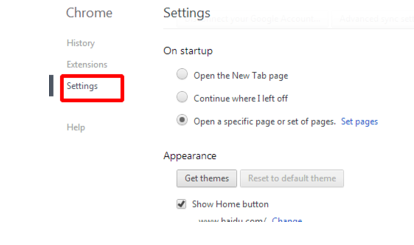
2. Click the settings option on the left.
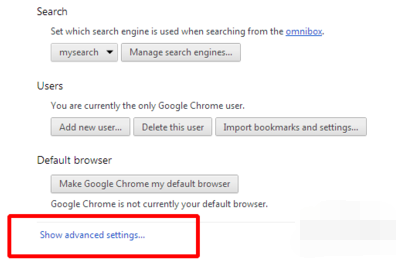
3. Find the "show advanced settings" option in the right interface.
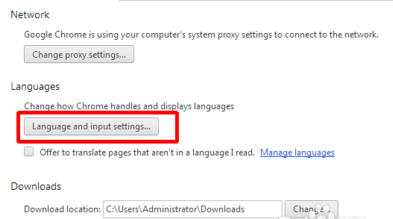
4. Click the “language and input settings” option.
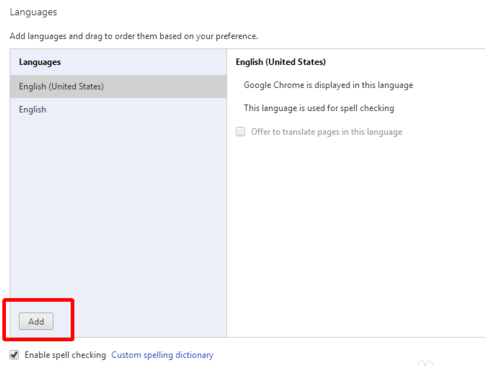
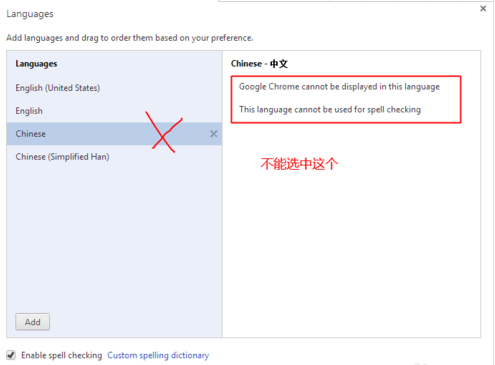
5. Open the language and input settings window and click the "add" button in the lower left corner.
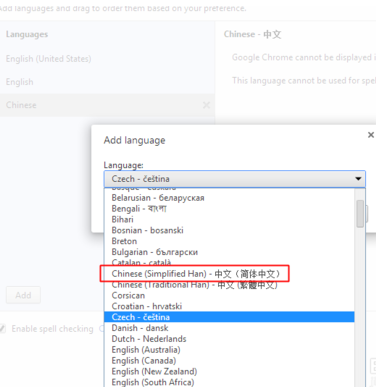
6. Find “Simplified Chinese” in the drop-down option and select it.
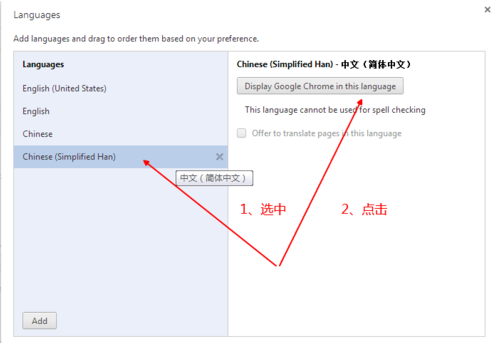
7. Then select the “Chinese (simplified han)” option in the left interface, and then click the “display google chrome in this language” option in the right interface.
8. Restart the chromium browser. You can switch to Chinese.
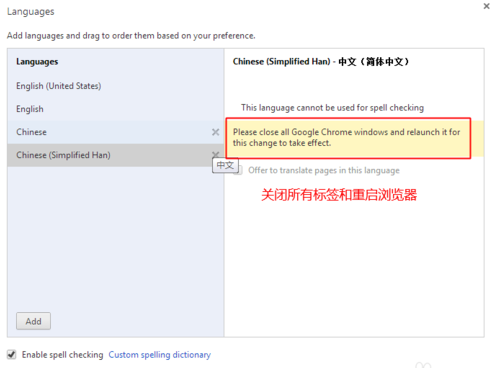
9. Note: Do not select the "Chinese" option in the left column, this option is not available.
Chromium browser FAQ
How to set the homepage of chromium browser?
1. Open the installed chromium browser. After opening the software, click [More] in the upper right corner, and click [Settings] in the pop-up options.
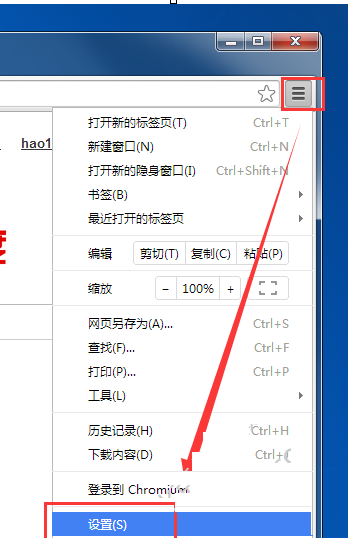
2. In the chromium settings window that opens, click [Settings] on the left, and then click the [Open specific web page] option in the right interface.

3. Then click [Set Web Page] and add the URL you want to set as the homepage in the pop-up window.

chromium browser andchromeSoftware comparison
Chromium is a project launched by Google to develop Chrome. Both are built on the same source code. Chrome is made up of four colors: blue, red, green and yellow, while Chromium is made up of different depths of blue. The Chrome browser supports the Pepper API version of Flash, but the Chromium browser cannot directly play videos from video websites such as Youku, Tencent Video, and iQiyi. Chrome browser has an Omnibox function, which can understand the user's preferences and provide users with a variety of choices.
Chrome download address:http://softwaredownload4.com/soft/7993.htm
Chromium browser update log
Optimized some functions
|
Recommended by Huajun editor Chromium starts very quickly and has many unique features that can help users browse the web better, integrating practicality and beauty. Friends who like it can download the chromium browser to experience it. Huajun Software Park also provides you with official downloads of IE9 browser, Google Chrome, and QQ browser. |
Version: 108.0.5351.0 official version | Update time: 2025-06-20
Similar recommendations





Latest updates


How to find the location where cache files are saved in Chromium browser
The operation process of setting the page language translation function in Chromium browser
Simple operation instructions for unblocking plug-ins for some websites in Chromium browser
Steps to set a custom homepage in Chromium browser
How to find cached video files in Chrome Google browser
How to upgrade software in 360 Software Manager? -How to upgrade software in 360 Software Manager
Chromium browser review
-
1st floor Huajun netizen 2022-01-30 22:05:07Chromium browser is very useful, thank you! !
-
2nd floor Huajun netizen 2021-12-06 21:30:30The Chromium browser software is very easy to use, downloads quickly and is very convenient!
-
3rd floor Huajun netizen 2022-01-11 11:53:07Chromium browser is awesome! 100 million likes! ! !
Recommended products








- Diablo game tool collection
- Group purchasing software collection area
- p2p seed search artifact download-P2P seed search artifact special topic
- adobe software encyclopedia - adobe full range of software downloads - adobe software downloads
- Safe Internet Encyclopedia
- Browser PC version download-browser download collection
- Diablo 3 game collection
- Anxin Quote Software
- Which Key Wizard software is better? Key Wizard software collection




