
-
stock box
- Size: 31.72M
- Language: Simplified Chinese
- Category: financial management
- System: Android
- Manufacturer:Nanjing Jinbei Network Technology Co., Ltd.
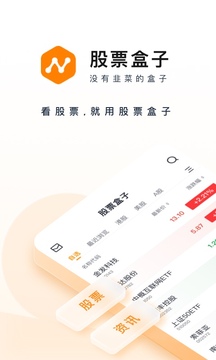
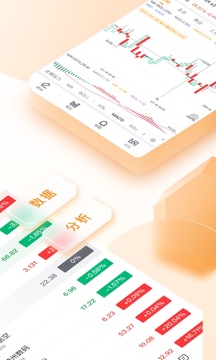
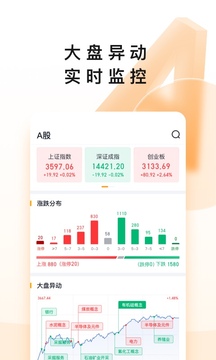
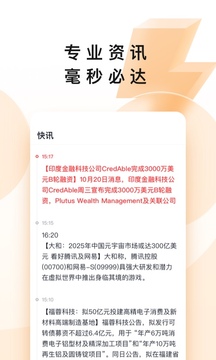
Stock Box App is a financial management application that focuses on stock quotes, financial information acquisition and account opening services. Its core functions revolve around real-time market monitoring, multi-category information push and intelligent investment services. It is suitable for investors who want to fully grasp market dynamics. Friends who like stock boxes, come to Huajun Software Park to download and experience it!
Stock Box Highlights
Real-time market monitoring
Investors can check the intraday trend of individual stocks through the market center, and judge the timing of buying and selling based on the main monitoring data.
For example, a user found through monitoring that the main funds of a certain stock continued to flow in, combined with the buying and selling comparison chart to confirm the direction of the capital game, and finally successfully captured the daily limit.
Information-driven decision-making
Users can set keyword alerts and push notifications immediately when relevant information about self-selected stocks is released to assist in quick decision-making.
For example, after a listed company releases a performance forecast, users can compare industry trends through the information module and adjust their position structure.
Review and strategy optimization
Using market diagnostic charts and historical market data, users can review market trends and summarize investment strategies.
For example, by analyzing the market fluctuation range within a certain period of time, users optimize the stop loss and profit point settings.
Stock box features
Data visualization and comparative analysis
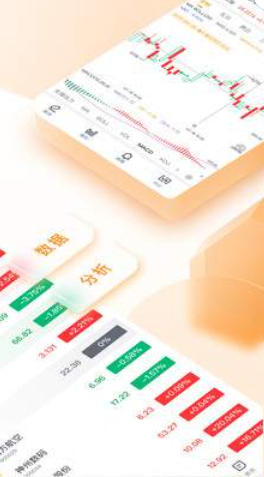
The buying and selling comparison chart displays the buying and selling data at each time point in the form of a statistical chart, intuitively reflecting the capital game situation.
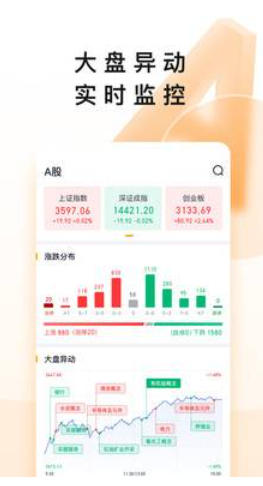
The market diagnostic chart uses visualization technology to present the overall market trend and lower the threshold for information interpretation.
Multi-column content aggregation
The market center covers columns such as market reading, themes, Shanghai and Shenzhen Stock Connect, and mainland China to meet the information needs of different investors.
The theme columns push hot resources to help users capture market trends.
Super member privileges
The member center provides 4 major membership privileges and 7 classic indicator data, such as Level-2 market conditions, exclusive research reports, etc., which is suitable for high-frequency traders.
Risk control tips
The prominent position on the homepage and information page prompts "High Risk in the Stock Market", and it is recommended that users allocate assets reasonably and avoid blind investment.
Stock box function
Full market stock market coverage
It supports all types of market conditions including Shanghai Stock Exchange, Shenzhen Stock Exchange, New Third Board, Global Market and Hang Seng Index. Users can track key data such as stock price, rise and fall, and trading volume in real time.
It provides the main monitoring function of individual stocks, displays the main buying data, buying and selling comparison chart and transaction volume statistics to assist in judging the flow of funds.
7×24 hour information push
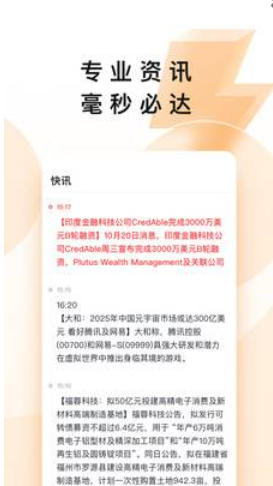
Integrate multiple categories of information such as quick news, optional, and important news, covering macroeconomic policies, industry trends, company announcements, etc., to ensure that users can grasp market trends in a timely manner.
Information push is accurate and fast. For example, the interpretation speed of major events such as the Federal Reserve decision and domestic reserve requirement ratio cuts is 5-10 seconds ahead of the industry.
Intelligent investment tools
Provide diagnostic analysis charts for the market, display the overall market fluctuations, and push diagnostic investment recommendations.
Support one-click collection of self-selected stocks and never miss key trading signals.
Account opening and trading services
With built-in account opening function, users can quickly complete account opening and enjoy Shanghai and Shenzhen real-time high-speed market services.
Stock Box FAQ
Market data is delayed or incorrect
Reason: The network is unstable or the server is congested.
Solution: Switch the network (such as Wi-Fi to 4G/5G), or try restarting the App. If the problem persists, check whether the version was downloaded from unofficial channels.
Transaction order failed
Reason: Insufficient funds, transaction time limit or network problem.
Solution: Confirm that the account balance is sufficient, check the trading hours of the trading products (for example, A-shares are limited to 9:30-15:00 on trading days), and switch the network environment and try again.
Optional stocks cannot be synchronized
Reason: Not logged in account or cache problem.
Solution: Re-add optional stocks after logging in to the account, or clear the App cache (via mobile phone settings-application management-stock box-storage-clear cache).
Stock box update log:
1. Fixed BUG, the new version has a better experience
2. Some pages have been changed
Huajun editor recommends:
As a free financial management tool with wide application and powerful functions, the latest version of Stock Box has received unanimous praise from many netizens and is highly recommended for everyone to download and use. In addition, Tonghuashun Stock Trading, Shizuishan Bank, and Cloud Machine Manager are also recommended for everyone to download and use.
Version: 2.2.2 | Update time: 2025-12-02
Similar recommendations





Latest updates





How to cancel the account in Kuai Technology? -How to cancel your account in Kuai Technology
How to submit feedback on Kuai Technology? -How to submit feedback on Kuai Technology
How to send a private message to Toutiao today? -How to send private messages to Toutiao today
How to change Toutiao password? -How to change password in Toutiao
How to set the font for Toutiao today? -How to set font in Toutiao
How to register for Toutiao? -How to register for Toutiao
How does Toutiao publish news? -How to publish news in Toutiao today
How to find the cover of Toutiao today? -How to find the cover of Toutiao today
Stock Box Review
Recommended products










- Diablo game tool collection
- Group purchasing software collection area
- p2p seed search artifact download-P2P seed search artifact special topic
- adobe software encyclopedia - adobe full range of software downloads - adobe software downloads
- Safe Internet Encyclopedia
- Browser PC version download-browser download collection
- Diablo 3 game collection
- Anxin Quote Software
- Which Key Wizard software is better? Key Wizard software collection




