
-
Razer Viper Driver
- Size: 11.36M
- Language: Simplified Chinese
- Category: Peripheral driver
- System: Winall






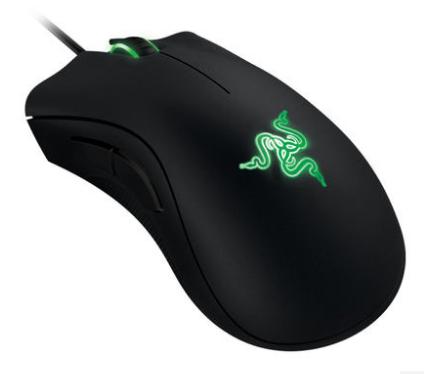
Razer Viper DriverIt is an ergonomic mouse with deadly curves and perfect lines unparalleled by other weapons. It is equipped with a new generation of sensors and micro switches, but is smaller and lighter, marking the beginning of a new era of high-performance gaming. The Razer Inferno Viper mouse driver is actually a universal Thundercloud 3 and can support winxp/win7/win8/win10 systems. After users install this driver, they can customize 8 programmable buttons. 5 profile configurations are saved in the onboard memory to meet the user's office and gaming needs. Friends who like it, come to Huajun Software Park to download and experience it!
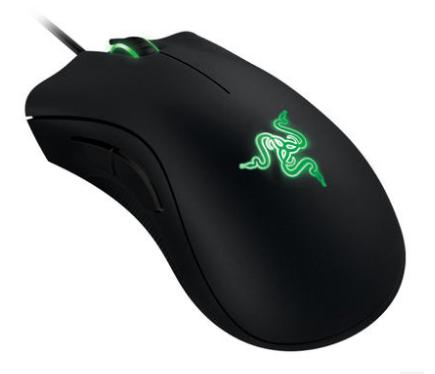
How to install the Razer Viper driver
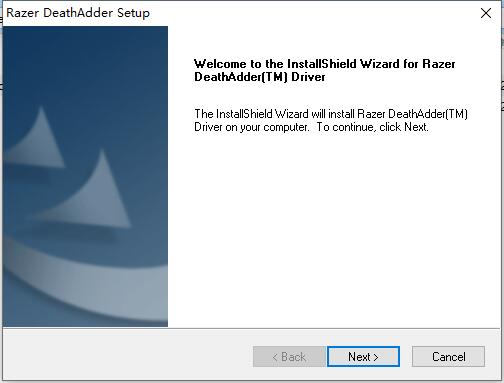
1. After downloading the Razer Viper driver from this website, use 360 compression software to decompress it, double-click the exe file to enter the software installation interface and click [next]
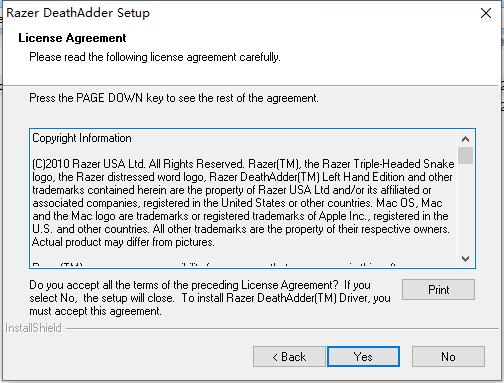
2. Enter the Razer Viper driver installation protocol interface and click [yes]
3. Select the installation location of the Razer Viper driver. You can click [browse] to select the software installation location in the window that opens. After selecting, click [next].
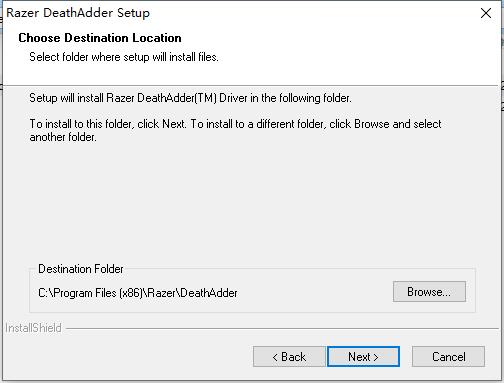
Purgatory Viper Driver Instructions:
1. First download and install the Razer Viper driver. After installation, you can see that the software interface uses Razer’s representative green and black colors. On the main interface, you can set the button functions, light on/off, rate of return, DPI and files.
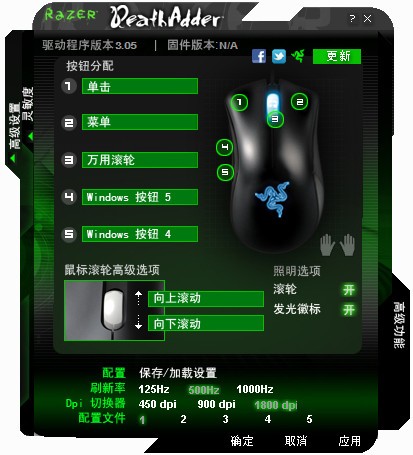
2. In the software interface, we can see that Razer’s most representative colors of green and black are used. On the main interface, you can set the button functions, HZ frequency, light switch, DPI and file settings.
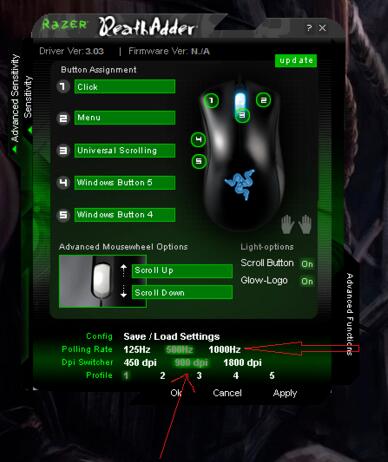
3. You can see that there are three types of HZ frequencies: 125, 500 and 1000Hz. The higher the frequency, the more accurate the cursor positioning (the editor recommends starting with the medium frequency, because the high frequency is difficult to master at the beginning). Similarly, the computer performance is also very high. It is recommended that players with poor computer configuration should choose the high frequency carefully. There are three DPI parameters to choose from: 450, 900, and 1800, but it’s a pity that you can’t set the DPI at will. Different Profiles can save different settings.
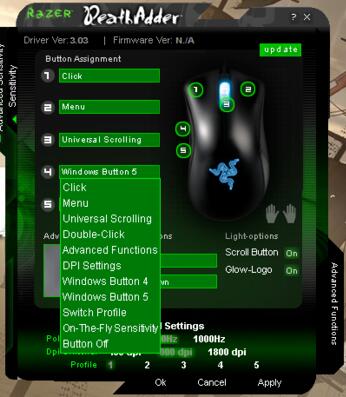
4. Then click the green arrow on the left side of the interface to open the sensor settings, where you can adjust the sensing rate, click speed, cursor acceleration, etc. And the speed of the X-axis and Y-axis can be adjusted separately, which is very suitable for demanding players.
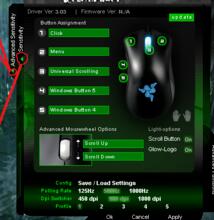
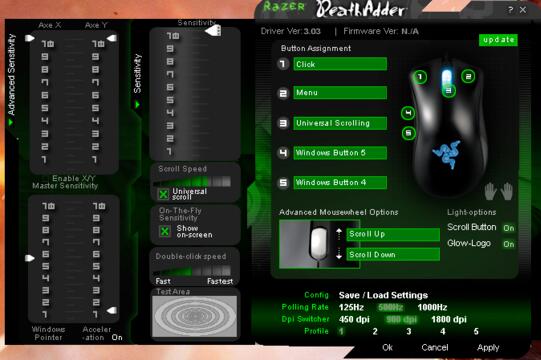
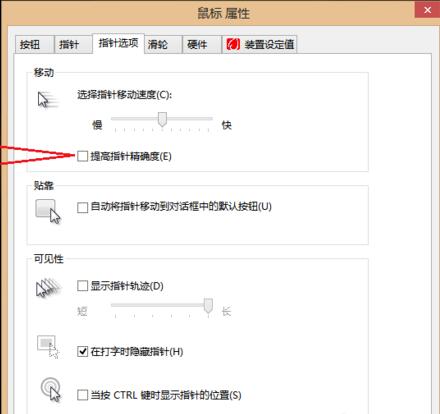
5. Mainly set the DPI and refresh rate, and go to Control Panel-Hardware Devices-Mouse-Pointer Options and uncheck the box in front of Improve Pointer Accuracy. The game sensitivity in the game is 4>3, and I can adapt to this speed in FPS games. Also, the best sensitivity is when 4>3 or 5 is greater than 4. Never 3>4 or 4>5, otherwise it will feel a bit floating.
Razer Viper Driver FAQ
What should I do if the installation fails?
Check System Compatibility: Make sure your operating system version is compatible with the Razer Viper driver. Razer's drivers generally support newer operating system versions, such as Windows 10 and above.
Download the latest driver: Download the latest version of Razer Synapse software and the driver for the corresponding mouse model.
Uninstall the old driver: Before installing the new driver, it is recommended to uninstall the old version of the driver.
Disable antivirus software: Some antivirus software may prevent driver installation, try temporarily disabling the antivirus software before installing it.
Razer Viper driver update log:
1. Modify user-submitted bugs
2.Add new features
Huajun editor recommends:
Purgatory Viper Driver is a mouse driver installation program specially designed for computer users. The Purgatory Viper driver is mainly for users to solve the problem of incompatibility between the mouse and computer equipment. If this problem occurs on the user's computer, just install this driver to solve the problem immediately. The editor has also prepared Pantum p2506 printer driver, .NET, and batch manager for you.
Version: 3.05 latest version | Update time: 2025-10-23
Similar recommendations



Latest updates




Razer Viper Driver Review
-
1st floor Huajun netizen 2022-03-22 02:27:45The Razer Viper driver works great, thank you! !
-
2nd floor Huajun netizen 2021-08-12 12:13:46The Razer Viper driver interface design is easy to use and has rich functions. I highly recommend it!
-
3rd floor Huajun netizen 2021-11-26 20:13:20The Razer Viper driver software is very easy to use, the download speed is very fast and very convenient!
Recommended products
-

Canon LBP2900 laser printer driver
-
Canon LBP2900 laser printer driver
-
Canon LBP2900 laser printer driver
-
Canon LBP2900 laser printer driver
-

Universal Bluetooth headset driver
-

HP LaserJet 1020 Plus Printer
-
HP LaserJet 1020 Plus Printer
-
HP LaserJet 1020 Plus Printer
-

HP LaserJet 1020 Plus Printer
-
HP LaserJet 1020 Plus Printer
- Diablo game tool collection
- Group purchasing software collection area
- p2p seed search artifact download-P2P seed search artifact special topic
- adobe software encyclopedia - adobe full range of software downloads - adobe software downloads
- Safe Internet Encyclopedia
- Browser PC version download-browser download collection
- Diablo 3 game collection
- Anxin Quote Software
- Which Key Wizard software is better? Key Wizard software collection




