
-
Youdao Tongchuan
- Size: 79.7M
- Language: Simplified Chinese
- Category: translation software
- System:winall







The official version of Youdao Simultaneous Interpretation is a practical simultaneous interpretation and mutual translation software developed by NetEase. The official version of Youdao Simultaneous Interpretation is powerful and provides a highly secure simultaneous interpretation function for business meetings. The software can also cast multi-lingual subtitles to the screen. Youdao Simultaneous Interpretation can help users encrypt meeting information offline. It also provides a phone conference voice translation and output function. It is a safe and reliable business meeting simultaneous interpretation software.
Features of Youdao Simultaneous Interpretation
1. Accurate and offline multi-lingual AI simultaneous interpretation
The official version of Youdao Simultaneous Interpretation has a full-scenario simultaneous interpretation solution that supports multi-language translation, live simultaneous interpretation, and offline deployment services, covering the diverse needs of users.
2. Three reasons to choose us
(1) YNMT technical assistance
Youdao self-developed neural network translation technology (YNMT) translation
(2)Business customization
Customization of meeting scenes and professional terminology, with optional simultaneous interpretation in English, Japanese and Korean
(3)Safe and reliable
Private conference offline deployment, simultaneous interpretation information encryption management
3. Applicable scenarios
(1) Thousand people meeting
Real-time projection of multilingual subtitles
(2)Business negotiation
Offline deployment meeting information encryption
(3) Telephone conference
Customized voice translation output
Youdao simultaneous interpretation installation instructions
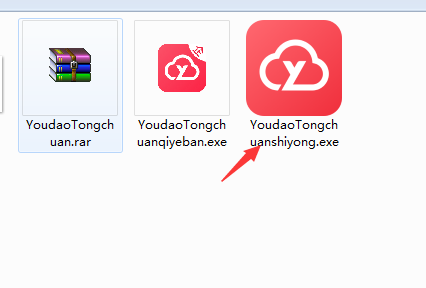
1. Unzip the official version of Youdao Tongchuanshiyong software package downloaded from Huajun Software Park, double-click the YoudaoTongchuanshiyong.exe program to start the installation (enterprise users please select the enterprise version YoudaoTongchuanqiyeban.exe file for installation)

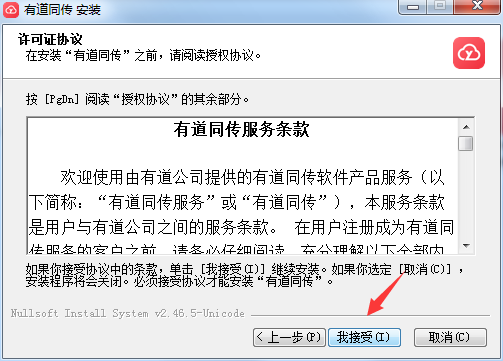
2. Read the software license agreement and click "I Accept" to continue the installation.
3. The default installation path of the software is C:Program Files (x86)YoudaoTongchuan. The editor of Huajun chose D:3 to download Youdao Tongchuan Huajun Software Park Tongchuan and click to install.

4. The software is being installed, please wait for a few minutes.
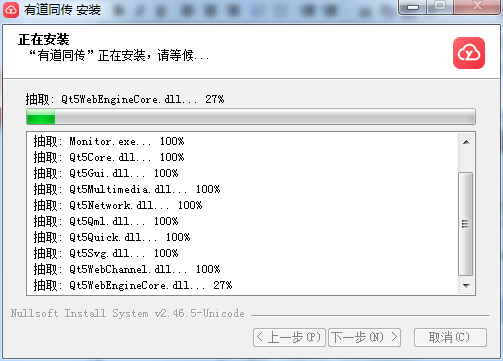
5. The installation is successful. Select whether to check "Run Youdao Simultaneous Interpretation" as needed and click "Finish".

How to use Youdao simultaneous interpretation
1. Double-click the shortcut on our computer desktop to open the software
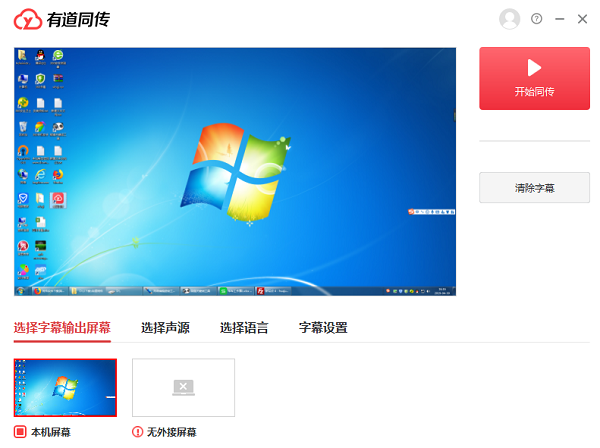
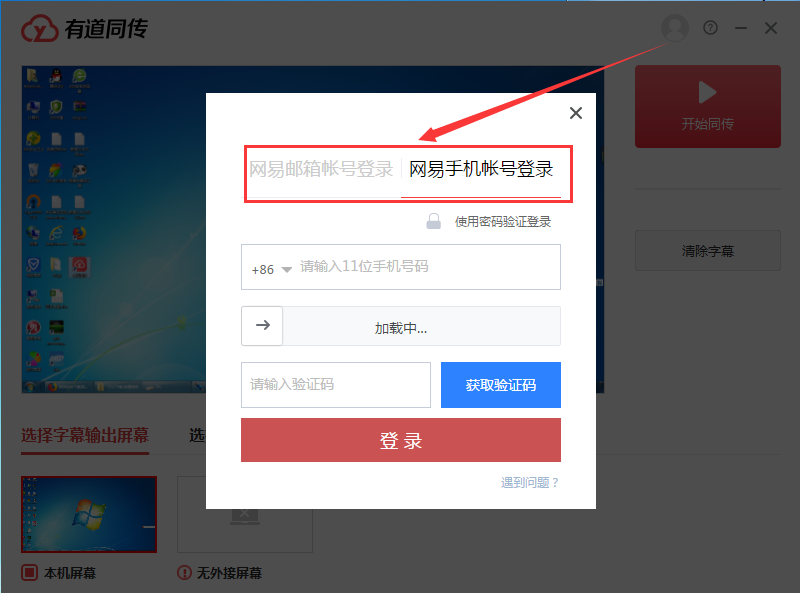
2. The software supports login with NetEase email account or NetEase mobile phone number.
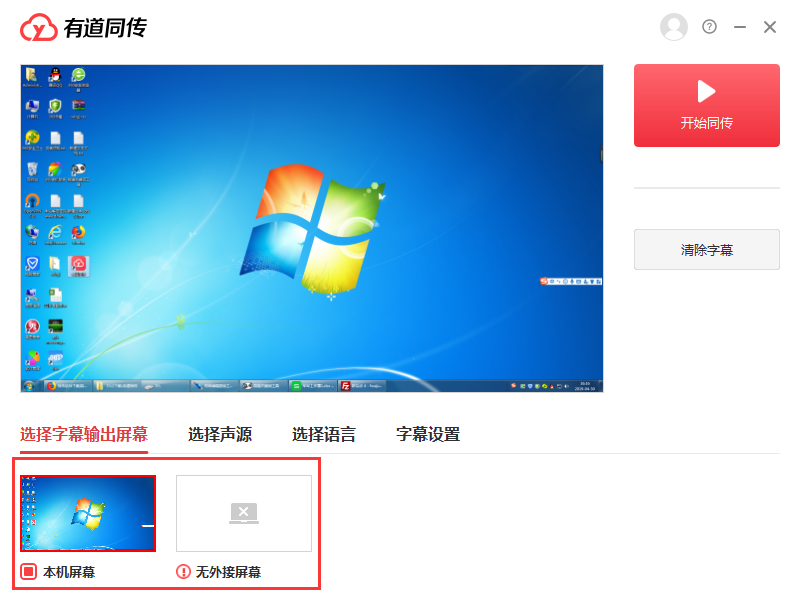
3. Select the subtitle output screen, support setting the local screen or external screen
3. Click to select the sound source. There is no other external voice input device on the editor's computer and cannot be selected.

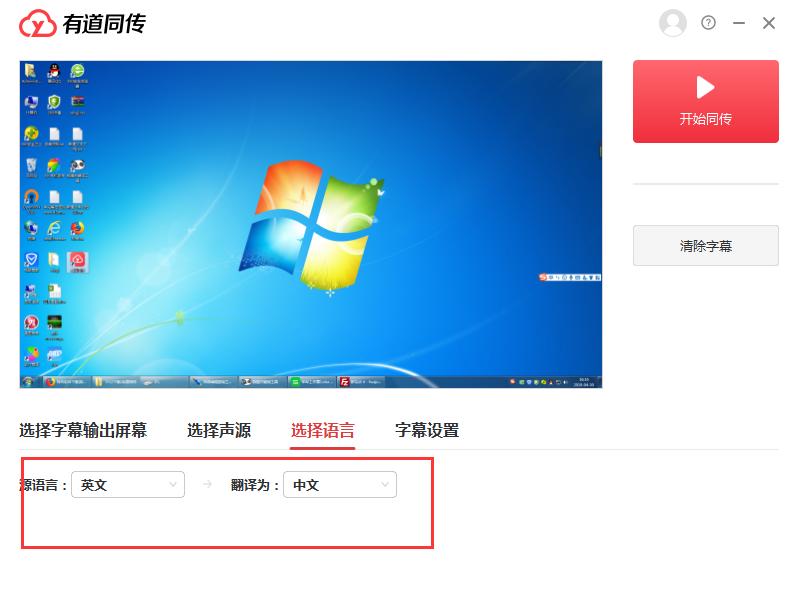
4. The software also supports converting the source language into other languages.
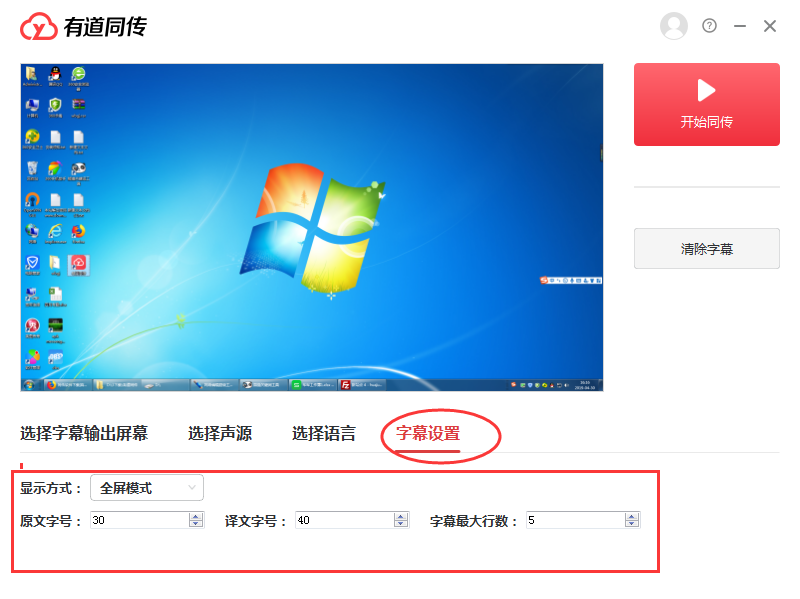
5. Letter settings allow us to set the display mode, text size, etc.
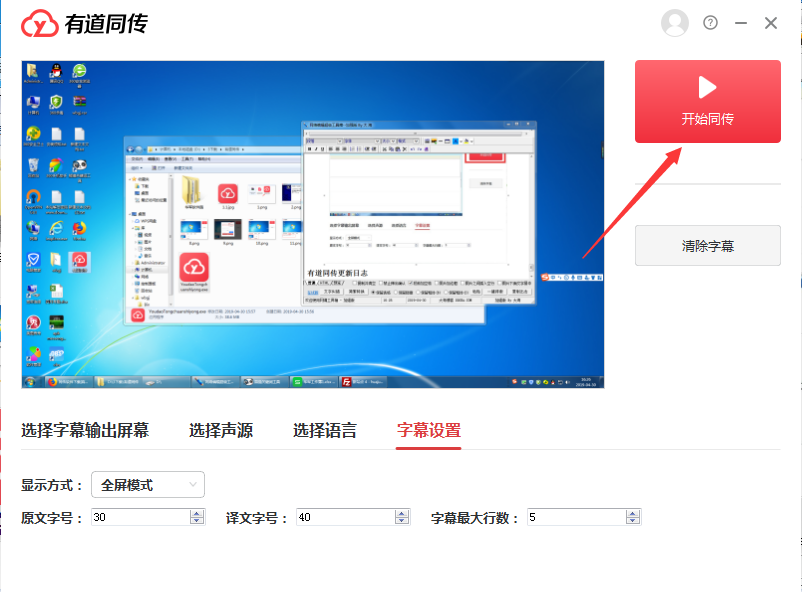
6. After setting up, click on the upper right corner to start simultaneous interpretation.
Youdao Tongchuan update log:
1. Modify user-submitted bugs
2.Add new features
Huajun editor recommends:
This site has also prepared a variety of related software for you, such as: Youdao Dictionary, Sesame Quick Translation, .NET, etc. You need to go to the editor of Huajun Software Park to satisfy you!
Version: 1.1.0.0 official version | Update time: 2024-12-30
Similar recommendations







Latest updates



Youdao simultaneous interpretation comments
-
1st floor Huajun netizen 2021-06-02 03:16:00The interface design of Youdao Simultaneous Interpretation is very easy to use and has rich functions. I highly recommend it!
-
2nd floor Huajun netizen 2020-06-15 15:01:03Youdao simultaneous interpretation software is very easy to use, downloads quickly and is very convenient!
-
3rd floor Huajun netizen 2021-12-27 08:04:12Youdao Tongchuan is great! 100 million likes! ! !
Recommended products







- Diablo game tool collection
- Group purchasing software collection area
- p2p seed search artifact download-P2P seed search artifact special topic
- adobe software encyclopedia - adobe full range of software downloads - adobe software downloads
- Safe Internet Encyclopedia
- Browser PC version download-browser download collection
- Diablo 3 game collection
- Anxin Quote Software
- Which Key Wizard software is better? Key Wizard software collection




