
-
MP4 video player
- Size: 11.5M
- Language: Simplified Chinese
- Category: video playback
- System: Win







MP4 video playerIs a playback tool for playing video files. MP4 is a popular high-definition video format on the Internet. It is also loved by people for its high definition, and almost all tools can support the playback of MP4 files. But the MP4 player can not only play MP4 files, but also supports the playback of various other video formats. Friends who need it can download it quickly. MP4 video player 2024 free download.
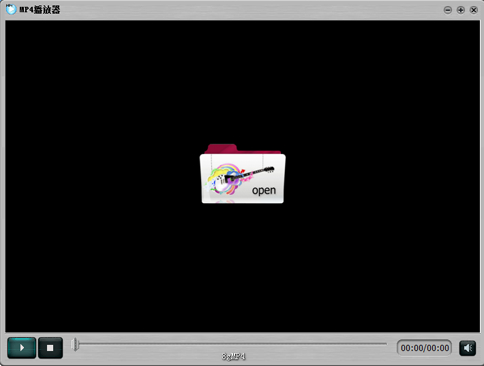
MP4 video player software features:
1. This is a very simple player, which is very in line with the current popular "minimalist style". Netizens who pursue minimalism will definitely like it.
2. Simple operation, not fancy functions, supports multiple formats for playback.
3. The software is small and exquisite, and takes up little resources.
How to use MP4 video player:
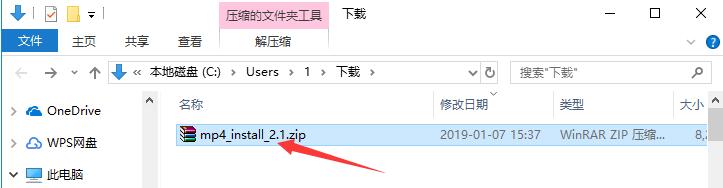
1. Download the MP4 player software package from Huajun Software Park. After decompressing the compressed package, double-click with the left mouse button to open the installation file.
Note: To decompress the compressed package, you need to use a compression and decompression tool. WinRAR is recommended because the technology is mature and reliable. WinRAR download address:http://softwaredownload4.com/soft/5.htm
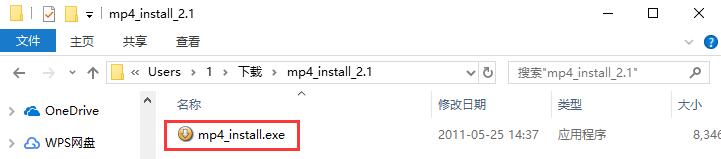
2. Enter the MP4 video player installation program, you can see that the software version is 2.1, and then click "Next".
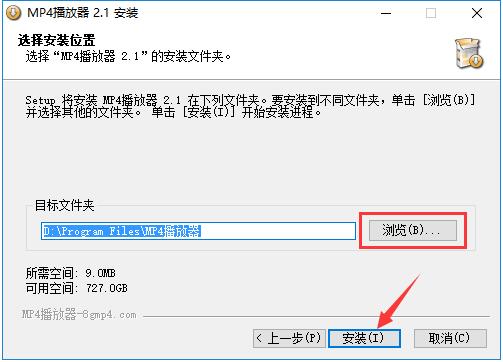
3. Click "Browse" to select the installation directory of the MP4 video player. It is not recommended to install it on the C drive. If there are too many files on the C drive, it will affect the running speed of the computer. After selecting, click "Install".
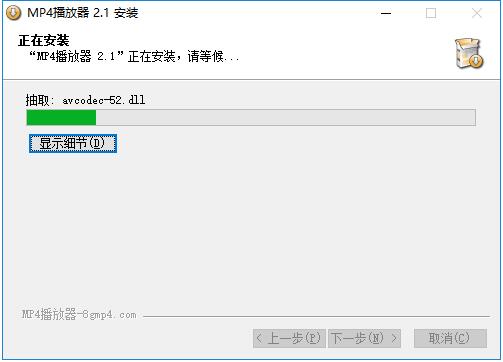
4. The installation process of MP4 video player takes about 2 minutes, please wait patiently.
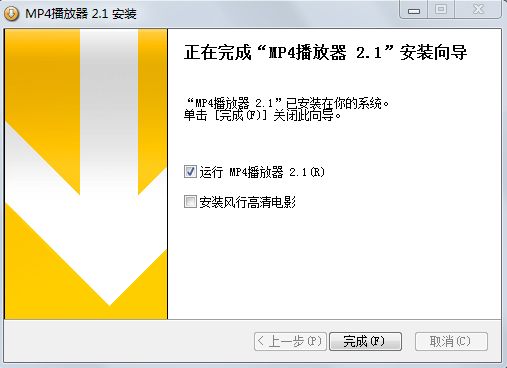
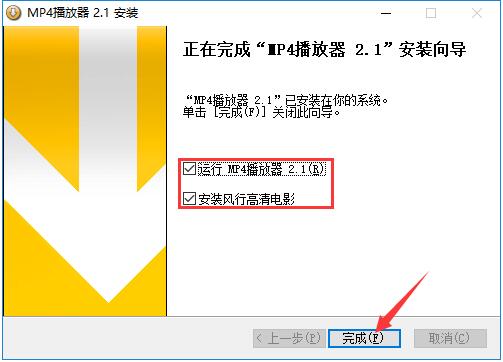
5. After the installation is completed, it will automatically jump to the installation completion interface. If you need to use the MP4 video player immediately, check the "Run MP4 Player 2.1" option; if you need the popular HD movie software, check the "Install the popular HD movie" option. Finally click "Finish".
How to use MP4 video player
1. Open the installed MP4 player and click the "open" button in the middle of the interface.
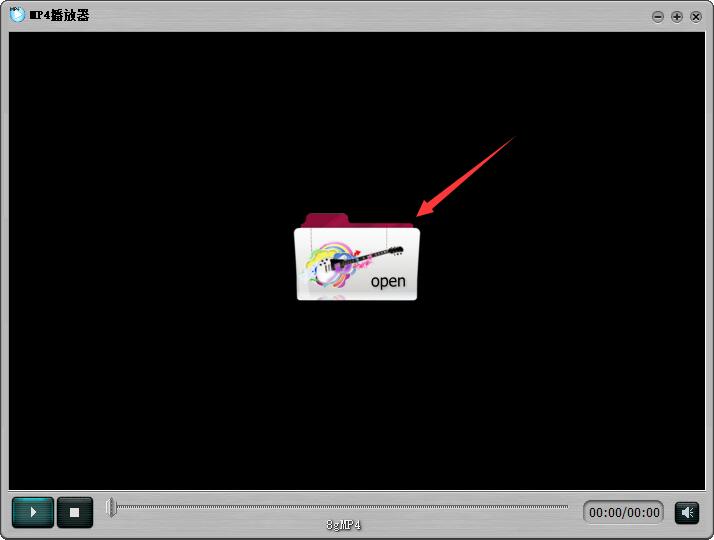
2. In the file selection window that opens, find the video file you want to play, use the left mouse button to click on the file, and then click the "Open" button in the lower right corner.

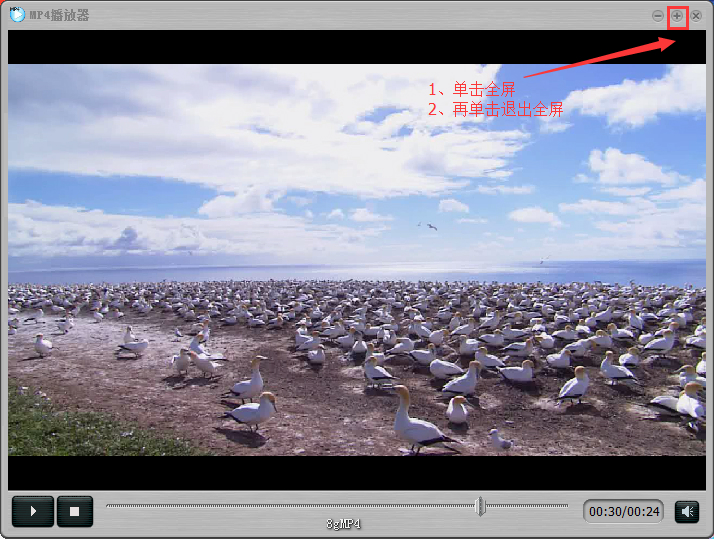
3. The video will start playing. Come and try it.
FAQ
Question: What should I do if the player freezes, crashes, or cannot play videos?
Answer: 1. Stuck and crash
1. When playing the same encrypted videos on the computer, why do some play normally while others freeze frequently?
The video player is a software that decodes and plays at the same time, so it has certain requirements for the computer configuration. Some computers may freeze during the decoding process due to their low configuration. There are two ways to solve the problem. One is to replace the computer with a higher configuration to play the encrypted video. The other is to ensure the smooth playback of the encrypted video by transcoding the original video and reducing the definition.
2. Why does the customized smart TV box freeze during playback, and the audio and picture are not consistent?
小米、乐视4.0版本以上盒子在播放中都不会存在太大问题,4.0以下的或者是其他版本的盒子会由于功能配置过低的原因出现卡顿现象,建议更换更高配置的盒子。
Comparison between MP4 player and Baofengyingyin
MP4 player is a commonly used video playback tool, not only MP4, but also supports many other formats. And the software itself is very simple and does not have any extra functions except playing videos.
iQIYI Video Player is a client software focused on video playback. The iQiyi video player is easy to operate and has clear video categories. Users can quickly find the videos they want to watch just by selecting the corresponding categories.
In summary, the two softwares are suitable for different usage needs. You can choose according to your own needs.
iQiyi video download address:http://softwaredownload4.com/soft/115744.htm
MP4 player update log:
The 2023 version fixes the problem that some video files cannot be played
Huajun editor recommends:
Although the MP4 player has such a name, it not only plays MP4, but also supports other formats such as WMV and RMVB. It is a very small but powerful software. If you want a pure video playback tool, MP4 player is your best choice. Our Huajun Software Park is dedicated to serving everyone. This site also has RealPlayer and Xunlei Kankan for you to download!
Version: 2023 | Update time: 2025-11-14
Similar recommendations






Latest updates





Pixel Naruto online play entrance-Pixel Naruto web version online play-Huajun Software Park
How to add background music in python-How to add background music in python
How to configure environment variables in python - How to configure environment variables in python
How to run python - How to run python
How to create a project in python - How to create a project in python
How to make a blue sky background with scratch-How to make a blue sky background with scratch
MP4 Video Player Review
-
1st floor Huajun netizen 2022-03-31 05:04:06The MP4 video player is very useful, thank you! !
-
2nd floor Huajun netizen 2021-04-18 00:49:41The MP4 video player interface design is easy to use and has rich functions. I highly recommend it!
-
3rd floor Huajun netizen 2021-06-24 06:08:50MP4 video player is awesome! 100 million likes! ! !
Recommended products









- Diablo game tool collection
- Group purchasing software collection area
- p2p seed search artifact download-P2P seed search artifact special topic
- adobe software encyclopedia - adobe full range of software downloads - adobe software downloads
- Safe Internet Encyclopedia
- Browser PC version download-browser download collection
- Diablo 3 game collection
- Anxin Quote Software
- Which Key Wizard software is better? Key Wizard software collection




