
-
Autodesk AutoCAD
- Size: 1474.56M
- Language: Simplified Chinese
- Category: CAD software
- System: Win All







Autodesk AutoCAD is an automatic computer-aided design software developed by the American company Autodesk. Since it was first released in 1982, it has been trusted by millions of users around the world. With its powerful functions, wide applicability and continuous innovation, it occupies an important position in many fields such as architectural design, mechanical design and electronic design. Whether you are a beginner or a professional, you can complete your design work efficiently through AutoCAD. Friends who like Autodesk AutoCAD come to Huajun Software Park to download and experience it!
Autodesk AutoCAD Highlights
Architectural Design: Used to create building plans, elevations, sections, construction drawings, etc.
Mechanical Engineering: Design mechanical parts, assembly drawings and engineering drawings, etc.
Electrical engineering: Draw electrical schematics, wiring diagrams, installation diagrams, etc.
Civil Engineering: Drawing engineering drawings of roads, bridges, tunnels, and pipelines.
Manufacturing industry: designing products, molds and fixtures, etc.
Surveying, mapping and geographical information system: drawing topographic maps, cadastral maps and planning maps, etc.
Interior design: Draw interior floor plans, elevations and renderings, etc.
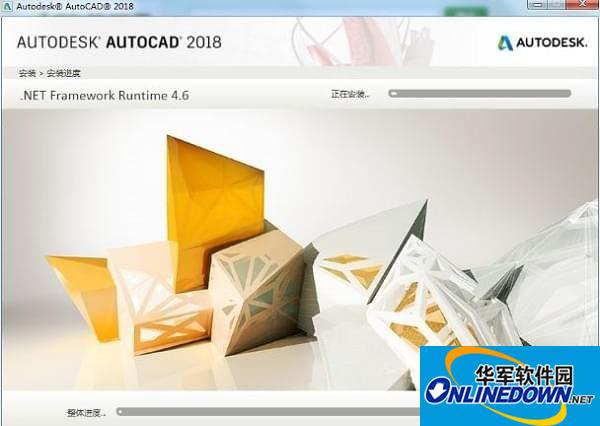
Autodesk AutoCAD Features
Industry-specific tool set: Provides specialized tools for different industries to improve design efficiency.
New automation features: Use AI technology to automate design tasks, such as automatically placing objects, comparing graphics, and publishing schedules.
Insights feature: Helps users track essential design data with activity insights and detailed multi-user event logs.
Markup Import and Markup Assist: Integrate revisions and feedback captured on drawings or PDFs to compare, review and automate updates.
Push to Autodesk Docs: Publish CAD drawings as PDFs directly from AutoCAD to Autodesk Docs, simplifying the file management process.
Autodesk AutoCAD features
2D Drawing and Cartography:
Provides complete graphics drawing functions, supporting the creation of basic graphics objects such as lines, circles, ellipses, polygons, and splines.
It has powerful graphics editing functions that can move, copy, rotate, array, stretch, extend, trim, scale objects, etc.
Supports dimensioning, creates multiple types of dimensions, and the appearance of the dimension can be set by yourself.
You can write text at any position and in any direction of the graphics, and set attributes such as text font, tilt angle, and width scaling.
Provides layer management functions. Graphic objects are all located on a certain layer, and characteristics such as layer color, line type, line width, etc. can be set.
3D modeling and visualization:
3D solid and surface models can be created, and the solids themselves can be edited.
Provides rendering functions to achieve realistic three-dimensional perspective and animated graphics without the need for plug-ins.
Supports a variety of materials and lighting effects to enhance the realism of 3D models.
Automation and customization:
Supports a variety of automation tools, such as automatic annotation, automatic numbering, and automatic typesetting, to improve work efficiency.
Allows users to customize menus and toolbars, and can use embedded languages AutoLISP, Visual Lisp, VBA, ADS, ARX, etc. for secondary development.
Provide customized workspace functions to meet users' personalized needs.
Collaboration and cloud services:
Supports cloud collaboration, allowing you to share design files with other users for real-time collaboration and feedback.
Web version and mobile application are provided to facilitate users to access and edit design files anytime and anywhere.
Achieve reliable management of documents and streamline the review and approval process through cloud services such as Autodesk Docs.
File management and compatibility:
Supports multiple graphics and image data exchange formats and corresponding commands, such as DWG, DXF, DGN, PDF, etc.
It has good compatibility and supports a variety of operating systems and hardware devices.
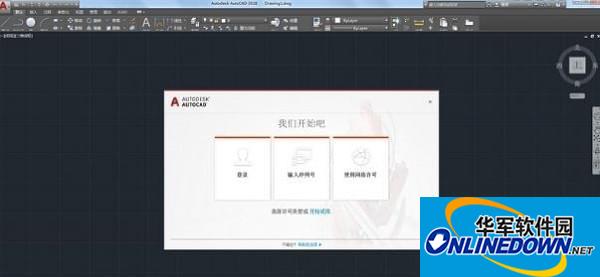
Autodesk AutoCAD FAQ
Activation fails or prompts "Invalid serial number"
Reason: wrong serial number, network problem, activation times exceeded.
Solution:
Confirm that you entered the serial number and product key correctly (case sensitive).
Check the network connection and try turning off the firewall or proxy.
Contact Autodesk customer service to reset the activation number.
Transfer licenses using the Autodesk License Transfer Utility (for multi-device use).
Due to copyright and manufacturer requirements, Huajun Software Park provides the latest official version of AutoCAD software, please feel free to use it.
Autodesk AutoCAD update log:
1. Sweep the bug out and carry it out to the end
2. The most stable version ever
Huajun editor recommends:
The editor of Huajun Software Park recommends that you download Autodesk AutoCAD. The editor has personally tested it and you can use it with confidence. In addition, the AutoCad 2020, .NET, and Batch Butler provided by Huajun Software Park are also good software. If you need, you may wish to download and try it! The editor is waiting for you in wind and rain!
Version: Official version | Update time: 2025-12-04
Similar recommendations






Latest updates





How to choose file association in Video Pioneer? - How to select file associations for Video Pioneer
How to download movies from Video Pioneer? - How to download movies from Video Pioneer
How to search for videos on Video Pioneer? - How to search for videos by Video Pioneer
How to delete history in Video Pioneer? -How to delete history records by Video Pioneer
How to set the skin for Video Pioneer? -How to set skin for Video Pioneer
Autodesk AutoCAD Review
-
1st floor Huajun netizen 2022-02-07 15:31:15Autodesk AutoCAD software is very easy to use, downloads quickly and is very convenient!
-
2nd floor Huajun netizen 2022-02-16 22:33:02The overall feeling of Autodesk AutoCAD is good, I am quite satisfied, the installation and operation are very smooth! Followed the installation step-by-step instructions and it went very smoothly!
-
3rd floor Huajun netizen 2022-02-06 19:53:48Autodesk AutoCAD is not bad, the download is very fast, I give you a good review!
Recommended products






- Diablo game tool collection
- Group purchasing software collection area
- p2p seed search artifact download-P2P seed search artifact special topic
- adobe software encyclopedia - adobe full range of software downloads - adobe software downloads
- Safe Internet Encyclopedia
- Browser PC version download-browser download collection
- Diablo 3 game collection
- Anxin Quote Software
- Which Key Wizard software is better? Key Wizard software collection




