
-
Chicken handle wizard activation tool
- Size: 1.5M
- Language: Simplified Chinese
- Category: hardware tools
- System: Win All






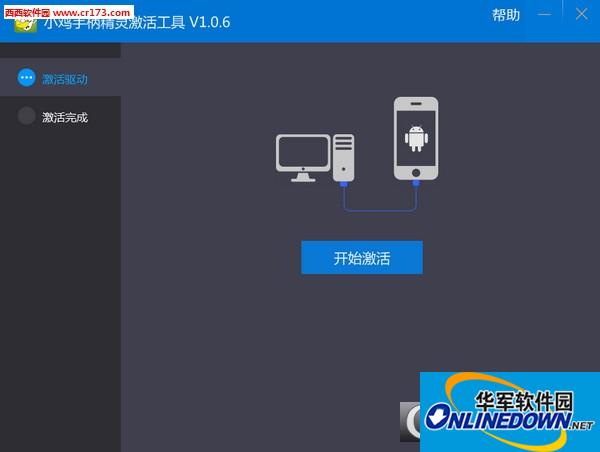
The Chicken Controller Wizard Activation Tool is a tool that helps Chicken Controller users activate their own controller drivers. Many users who purchased the Chicken Controller found that they could not use it normally after connecting it to their mobile phones. In fact, this was the reason why the activation was not successful. The Chicken Controller Elf activation tool provided by Xixi here can help you automatically activate the controller driver and solve the problem of the controller being unusable.
How to use:
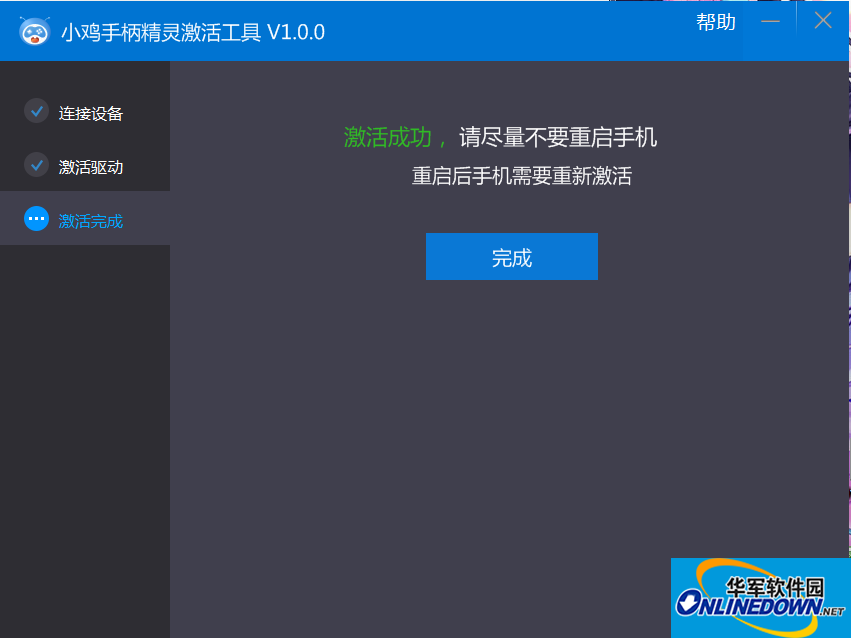
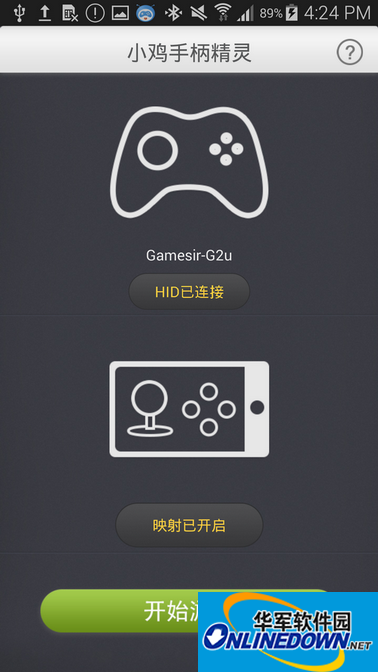
1. Open the Chicken Controller Wizard on your phone and connect the controller. Use a micro USB data cable to connect the phone to the computer (you can also connect the controller after connecting to the computer to activate the program. For rooted phones, you can skip the step of connecting to the computer).
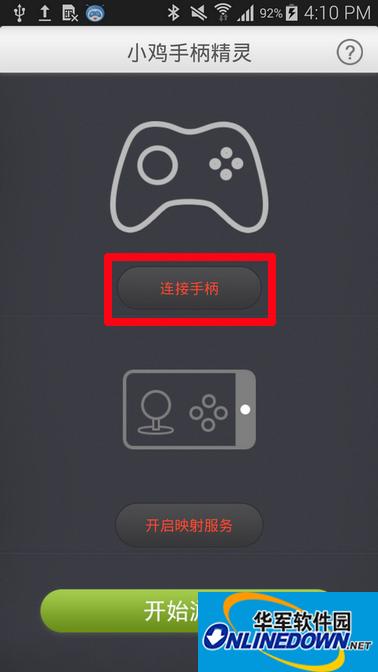
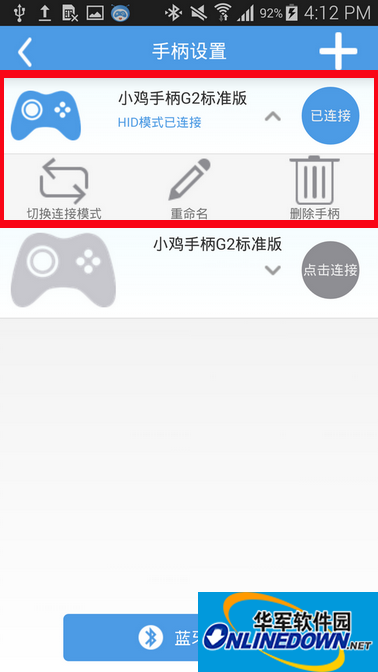
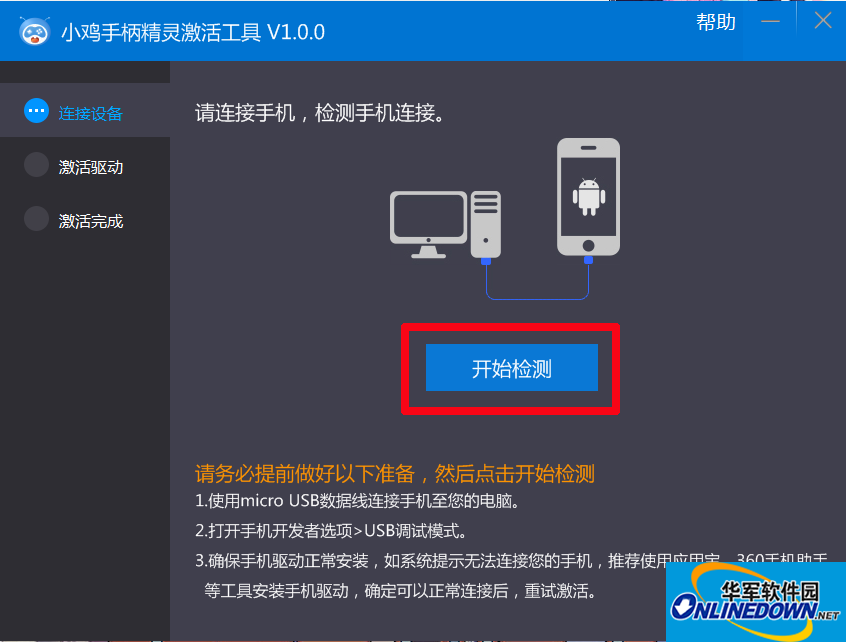
2. Open the Chicken Controller Wizard activation tool on your computer. Click to start testing and wait for the program to finish running.
Key mapping setting method:
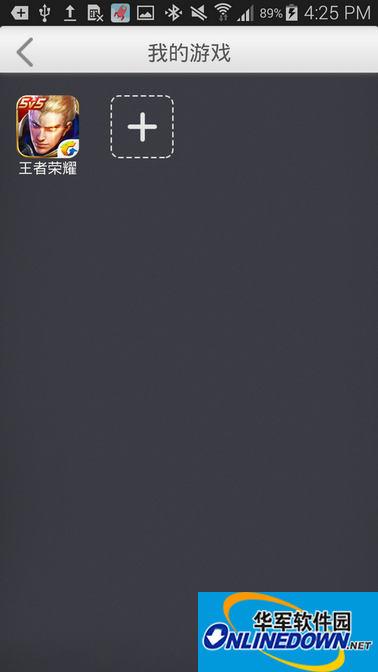
1. Enter the Chicken Controller Wizard to enable mapping mode. Select Start Game, go to My Games, add the game that needs to be mapped and enter.
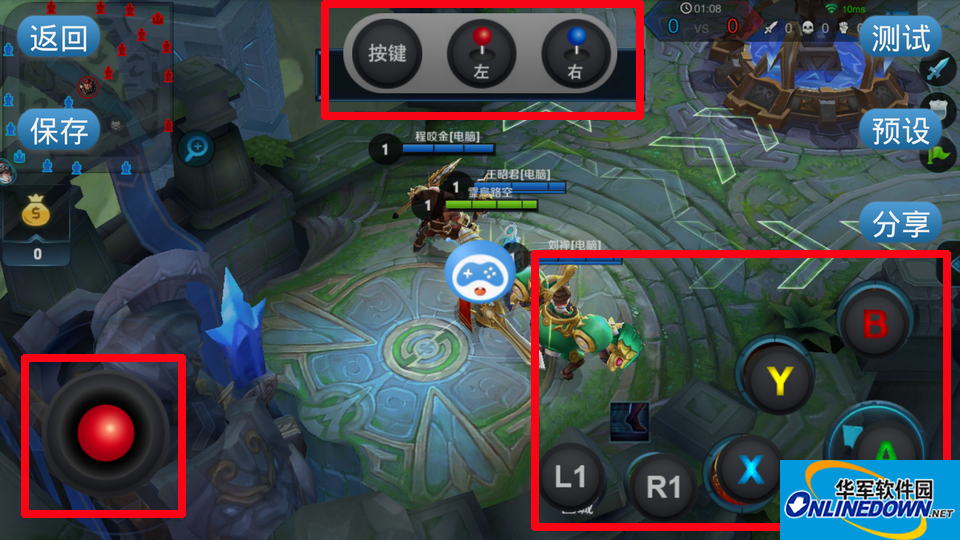
2. After entering the game, press the select key and start key of the handle at the same time to start the mapping setting.
Long press the left/right option and drag the joystick to be mapped to the virtual button.
Long press the button option and drag the mapped button to the corresponding position of the virtual button on the screen. Then press the button that needs to be mapped on the handle.
Finally choose save and return to the game.
The final effect is as shown below
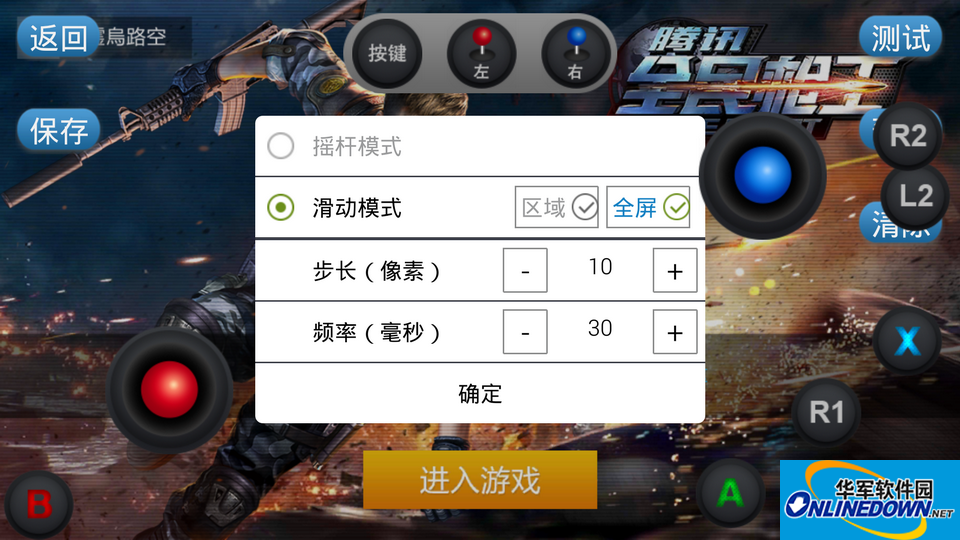
※In some shooting games, if you simply use the joystick, the moving perspective may not be accurate enough. When this happens, you need to set the joystick mode in the mapping settings. The joystick mode has a rocking mode and a sliding mode. You can set it after clicking the joystick icon. Sliding mode allows setting of fine-tuning parameters.
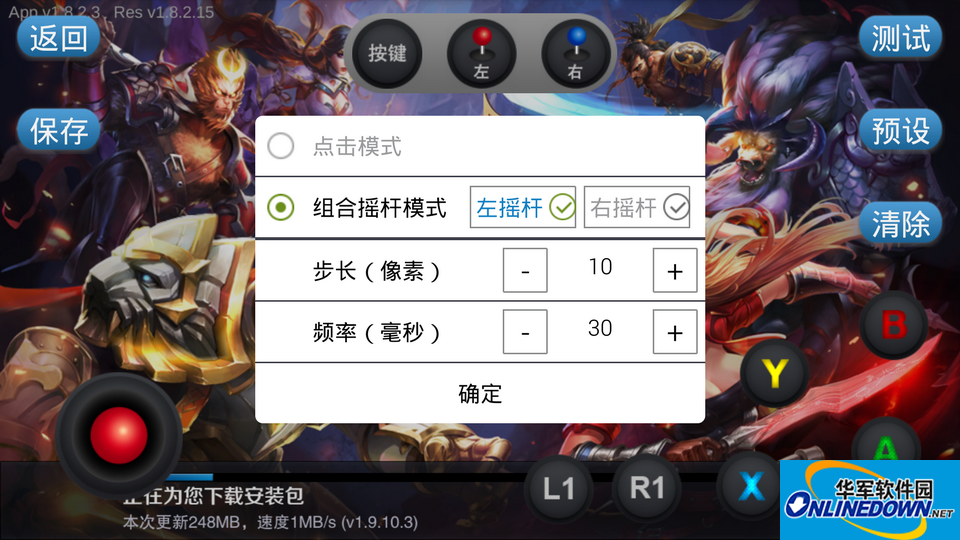
※For non-directional skills in some competitive mobile games, after mapping the skill buttons, you need to set them to the combination joystick mode by clicking the button icon.
Version: v1.0.6 official latest version | Update time: 2024-12-30
Similar recommendations




Latest updates




How to choose file association in Video Pioneer? - How to select file associations for Video Pioneer
How to download movies from Video Pioneer? - How to download movies from Video Pioneer
How to search for videos on Video Pioneer? - How to search for videos by Video Pioneer
How to delete history in Video Pioneer? -How to delete history records by Video Pioneer
How to set the skin for Video Pioneer? -How to set skin for Video Pioneer
Chicken Handle Genie Activation Tool Review
-
1st floor Huajun netizen 2020-04-03 20:14:33The interface design of the Chicken Control Elf Activation Tool is very easy to use and has rich functions. I highly recommend it!
-
2nd floor Huajun netizen 2021-02-01 19:15:03The Chicken Controller Wizard activation tool software is very easy to use, the download speed is very fast, and it is very convenient!
-
3rd floor Huajun netizen 2018-03-08 07:33:38The Chicken Handle Elf Activation Tool is awesome! 100 million likes! ! !
Recommended products









- Diablo game tool collection
- Group purchasing software collection area
- p2p seed search artifact download-P2P seed search artifact special topic
- adobe software encyclopedia - adobe full range of software downloads - adobe software downloads
- Safe Internet Encyclopedia
- Browser PC version download-browser download collection
- Diablo 3 game collection
- Anxin Quote Software
- Which Key Wizard software is better? Key Wizard software collection




