
-
Mp3ABCut (mp3 cutter)
- Size: 3.3M
- Language: Simplified Chinese
- Category: audio editing
- System: Winxp/vista/win7/win8






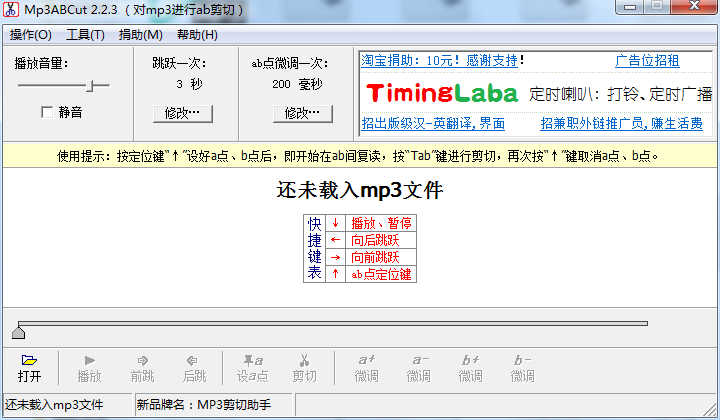
The official version of Mp3ABCut (mp3 cutter) is a professional software that supports cutting out the required fragments from mp3 files. The PC version of Mp3ABCut (mp3 cutter) supports shear point fine-tuning (millisecond level), and the toolbar provides shear point fine-tuning buttons (a+, a-, b+, b-). Mp3ABCut (mp3 cutter) supports retaining ID3Tag, which can help users retain various tag information of the original file.
Mp3ABCut (mp3 cutter) software functions
1. Set the a and b cut points while listening. The shortcut keys are as follows:
* (↓) Play, pause.
* (→) Jump forward.
* (←) Jump backward.
* (↑) Shear point (a/b) positioning key. Press three times in succession to indicate: set point a, set point b, and cancel point ab.
2. Cutting point fine-tuning (millisecond level): The toolbar has shearing point fine-tuning buttons (a+, a-, b+, b-).
3. Sound quality guarantee: cut mp3 files directly without any loss of sound quality.
4. Keep ID3Tag: Keep various tag information of the original file.
Mp3ABCut (mp3 cutter) software features
1. Small size
The software is less than 2M in size and takes up very little memory space.
2. Powerful function
Support mp3 music cutting
3. Simple operation
It can be made with a click of the mouse, simple and easy to use
Mp3ABCut (mp3 cutter) installation steps
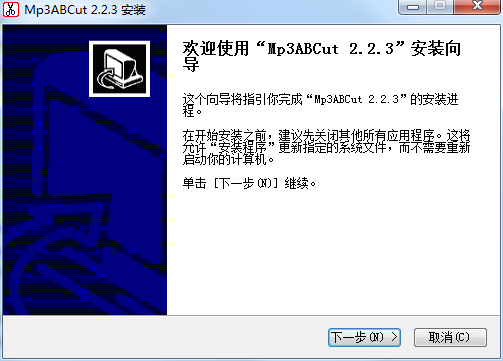
1. Download the compressed package of the official version of Mp3ABCut (mp3 cutter) from Huajun Software Park. After decompressing, double-click the exe file to enter the installation interface and click Next
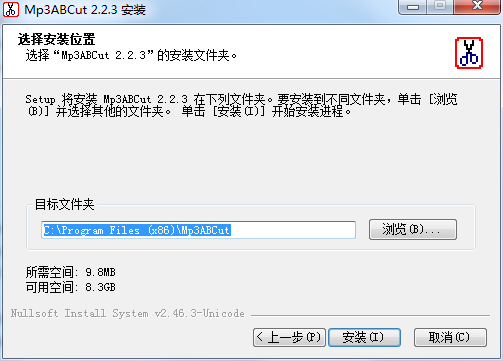
2. Set the software installation location. Click Browse to modify the default installation location on drive C. It is recommended that you choose to install on drive D, and then click Install.
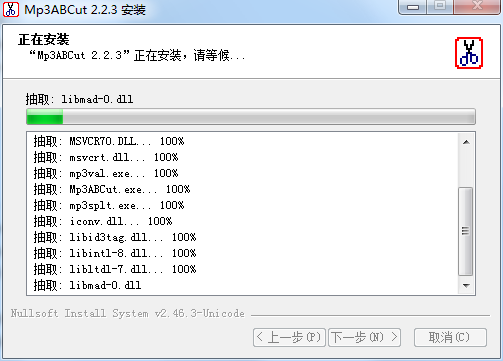
3. The official version of Mp3ABCut (mp3 cutter) is being installed, we are waiting patiently.
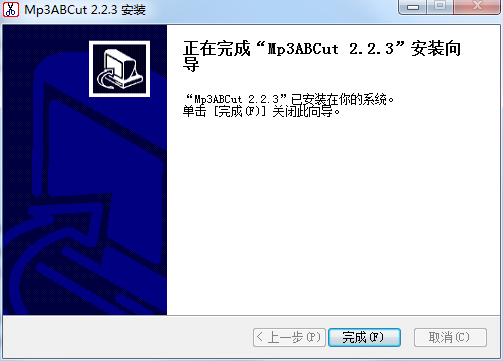
4. The software is installed
How to use Mp3ABCut (mp3 cutter)
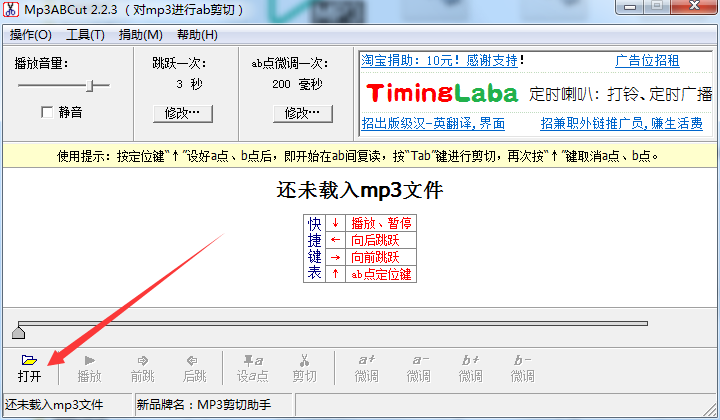
Run the software and click "Open" in the "Mp3ABCut" window.
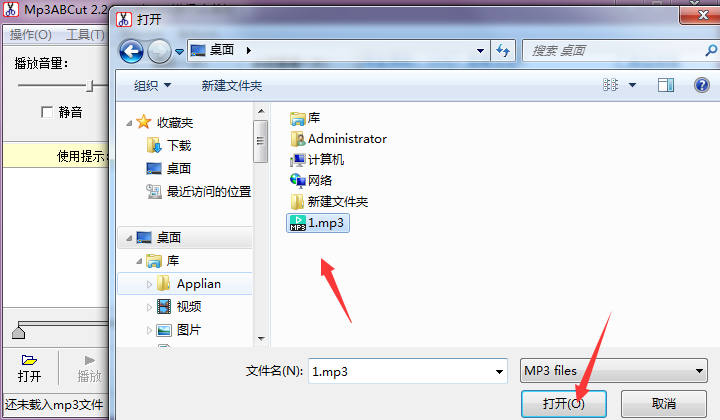
In the "Browse" window, select the mp3 file you want to cut and click "Open"
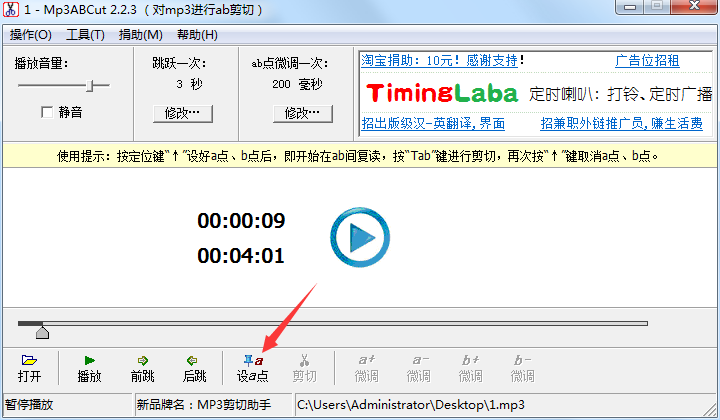
At this time, the MP3 music is displayed in the playing status in "Mp3ABCut", click "Set point a"
On the music playback progress, point a is displayed, indicating the starting node, then play the MP3 music file for a while, click "Set point b"
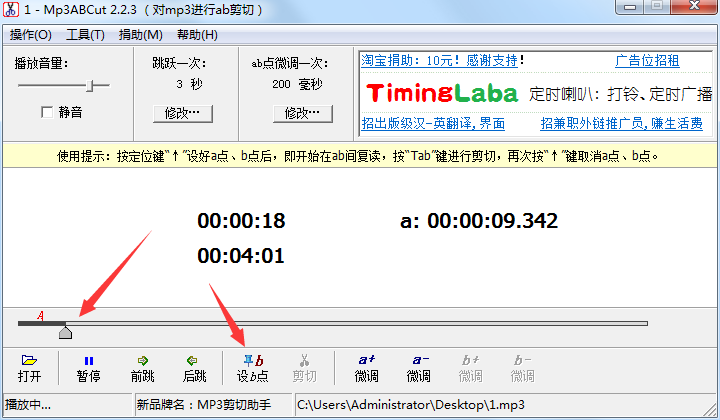
At this time, on the progress of playing the music file, two nodes a and b are displayed, indicating the start and end. Click "Cut"
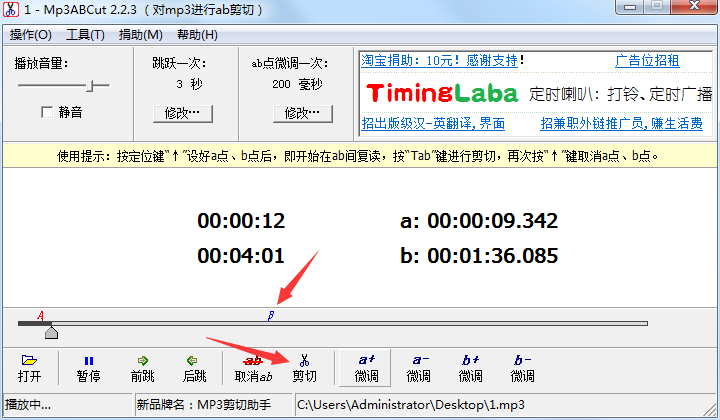
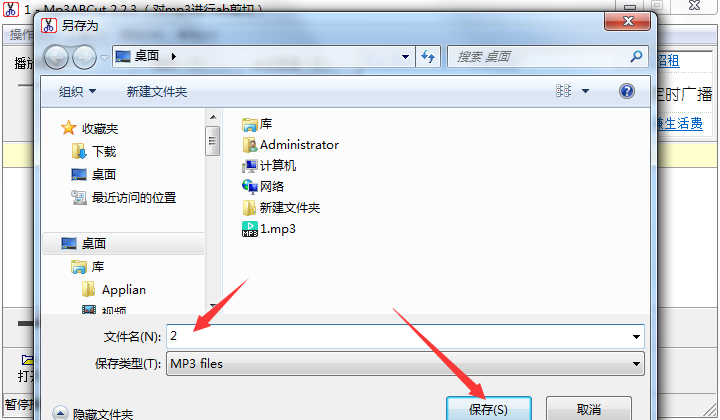
A window will pop up, give the music a name, and then click "Save"
Comparison of similar software
Swift audio editing softwareThe official version is a simple and excellent audio editing software with a user-friendly design interface. The latest version of Swift Audio Editing Software has rich functions. It provides users with multiple functions such as audio cutting, audio extraction, audio conversion, etc. Swift Audio Editing Software can also cut audio in a variety of splitting methods, and also supports batch operations, which is very efficient.
Abelssoft mp3 cutterIt is an MP3 cutting tool. Abelssoft mp3 cutter can edit small audio files and can also easily handle large audio files. Of course, in addition to supporting mp3 format, it also supports the following formats: WAVE, OGG, FLAC, AAC and WMA.
Mp3ABCut (mp3 cutter) update log
Sweep the bug out and carry it out to the end
Optimize user feedback issues and improve detailed experience
Huajun editor recommends:
The official version of Mp3ABCut (mp3 cutter) is simple to operate. The software size is less than 2M and the memory space is very small. You are welcome to download it. This site also providesAudioEaseWaiting for you to download.
Version: 2.2.3 Official version | Update time: 2024-12-23
Similar recommendations






Latest updates





Mp3ABCut (mp3 cutter) review
-
1st floor Huajun netizen 2017-02-03 03:43:22Mp3ABCut (mp3 cutter) is very useful, thank you! !
-
2nd floor Huajun netizen 2016-01-03 12:57:27The interface design of Mp3ABCut (mp3 cutter) is easy to use and has rich functions. I highly recommend it!
-
3rd floor Huajun netizen 2016-10-05 16:28:57Mp3ABCut (mp3 cutter) software is very easy to use, the download speed is very fast, and it is very convenient!
Recommended products








- Diablo game tool collection
- Group purchasing software collection area
- p2p seed search artifact download-P2P seed search artifact special topic
- adobe software encyclopedia - adobe full range of software downloads - adobe software downloads
- Safe Internet Encyclopedia
- Browser PC version download-browser download collection
- Diablo 3 game collection
- Anxin Quote Software
- Which Key Wizard software is better? Key Wizard software collection




