o(╥﹏╥)oSad

WeChat cannot downloadcute pig, but just click on the upper right corner and select open in browser or Safari!
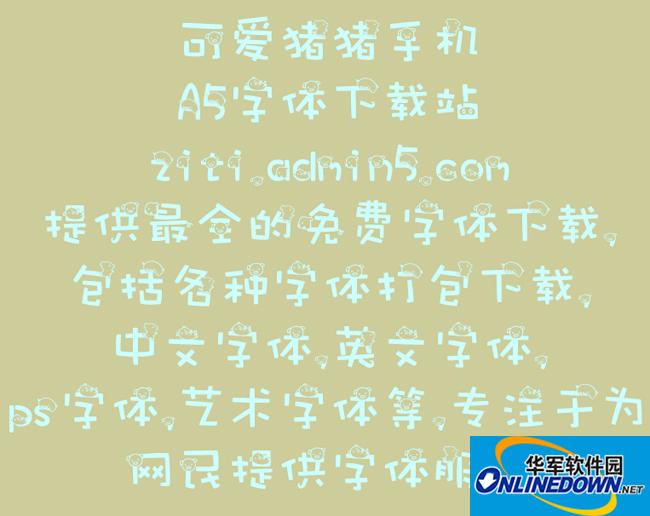
cute pig

cute pig

  • Size: 6.67M
  • Language: Simplified Chinese
  • Category: Font download
  • System: WinAll

Cute pig mobile font, DIY is risky, so be careful when starting! Students who are not very strong in hands-on skills, please proceed with caution!

Android phone font installation tutorial:

Principle:
The font library of Android phones is under /system/fonts. After obtaining root permissions, you only need to replace the corresponding font files. Among them, DroidSansFallback.ttf is the Chinese font; DroidSans.ttf is the English font.

Replacement steps:
Tool: R.E File Manager
First make sure your machine is rooted.
Unzip the downloaded font, use AndroZip to unzip it, rename the unzipped .ttf font to DroidSansFallback.ttf and copy it to the sd card.
Open the R.E file manager, enter the sd card and select to copy DroidSansFallback.ttf.
Go to the /system/fonts folder and select paste. If the prompt fails, please click "Mount as writable" in the upper right corner and execute the paste.
After the overwriting is completed, press and hold DroidsansFallback.ttf to select permissions, check all three reading columns, and then check the first writing column, and restart the phone to see the effect.

Things to note:
1. The last step of setting permissions is very important, otherwise the system will have garbled characters. Permissions can be modified as shown in the figure. If the code is still garbled, try checking all the permissions.
2. If the code is still garbled, you need to check the permissions of other fonts, and then change the permissions of your own font to the same. In addition, it is recommended to copy the original fonts for backup before changing the fonts, otherwise the system fonts will not be restored even if it is hard restarted.


Version: PC version | Update time: 2024-12-30

Similar recommendations

Latest updates
Cute Pig Reviews

  • 1st floor Huajun netizen 2018-09-20 21:30:57
    Cute Piggy is very useful, thank you! !
  • 2nd floor Huajun netizen 2018-05-31 05:37:26
    The interface design of Cute Piggy is easy to use and has rich functions. I highly recommend it!
  • 3rd floor Huajun netizen 2020-12-03 09:09:40
    The Cute Piggy software is very easy to use, the download speed is very fast and very convenient!

Recommended products
everyonealso likeThese:

+

This application has not passed real-name authentication. You can download it through the mobile assistant.

CancelOK