
-
WinRAR 64-bit
- Size: 3.84M
- Language: Simplified Chinese
- Category: Compression and decompression
- System: WinAll







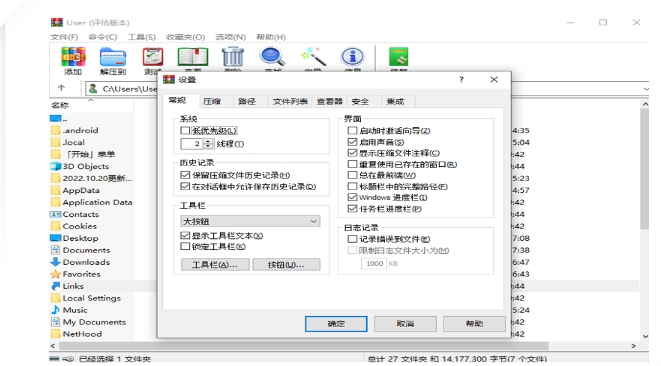
WinrarIt is a powerful file compression and decompression tool. WinRAR supports most of the current compressed file formats. WinRAR includes powerful compression, volume splitting, encryption and self-extracting modules, which is simple and easy to use. The advantage of Winrar is its high compression rate and fast speed. It can back up your data, reduce the size of your email attachments, decompress RAR, ZIP and other compressed files downloaded from the Internet, and create compressed files in RAR and ZIP formats. Friends who like WinRAR 64-bit come to Huajun Software Park to download and experience it! Friends who like WinRAR 64-bit come to Huajun Software Park to download and experience it!

WinRAR software features
64-bit performance optimization
Designed specifically for 64-bit operating systems, it can better utilize the computer's memory and processor resources and provide better performance when processing large files.
In the 64-bit version, the maximum compression dictionary is increased to 1GB, further improving compression ratio.
Multithreading
Supports multi-threaded compression and decompression, significantly improving efficiency, especially when processing a large number of files.
user friendly interface
The interface is simple and intuitive, and the operation is simple and easy to understand. Even beginners can get started quickly.
Supports mouse drag-and-drop and shell expansion, and users can directly complete compression/decompression operations through the right-click menu.
Continuous updates and optimizations
The development team regularly updates the version through user feedback and adds support for emerging formats (such as APKs and Docker image files) to ensure that software functions keep pace with the times.
Features of WinRAR software
WinRAR has always had this advantage in the DOS era. After many experiments, it has been proven that WinRAR's RAR format generally has a compression rate 10% to 30% higher than other ZIP formats. In particular, it also provides optional compression algorithms for multimedia data.
2. A unique high compression rate algorithm for multimedia files
WinRAR can use a unique multimedia compression algorithm to greatly improve the compression rate of WAV and BMP sound and image files. Although we can convert WAV and BMP files to MP3.JPG and other formats to save storage space, don't forget that WinRAR's compression is standard lossless compression.
3. It can fully support the ZIP format and can decompress compressed packages in multiple formats.
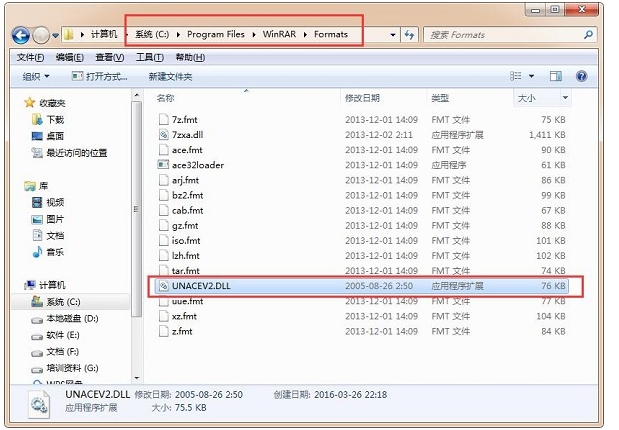
Although other software can also support ARJ, LHA and other formats, they require the DOS version of the corresponding plug-in software, which has limited functions. But WinRAR is different. It can not only decompress most compression formats, but also directly create ZIP format compressed files without the support of plug-in programs, so we don’t have to worry about how to handle the ZIP format without other software.
4. The setting items are very complete and the interface can be customized
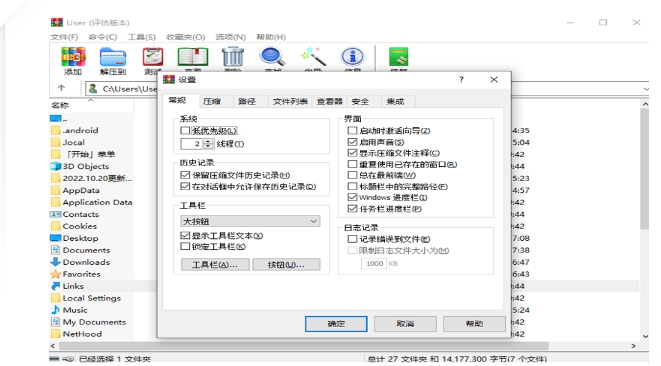
Start WinRAR through the program group of the Start menu, and select "Settings" under the "Options" menu in its main interface to open the settings window, which is divided into six categories: General, Compression, Path, File List, Viewer, and Comprehensive. It is very rich. By modifying them, you can better use WinRAR. Practical combat: If a certain compression software and WinRAR are installed at the same time, the association of ZIP files is often confused. Generally, we only need to enter the settings window, select the "Comprehensive" tab, and check the ZIP item in the "WinRAR Associated Files" column. Once confirmed, the ZIP file can be associated with WinRAR. On the contrary, if the check is removed, WinRAR will automatically modify the registry to re-associate ZIP with this compression software.
5. Excellent ability to repair damaged compressed files
ZIP and RAR files downloaded from the Internet often cannot be opened due to head damage. After loading them with WinRAR, they can be easily repaired by just clicking the "Repair" button in the interface, with a very high success rate.
6. You can view the compressed package information without decompressing it.
Using WinRAR, select the file and click Information to view the compressed package information.
7. Detailed auxiliary function settings
WinRAR can set in the "Backup" tab of the compression window to delete the target disk files before compression; you can click the "Estimate" button to evaluate the compression before compression; you can add comments to the compressed package; you can set the anti-damage function of the compressed package. WinRAR's thoughtfulness can also be seen in the subtleties.
8. The compressed package can be locked
After using WinRAR to double-click to enter the compressed package, click "Lock Compressed Package" under the command menu to prevent artificial addition, deletion and other operations and maintain the original state of the compressed package.
9. You can view hidden files in the compressed package
If you are still worried about the Autorun virus, Winrar provides a "see through" function. See those files with hidden attributes at a glance.
WinRAR software meaning
It perfectly supports ZIP files and is currently the most popular decompression and compression software. The built-in program of winrar 64-bit official version software can decompress various types of compressed files such as CAB, ARJ, LZH, TAR, GZ, ACE, UUE, BZ2, JAR, ISO, etc.
WinRAR FAQ
Advanced features
Self-extracting files (SFX):
Create compressed packages that can be run without decompression software.
Method: Check "Create compressed file in self-extracting format" when compressing.
Batch decompression:
Select multiple compressed files → right-click → "Extract to separate folders for each compressed file".
Command line operations:
Example: WinRAR x -ibck file .rar target path (-ibck means running in the background).
WinRAR update log
1: Brand new interface, refreshing, simple and efficient
2: Performance is getting better and better
Huajun editor recommends:
WinRAR 64-bit installation is very simple, powerful, and has no installation garbage. It is specially recommended to everyone, and everyone is welcome to download it! This site also has 360 Compression 2018, decompression software, and 7Zip decompression software for you to download!
Version: 7.13 | Update time: 2025-10-23
Similar recommendations



Latest updates





WinRAR 64-bit Review
-
1st floor Huajun netizen 2021-02-25 06:57:28WinRAR 64-bit software is very easy to use, downloads quickly and is very convenient!
-
2nd floor Huajun netizen 2020-10-18 16:21:35The overall feeling of WinRAR 64-bit is good, I am quite satisfied, the installation and operation are very smooth! It went very smoothly following the installation step-by-step guide!
-
3rd floor Huajun netizen 2022-01-12 10:24:29WinRAR 64-bit has quite comprehensive functions. It is the latest version. It is free to download. Keep up the good work!
Recommended products








- Diablo game tool collection
- Group purchasing software collection area
- p2p seed search artifact download-P2P seed search artifact special topic
- adobe software encyclopedia - adobe full range of software downloads - adobe software downloads
- Safe Internet Encyclopedia
- Browser PC version download-browser download collection
- Diablo 3 game collection
- Anxin Quote Software
- Which Key Wizard software is better? Key Wizard software collection




