
-
IETester
- Size: 55M
- Language: Simplified Chinese
- Category: production assistance
- System: Winxp/vista/win7/2000/2003






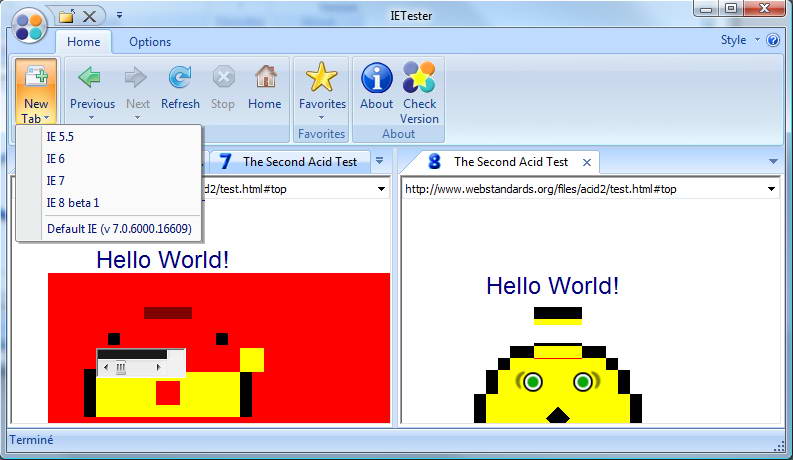
IETester is a free web browser debugging tool that can simulate different js engines to help programmers design code with uniform effects. IETester can help us simulate the compatibility of web pages in browsers such as IE5.5, IE6, IE7 and IE8 beta1. Let us see whether the CSS styles or website layouts we have worked so hard to display can be displayed normally in various major browsers. IETester uses a "paginated tab" method to display the web browsing screen of the IE browser version you specify in different tabs. In addition, the software interface presentation method similar to Office 2007 is also quite modern and easy to use. Most of the commonly used buttons are listed directly on it. IETester is an essential tool for web designers. Friends who need it can download it and use it.
IETester Features
IETester can switch between ie5.5, ie6, ie7, ie8, ie9, and ie10, which can solve the problems of many IE browsers
Satisfies most IE browser compatibility tests
Has a visual interface of Office 2007
Support Windows 7, Vista and XP, Windows 8 desktop system
IETester has Chinese, English and other multi-language support
Introduction to IETester
IETester does not include IE9 files, so you need to install the IE9 preview version yourself and copy it manually. The specific steps are as follows:
Open two windows:
C:Program FilesInternet Explorer Platform Preview folder
C:Program FilesCore ServicesIETesterie9
Copy the iepreview.exe.local folder under C:Program FilesInternet Explorer Platform Preview to C:Program FilesCore ServicesIETesterie9
In the C:Program FilesCore ServicesIETesterie9 folder, rename the folder’s original name iepreview.exe.local to ietester.ie9.exe.local
This is done. Restart IETester and you will see that IE9 mode can be enabled.
IETester installation steps
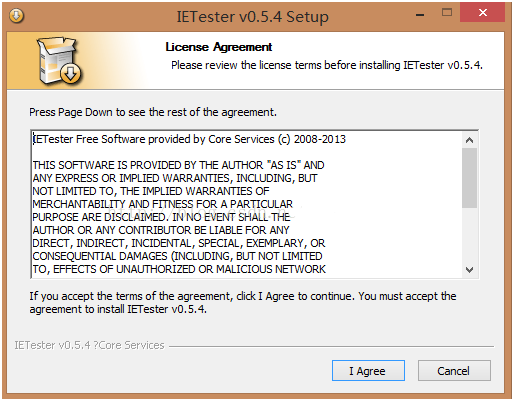
1. Download the IETester compressed package on this site and unzip it, double-click the installer to install it, and select Agree on the license agreement interface.
2. Select some components to install and click Next

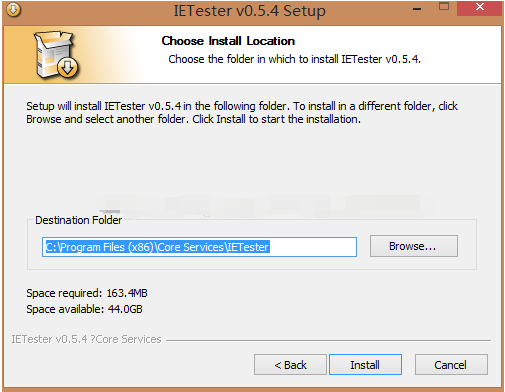
3. Select the root directory of the installation and click Install
4. Wait for the installation to complete. After the installation is completed, there will be a small icon on the desktop.

How to use IETester
IETester debugging page method
1. Double-click to open the IETester software. We can see that there are tabs for creating new IE browser versions at the top of the software.
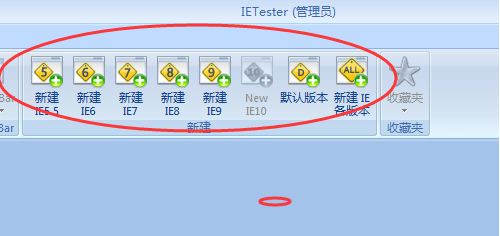
2. We click to create a new IE6, and the software will help us create a new page in the IE6 environment.

3. At this time, the software opens a page by default. We need to open the page we want to open in the IE browser installed on the computer, and then copy it to the IETester software.
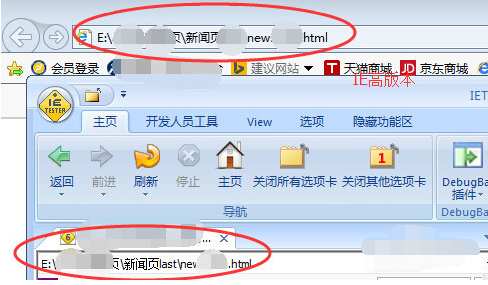
4. Then we click on the Developer Tools-DebugBar plug-in, and the code will appear at the bottom of the page.

5. We click on the document in the DOM and then click on HTML to view the HTML code. The style below represents the style sheet of the element.

6. Then we can modify the code with reference to these contents.
How to set compatibility mode in ietester
1. Click the IETester shortcut, open the software and we can see the following interface. We can see how many new IEs are created in the middle row, so we can choose one to create IE8.

2. A new page will appear at this time. We can see a number 8 on it, which means that this is the IE8 version mode. We enter the website we want to test and open the website. We can see whether the website is deformed, shifted, and other compatibility issues.

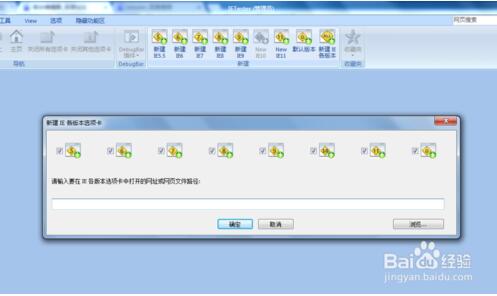
3. [Click to create new IE versions] At this time, an interface for entering the address will appear. We enter the test URL and confirm, and we can see the display effects of each version of the website.
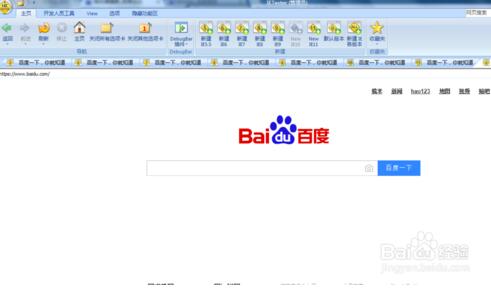
4. [Click VIEW] We can see two buttons. These two are to make the interface look better. The first is to expand to the four sides, and the second is to hide the menu bar above and expand upward.
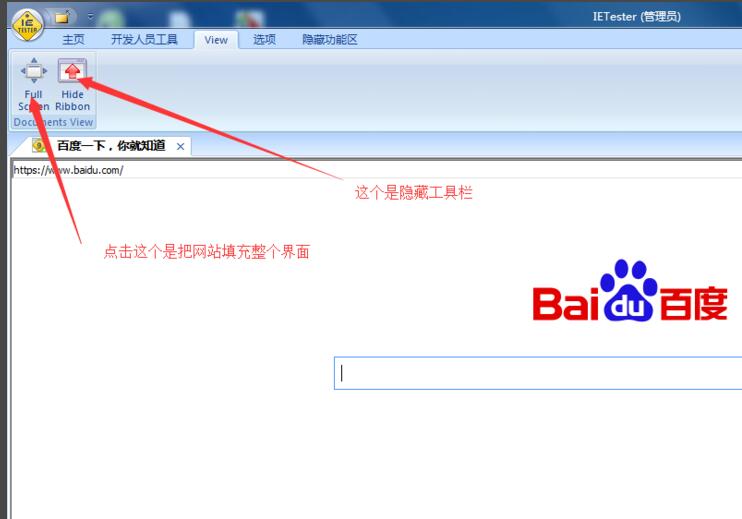
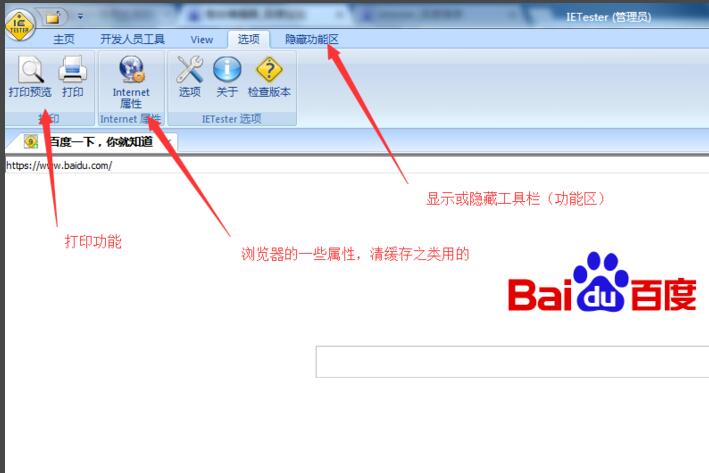
5. [Click Options] The options are actually some browser things. There is nothing to say about this. Showing/hiding the ribbon means showing/hiding the toolbar.
IETester FAQ
How does IETester open a local test file?
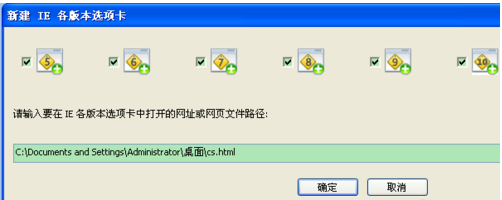
IETester, use the left button of the mouse to click [New IE Versions] and copy the URL in the browser directly to IETester. After clicking OK, all versions of IE will display "Unable to display webpage text". At this time, you need to find the cs.html file, right-click on the properties, and copy the path. Add cs.html and click OK to see the effect in each browser version.
IEtester cannot test ie7 in win7. What should I do if ie7 cannot open the local page?
Method 1: Options -> Options -> Advanced Options -> Remove the "Run in multi-process mode" option;
Method 2: First enter the URL hierarchy (upper-level directory) of the local file in the IE7 address bar of IEtester. IE7 will open the folder where the file is located and display the files in it. Then enter the file name and press Enter. At this time, IE7 will load the local HTML file.
Minimum requirements: Windows Vista or Windows XP to install IE7 version (if IE6 version is installed, IE6 under Windows XP has some minor problems, and IE7/IE8 version cannot run under this configuration).
IETester update log:
1: Optimized performance
2: We are serious about solving bug problems
Huajun editor recommends:
The installation of IETester is very simple, powerful, and has no installation garbage. It is specially recommended to everyone. Everyone is welcome to download it! This site also has vqqq forum, Firefox browser, and Firefox enterprise version for you to download!
Version: 0.5.4 Chinese version | Update time: 2024-12-23
Similar recommendations






Latest updates




IETester review
-
1st floor Huajun netizen 2021-05-16 16:32:55IETester is very useful, thank you! !
-
2nd floor Huajun netizen 2020-09-16 02:35:50IETester software is very easy to use, downloads quickly and is very convenient!
-
3rd floor Huajun netizen 2021-11-09 06:25:43IETester is not bad, the download is very fast, I would like to give you a good review!
Recommended products






- Diablo game tool collection
- Group purchasing software collection area
- p2p seed search artifact download-P2P seed search artifact special topic
- adobe software encyclopedia - adobe full range of software downloads - adobe software downloads
- Safe Internet Encyclopedia
- Browser PC version download-browser download collection
- Diablo 3 game collection
- Anxin Quote Software
- Which Key Wizard software is better? Key Wizard software collection




