
-
Yitou cost software
- Size: 108.68M
- Language: Simplified Chinese
- Category: Engineering construction
- System: winall







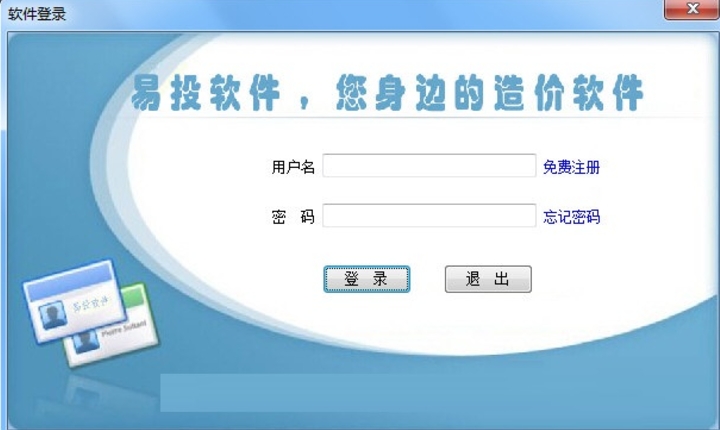
Yitou cost software is a powerful, professional and efficient water conservancy project cost tool. Its powerful functions, simple operation, comprehensive applicability and intelligent features have broad application prospects in the field of water conservancy project cost.
Software features
Strong compatibility:
The software is compatible with Excel and supports importing bill of quantities from Excel files, making it convenient for users to quickly migrate and edit data.
Supports output in multiple formats, including Excel, Jpg, Pdf, etc., to meet the different needs of users.
Easy to operate:
The user interface is friendly, the operation is intuitive and convenient, and the difficulty of use is reduced.
A new method of setting quotas has been established, which solves the tedious manual input and allows all operations to be completed with a click of the mouse.
Comprehensive functionality:
It is suitable for design units, construction units and approval units. Various parameter settings and flexible output formats meet various needs such as budget, rough estimate (estimate) and bid quotation.
Support national ministry-issued quotas and provincial quotas to adapt to the cost needs of different regions and projects.
Data automation:
When local data changes, it will automatically cause all related data to be changed and refreshed, which improves the degree of automation and reduces personnel work intensity.
Automatically select the mechanical shift of the material, and automatically calculate the first type of cost and the second type of cost in the mechanical shift.
Intelligent:
During the operation, you can understand and grasp the content and applicable scope of the quota at any time, automatically detect various situations that require conversion, and provide accurate alternative items and automatic conversion after selection.
Supports sand and gravel conversion, users only need to select the corresponding conversion option, and the software can automatically complete the calculation.
Safe and reliable:
It has a complete internal control mechanism to ensure the safety and reliability of data and prevent erroneous or malicious data changes.
Supports data undo function, users can return in time after misoperation, saving time and repetitive work.

Software function
Bill of Quantities Management:
Users can quickly generate bills of quantities, edit and manage them.
Supports modification, deletion and addition of various data in the list.
Cost budget preparation:
Provides cost document editing functions for various types of engineering projects such as water conservancy and hydropower projects, land consolidation projects, soil and water conservation projects, geological environment projects, etc.
Supports various statistical methods such as manual statistics, material statistics, mechanical equipment statistics, and concrete statistics.
Data analysis and report generation:
Provides various data analysis functions such as personnel machine usage analysis, project summary analysis, and project cost analysis.
Supports one-click generation of general reports and sub-reports, and supports batch printing and output of reports.
Quota management:
A rich quota library is provided, and users can directly apply the required quotas for calculation.
Support users to customize quotas to meet the needs of special projects.
Template functions:
A variety of templates are provided for users to choose from to adapt to the preparation method requirements of different provinces.
Users can customize templates to facilitate use in subsequent projects.
Other auxiliary functions:
Supports project conversion operations and can set up conversion bidding for new projects.
Provides budget transfer bidding function to facilitate users to convert and quote projects.
Supports online upgrade function, users can obtain the latest software version and updates at any time.
FAQ
How to adjust the unit price in the unit price analysis table
Answer: The unit price in the unit price analysis table can be adjusted in a variety of ways, including adjusting corporate profits or indirect expenses in the rate interface, adjusting material prices in the basic unit price preparation interface (can be modified one by one or multiplied by the coefficient in batches), adjusting human resources and machine consumption in the "batch coefficient", etc. Users can choose the appropriate method to adjust according to actual needs.
How to set the report output format
Answer: Users can click Settings in the project report, then select the unit price list output settings, and check the box to output sequentially in the form of fees in the construction project unit price analysis table. In addition, you can also set the number of decimal places for the quantity in the price list of the construction bill of quantities, the number of decimal places for the unit price and the combined price, etc.
Yitou cost software update log:
1.Fix some bugs
2. Optimized some functions
Huajun editor recommends:
It is highly recommended to download the Yitou costing software. Who knows who uses it? Anyway, I have already used it. In addition, Jinding, Hanwang Attendance Management System, and Cloud Machine Manager are also good software. Welcome to click to download and experience it!
Version: 2017 official version | Update time: 2024-12-31
Similar recommendations





Latest updates





How to delete history in Video Pioneer? -How to delete history records by Video Pioneer
How to set the skin for Video Pioneer? -How to set skin for Video Pioneer
How to upgrade software in 360 Software Manager? -How to upgrade software in 360 Software Manager
How to draw a lottery in 360 Software Butler - How to draw a lottery in 360 Software Butler
Yitou cost software review
Recommended products
-

Steel weight calculation toolbox
-

General furniture purchase, sale and inventory management system
-

Pengye installation engineering measurement software
-
Install calculation software (unlocked version)
-
Yili Construction Progress Plan Bar Chart Software
-

Blu-ray Hardware Manual
-

Tianzheng construction time patch
-

Material weight calculator
-

Construction industry scaffolding engineering safety calculation software
-

Hongye List Pricing Software
- Diablo game tool collection
- Group purchasing software collection area
- p2p seed search artifact download-P2P seed search artifact special topic
- adobe software encyclopedia - adobe full range of software downloads - adobe software downloads
- Safe Internet Encyclopedia
- Browser PC version download-browser download collection
- Diablo 3 game collection
- Anxin Quote Software
- Which Key Wizard software is better? Key Wizard software collection




