
-
Smart Education Primary and Secondary School Teacher Client PC Version
- Size: 32.6M
- Language: Simplified Chinese
- Category: Education and teaching
- System: Win All
- Manufacturer:Jiangsu Golden House Education Consulting Co., Ltd.






Smart Education primary and secondary school teacher client computer version is a resource-rich education and learning software. The smart education primary and secondary school teacher client PC version provides high-quality educational resources, professional educational information services, rich extracurricular tutoring materials, and customized personalized educational services for users. The computer version of the smart education primary and secondary teacher client can recommend targeted learning resources based on students’ learning conditions. Huajun Software Park provides you with smart education primary and secondary school teacher client computer version download, come and experience it!
Introduction to Smart Education Client Software for Primary and Secondary School Teachers
Smart education is an education network that creates a trinity of schools, families, and society through network information technology. On the basis of retaining the home-school interaction function of the original school communication, it has been upgraded to a set of advanced clients to improve teachers' work efficiency, integrate key points of primary and secondary school knowledge and provide guidance.
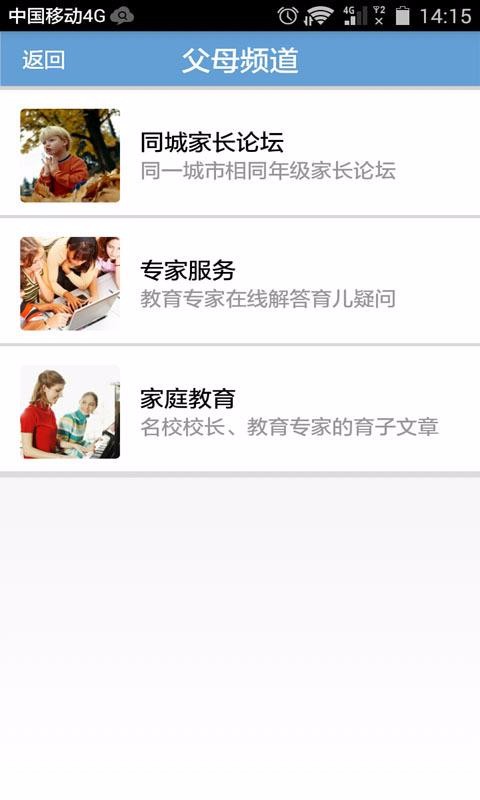
Smart education primary and secondary school teacher client software functions
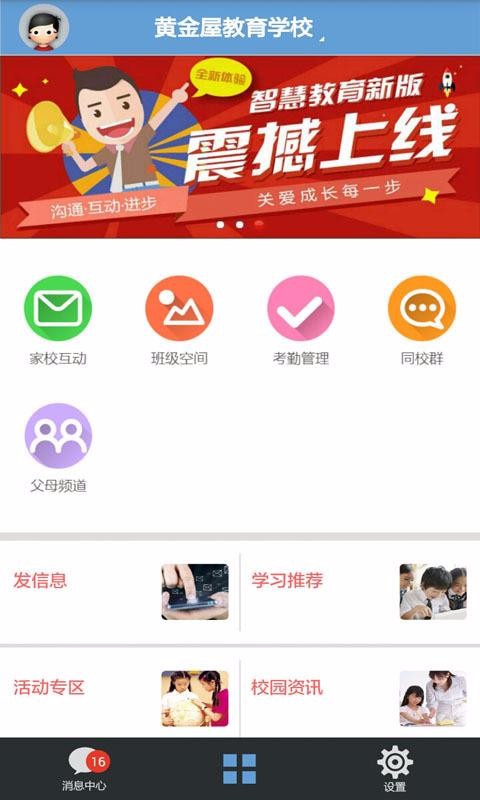
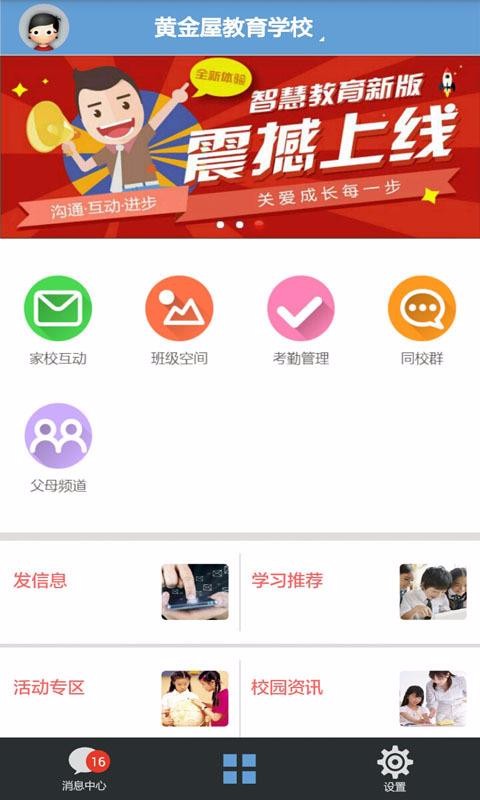
1. View information about home-school interactions, allowing parents to know their children’s learning situation at school, making management more convenient and providing better educational services to their children;
2. View class courseware information and know the situation of each class. Class learning will be more realistic, improve class management capabilities, and have a better management experience;
3. Check the attendance management information and know the attendance situation, so that you can have a better attendance management experience, know the attendance status of your children, and the management will be more considerate;
4. Check the information of the same school group, learn more about the teachers, facilitate online communication, make teaching more convenient, improve the quality of teaching, and make learning more convenient for children;
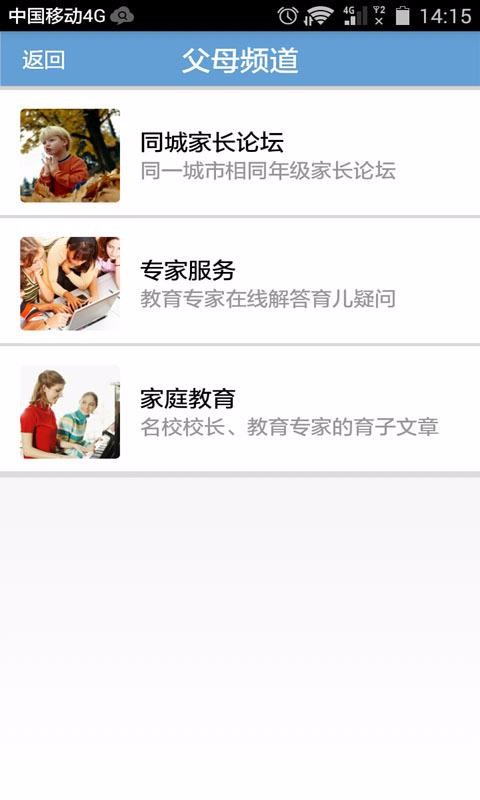
5. Check the information on the parent channel to let parents know more about education, know the situation of family education, and handle it quickly, so that the education is more comprehensive;
6. View campus information, know the changes in the campus, record more complete information, improve the quality of teaching services, and have a better learning experience;
Smart Education Primary and Secondary School Teacher Client Software Features
Self-service attendance, clocking in and attendance has become so simple.
Teacher-student interaction makes teacher-student interaction more convenient.
查看课表,随时随地的查看自己的课程列表。
In addition, rich and practical functions such as school affairs office, attendance and sign-in, home-school interaction, safety management, equipment repair and other functions help to build a smart campus system!
Help teachers reduce their burden and increase efficiency! Simple and easy-to-operate smart moral education evaluation, teacher evaluation, and student comprehensive quality evaluation make teaching easier and management more refined, and big data reports help scientific decision-making.
Installation steps
Special note: The installation package provided by Huajun Software Park contains Android emulator and softwareAPK file, the computer version needs to install the emulator first, and then install the APK file.
1. First download the installation package from Huajun Software Park. The software package contains an emulator exe installation program and an APK file and unzip them. First click on the exe program to install the emulator.

2. Double-click the "Tencent Mobile Game Assistant.exe" file to enter the installation interface. Users can click "Install" to select the system's default installation address for installation, or click "Custom Installation" to select the installation path. Custom installation is recommended here.

3. Wait for the Tencent Mobile Game Assistant emulator to be installed, and then click "Start Now" to open the emulator.

4. Enter the main interface of the simulator, click the icon in the upper right corner and select the "Local APK Installation" button.

5. In the pop-up window, click the decompressed APK file, and then click Open.

6. Afterwards, the software will enter the installation process. You need to wait for a moment. After the software installation is completed, it will appear in my software list. Click the icon and double-click to open it.

Smart Education Primary and Secondary School Teacher Client Update Log
1: Optimized performance
2: We are serious about solving bug problems
Huajun editor recommends:
The editor of Huajun Software Park recommends that you download the computer version of the smart education client for primary and secondary school teachers. The editor has personally tested it and you can use it with confidence. In addition, the Seewo Academy, China Education News, and Cloud Machine Manager provided by Huajun Software Park are also pretty good software. You may want to download and try them if you need them! The editor is waiting for you in wind and rain!
Version: v2.3.32 | Update time: 2024-12-30
Similar recommendations





Latest updates



How do I view my collection in Movie Paradise? -How to view collections in Movie Paradise
How to cancel the account in Movie Paradise? -How to cancel your account in Movie Paradise
How to back up the Flash Wizard - How to back up the Flash Wizard
How to clear the cache of Movie Paradise? -How to clear the cache of Movie Paradise
How to check the privacy policy of Movie Paradise? -How to view the privacy policy of Movie Paradise
How to give feedback on Movie Paradise? -How to give feedback to Movie Paradise
How to give feedback on Movie Paradise? -How to give feedback to Movie Paradise
Smart Education Primary and Secondary School Teacher Client PC Version Reviews
Recommended products
-

Beijing Primary and Secondary School Students Plant Cultivation Competition Computer Version
-
Beijing Primary and Secondary School Students Plant Cultivation Competition Computer Version
-

Computer version of Confidential View
-
Computer version of Confidential View
-
Computer version of Confidential View
-

Computer version of Confidential View
-
Computer version of Confidential View
-
Computer version of Confidential View
-

Zhixue.com Teacher Terminal
-
Zhixue.com Teacher Terminal
- Diablo game tool collection
- Group purchasing software collection area
- p2p seed search artifact download-P2P seed search artifact special topic
- adobe software encyclopedia - adobe full range of software downloads - adobe software downloads
- Safe Internet Encyclopedia
- Browser PC version download-browser download collection
- Diablo 3 game collection
- Anxin Quote Software
- Which Key Wizard software is better? Key Wizard software collection




