
-
Throwing King
- Size: 46.07M
- Language: Simplified Chinese
- Category: Sports competition
- System: Win All






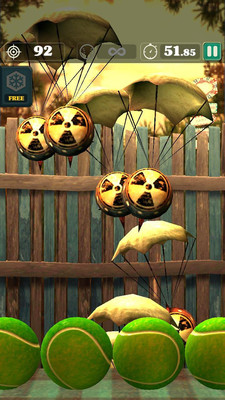
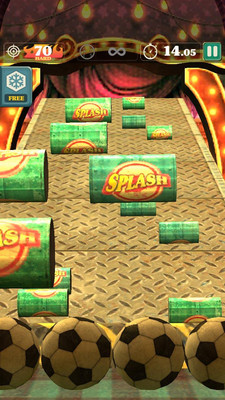
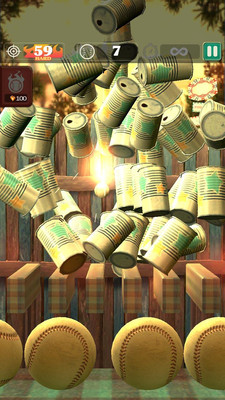

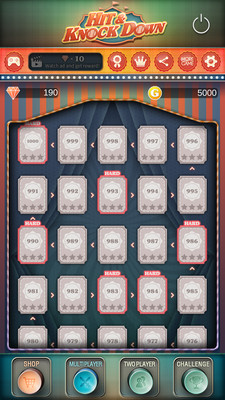
The PC version of King of Throwing Balls is a level-breaking sports game. The Ball Throwing King mobile game supports various balls, including baseball, bowling, volleyball, football, and billiards. The gameplay is simple and easy to use, and the picture style is very fresh and simple. In the Ball Throwing King game, players need to control the ball to continuously hit the target. When you hit the target with the ball, the target will be knocked down or explode.
game mode
1. Ball limit mode: hit the can, break the plate, score the target, hit the fruit;
2. Time limit mode: hit the folder target, shoot the parachute, hit the oil drum, hit the roly-poly toy.
Game features
1. Enjoy various game modes with simple controls;
2. Supports various balls (baseball, bowling, volleyball, football, billiards);
3. Challenge mode: the road to world results;
4. Support offline mode;
5. Support multiplayer game mode;
6. Support 16 languages;
7. Support achievements and rankings.
Installation steps
Special note: The installation package provided by Huajun Software Park contains Android emulator and softwareAPK file, the computer version needs to install the emulator first, and then install the APK file.
1. First download the installation package from Huajun Software Park. The software package contains an emulator exe installation program and an APK file and unzip them. First click on the exe program to install the emulator.

2. Double-click the "Tencent Mobile Game Assistant.exe" file to enter the installation interface. Users can click "Install" to select the system's default installation address for installation, or click "Custom Installation" to select the installation path. Custom installation is recommended here.

3. Wait for the Tencent Mobile Game Assistant emulator to be installed, and then click "Start Now" to open the emulator.

4. Enter the main interface of the simulator, click the icon in the upper right corner and select the "Local APK Installation" button.

5. In the pop-up window, click the decompressed APK file, and then click Open.

6. Afterwards, the software will enter the installation process. You need to wait for a moment. After the software installation is completed, it will appear in my software list. Click the icon and double-click to open it.

Version: 1.0.4 PC version | Update time: 2024-12-31
Similar recommendations





Latest updates
Listen to soda music online www.qishui.com _Soda music web version entrance
Doubao online use www.doubao.com _Doubao web version login entrance
How to check for updates in Movie Paradise? -How to check for updates in Movie Paradise
How do I view my collection in Movie Paradise? -How to view collections in Movie Paradise
How to cancel the account in Movie Paradise? -How to cancel your account at Movie Paradise
How to back up the Flash Wizard - How to back up the Flash Wizard
How to clear the cache of Movie Paradise? -How to clear the cache of Movie Paradise
Throwing King Reviews
Recommended products








- Diablo game tool collection
- Group purchasing software collection area
- p2p seed search artifact download-P2P seed search artifact special topic
- adobe software encyclopedia - adobe full range of software downloads - adobe software downloads
- Safe Internet Encyclopedia
- Browser PC version download-browser download collection
- Diablo 3 game collection
- Anxin Quote Software
- Which Key Wizard software is better? Key Wizard software collection




