
-
WPS Office 2023
- Size: 248M
- Language: Simplified Chinese
- Category: Office software
- System: winall






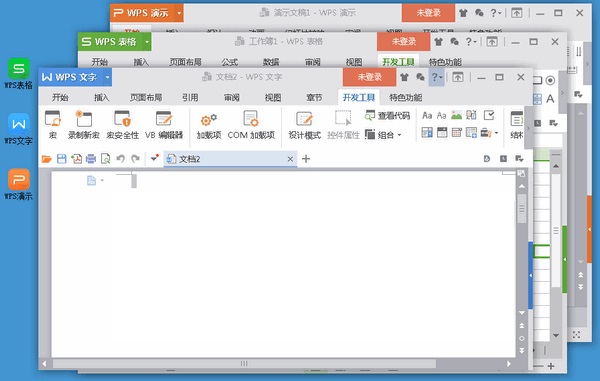
WPS Office 2023 official version is an office launched by Kingsoft. WPS Office The latest version in 2023 supports word processing, table creation, presentation editing and other functions, which can help users achieve team collaboration and efficient office work. WPS Office The 2023 software has a built-in intuitive work interface and rich document templates, which can meet users' various office needs. Friends who like it, come to Huajun Software Park to download and experience it!
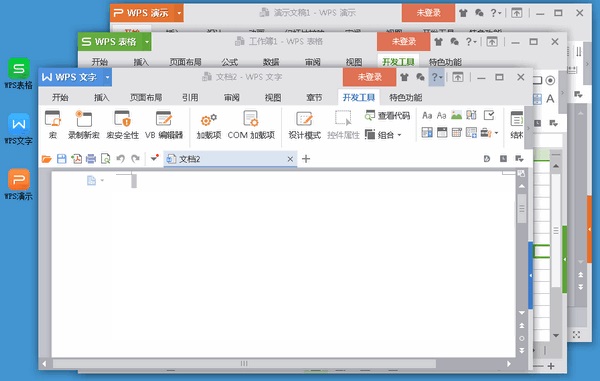
WPS Office 2023 function introduction
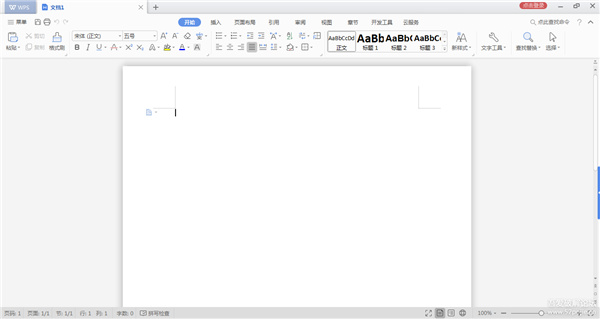
1. Text
1. Create new word document function
2. Supports opening of .doc.docx.dot.dotx.wps.wpt file format, including encrypted documents
3. Support operations such as search and replacement, revision, word count, spell check, etc. on documents
4. In editing mode, it supports document editing, text, paragraph, object property setting, and image insertion.
5. In reading mode, it supports functions such as zooming in and out of document pages, adjusting screen brightness, increasing or decreasing font size, etc.
6. Exclusively supports the display of comments, formulas, watermarks, and OLE objects
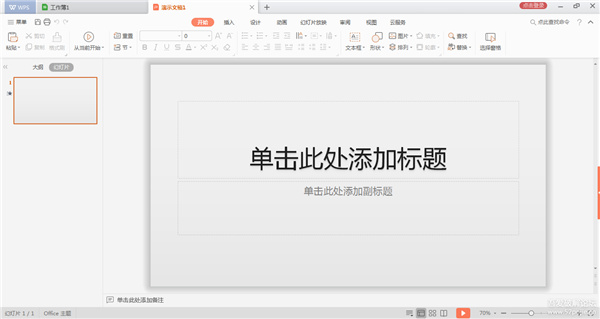
2. Demonstration
1. Create new PPT slide function
2. Support the opening and playback of .ppt.pptx.pot.potx.pps.dps.dpt file format, including encrypted documents
3. Fully supports various animation effects of PPT, and supports the playback of sound and video.
4. In editing mode, it supports document editing, text, paragraph, object property setting, and image insertion.
5. In reading mode, it supports functions such as zooming in and out of document pages, adjusting screen brightness, increasing or decreasing font size, etc.
6. Share playback, link with other iOS devices, and play the current slideshow synchronously
7. Support Airplay and DLNA to play PPT
3. Form
1. Create new Excel document function
2. Supports viewing of xls, xlt, xlsx, xltx, et, and ett formats, including encrypted documents
3. Support sheet switching, row and column filtering, display of hidden sheets, rows and columns
4. Support eye-catching reading - when viewing the table, support highlighting the row and column of the active cell
5. The row height and column width can be freely adjusted in the table to fully display the table content.
6. Support viewing comments in the form
7. Supports zooming the page with two fingers when viewing tables.
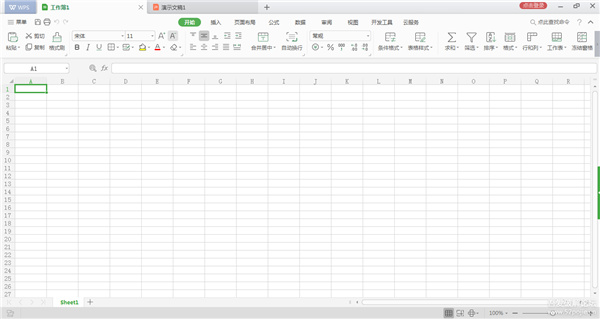
WPS Office 2023 software features
【WPS account login】
1. Files are quickly uploaded to the cloud
Quickly save product files to WPS cloud documents without building a self-built cloud storage service
2. Obtain WPS cloud document files
Quickly obtain cloud document files and provide online preview and editing of documents
3. Document format conversion
The ability to convert documents, PDFs, and pictures into multiple file formats
【Document online preview and editing service】
1. Rich document format support
doc, ppt, xsl, pdf
Covers common office documents
2. Perfectly compatible with Office
Based on WPS 30 years of technology accumulation in the office field
No format conversion required, restore document preview
3. Real-time collaborative editing by multiple people
Supports real-time online collaborative editing by multiple people, with powerful and stable performance
4. Data encryption storage
Via HTTPS and encrypted binary data
Transmission to ensure product data security
【Application Center】
1.WPS privileged access
Complementary functions with WPS to explore value-added points
Access to WPS membership privileges to achieve revenue growth
2.WPS Push
Message within WPS product, low cost
High efficiency and accurate arrival
3.WPS recommended exposure
Regularly updated rankings in the WPS Application Center
Help products gain priority exposure
4.WPS payment platform
Convenient payment and traceable orders
Income transparency
Real-time user tags
5. Scene exposure
Scenario recommendation and tags to reach users
6.WPS client plug-in update
WPS client plug-in loads and updates, no installation required
WPS Office 2023 shortcut keys
Find text, formats and special items Ctrl+F
Make characters bold Ctrl+B
为字符添加下划线 Ctrl+U
Delete paragraph formatting Ctrl+Q
Copy selected text or object Ctrl+C
Cut selected text or objects Ctrl+X
Paste text or object Ctrl+V
Undo the previous operation Ctrl+Z
Repeat the previous operation Ctrl+Y
single space
Double spacing Ctrl+2
1.5x line spacing Ctrl+5
Add a line spacing before the paragraph Ctrl+0
Center paragraph Ctrl+E
Scattered alignment Ctrl+Shift+D
Cancel the indentation of the left paragraph Ctrl+Shift+M
Create a hanging indent Ctrl+T
Decrease hanging indent Ctrl+Shift+T
Cancel paragraph formatting Ctrl+Q
Create a new document of the same type as the current or recently used document Ctrl+N
Open document Ctrl+O
WPS Office 2023 FAQ
Question 1: Why is there no "macro" in WPS?
Executing macro operations in WPS requires the support of the VBA environment. If you need to use "macro", you can first install a VBA in the system, then click [Enable Macros] in the pop-up box, and then execute macro commands in [Development Tools].
Question 2: In the WPS table, how to copy and fill cells?
1. Drag the fill handle directly with the left mouse button to fill (fill in ascending order)
2. Ctrl+left mouse button and drag the fill handle (fill in the form of copied cells)
3. Right-click the mouse to drag the cell and select fill in the pop-up menu.
4. Through [Edit]-》[Fill] (you need to select the editing area first)
Question 3: WPS closed unexpectedly and the files were not saved in time, what should I do?
There is a scheduled backup mechanism in WPS. The default time is 10 minutes. If the program closes, you can click on the "WPS text" in the upper left corner of WPS and select [Backup Close] (second from last) in the drop-down menu. Or you can use the shortcut key ctrl+F1 to bring up the task pane, and select [Backup Management] from the drop-down option to view it.
WPS Office 2023 update log
1. Modify user-submitted bugs
2.Add new features
Huajun editor recommends:
The editor of WPS Office 2023 personally tested this software. The various functions are very simple and easy to operate. Even a newbie like the editor can quickly master it. Big praise! There are also similar software on this site: Jingo, Hanwang Attendance Management System, and Batch Butler. We recommend everyone to download it!
Version: 12.1.0.23125 | Update time: 2025-10-31
Similar recommendations






Latest updates





How to reset plug-ins in WPS-How to reset plug-ins in WPS
How to turn off WPS automatic backup-How to turn off WPS automatic backup
How to check history in WPS-How to check history in WPS
How to set the background image for WPS tables - How to set the background image for WPS tables
How to set skin in WPS-How to set skin in WPS
How to sort WPS tables-How to sort WPS tables
How does wps automatically generate a directory? -How to automatically generate directories with wps
How to make a resume in wps computer version - How to make a resume in wps computer version
WPS Office 2023 Review
-
1st floor Huajun netizen 2022-01-17 01:52:28WPS Office 2020 software is very easy to use, downloads quickly and is very convenient!
-
2nd floor Huajun netizen 2022-02-14 14:34:00WPS Office 2020 is awesome! 100 million likes! ! !
-
3rd floor Huajun netizen 2022-03-17 00:10:55WPS Office 2020 is convenient, practical and powerful. The software is very easy to use!
Recommended products









- Diablo game tool collection
- Group purchasing software collection area
- p2p seed search artifact download-P2P seed search artifact special topic
- adobe software encyclopedia - adobe full range of software downloads - adobe software downloads
- Safe Internet Encyclopedia
- Browser PC version download-browser download collection
- Diablo 3 game collection
- Anxin Quote Software
- Which Key Wizard software is better? Key Wizard software collection




