-
Access
- Size: 64.48M
- Language: Simplified Chinese
- Category: Database class
- System: WinAll






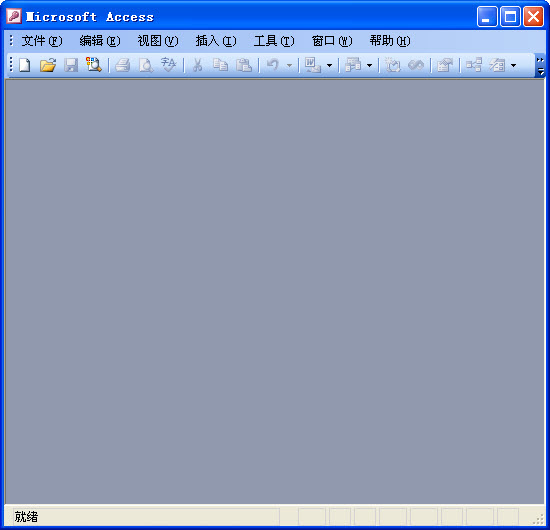

Access databaseFull name Microsoft Office Access is a relationship developed by Microsoftdatabasemanagement system. with several othersofficeThe difference with office software is that Access is sold separately in the office professional version and above. It was only launched in office in 2019. Will be merged and released in 2019. Access is a powerful object-oriented program that supports the Visual Basic macro language.ProgrammingTools. Huajun Software Park provides you with free download of Access2024, come and experience it!
Access FAQ
1. How to download access?
The following is the download method compiled by the editor:
Access Huajun Software Park download address:http://softwaredownload4.com/soft/7192.htm
2. How to create a query in access?
Here is an example using the generated table in the creation operation query. The specific operations are as follows:
1. First, open the built database and data table on your computer, and then click Create - Query Design in the picture below.
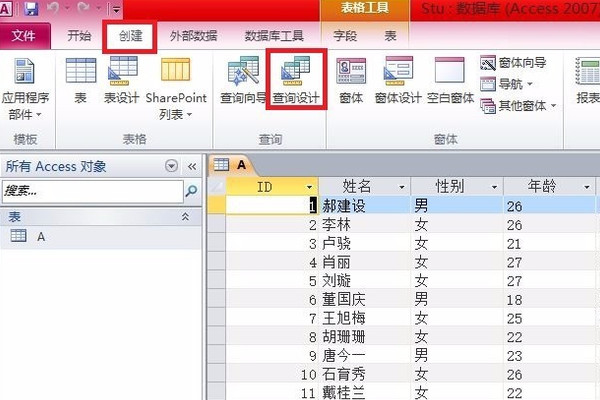
2. Then, click A under the table label in the displayed table window that jumps out, and then click the Add button.

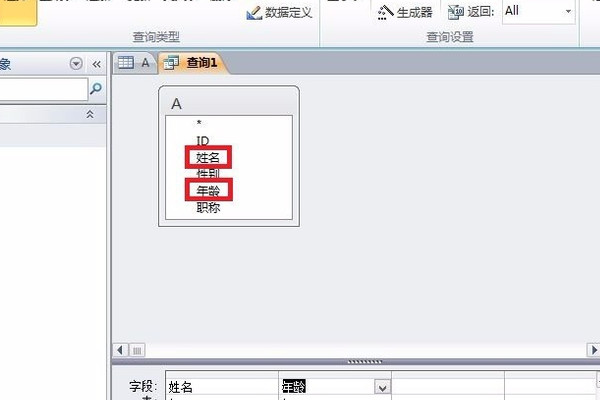
3. Next, double-click to add the name and age in Table A.
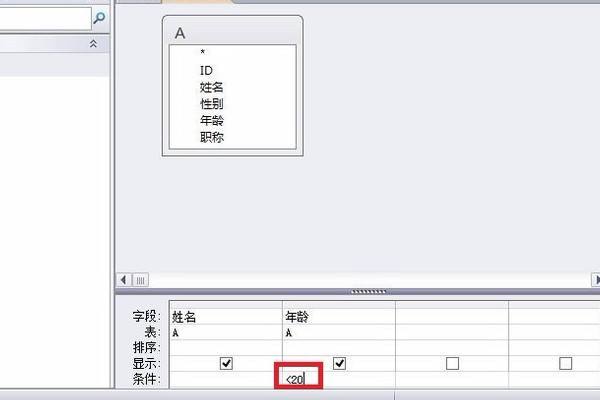
4. After that, enter "<20" in the age condition box in the field.
5. Then, click on the current database in the table generation window, edit the table name, and then click the OK button on the upper right.
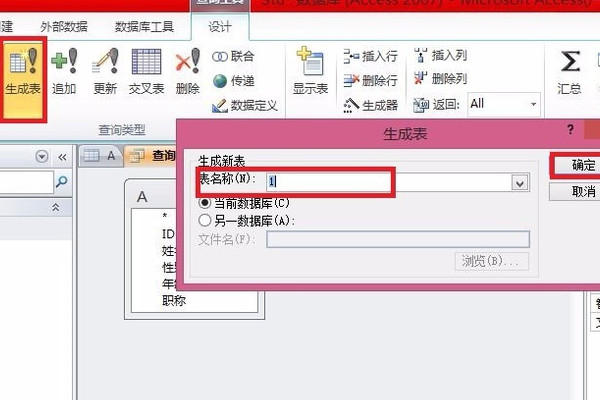
6. Finally, the data less than 20 are listed separately, and a form is generated.

How about it? Is the editor’s method very simple? If you are in need, go and try it!
Access software features
powerfuldata analysis
Access has powerful data processing and statistical analysis capabilities. We can use Access for convenient query, classification, summary and other functions.
Convenient software development
Access can also be used for software development, production management, sales management, inventory management and other types of enterprise management software, and it is not very professional and easy to use.
AssistancetableTemplate processing
键入相关跟踪内容,即可完成相应任务的应用程序,无需你去繁琐的进行手动计算
Access software features
Easy to get started, even non-professionals can get started quickly
The advantage of Access is that it is easy to learn. People who are not computer majors can also learn it, which reduces learning costs and time costs.
Online cloud application and form saving
This allows you to synchronize to your database anytime and anywhere. If the data changes, the cloud will automatically synchronize it and the data will be centrally protected.
Humane interface, convenient and easy to use
Users can add navigation functions to the database by dragging and dropping, without writing code or designing logic, they can also create highly professional forms.
Rich development environment, giving full play to your advantages
Access allows you to work faster and reducecodeQuantity, and can use integers to perform mathematical operations, use variables to store attributes, and tables are in preloaded form
Access installation method
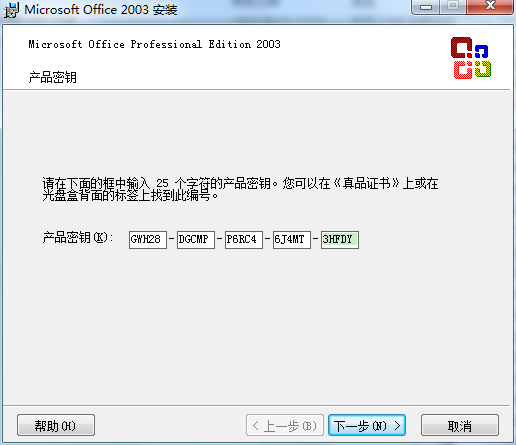
1. First, click "setup.exe", and the product key input interface as shown below will appear. We enter the key of the product "GWH28-DGCMP-P6RC4-6J4MT-3HFDY", and then click the [Next] button below.
2. In the "User Information" interface, don't worry, just go to [Next].
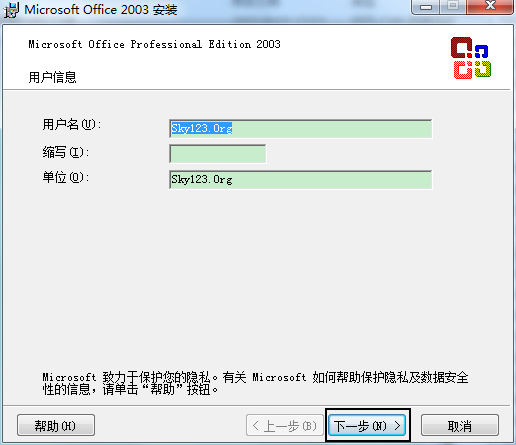
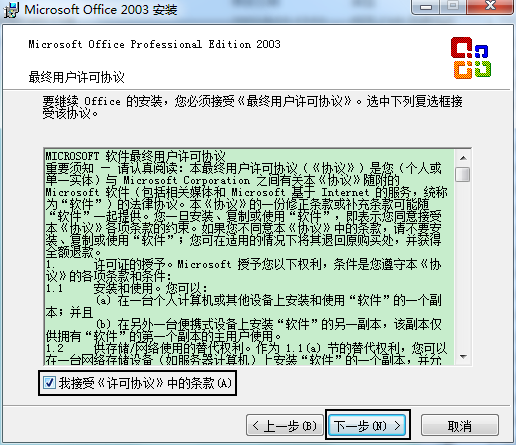
3. Since it is a typical installation, just go to [Next Step].
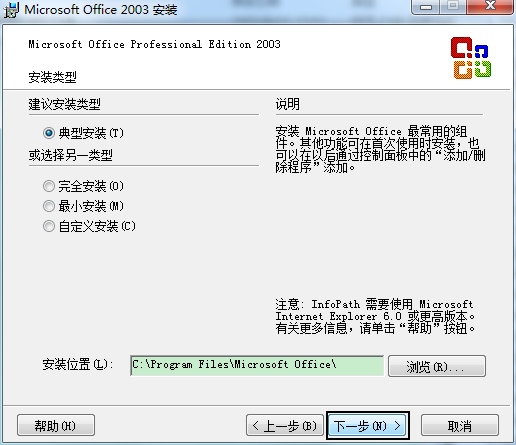
4. Okay, just click the [Install] button, and the software will automatically install the following software.

5. Installation is in progress, just wait patiently.
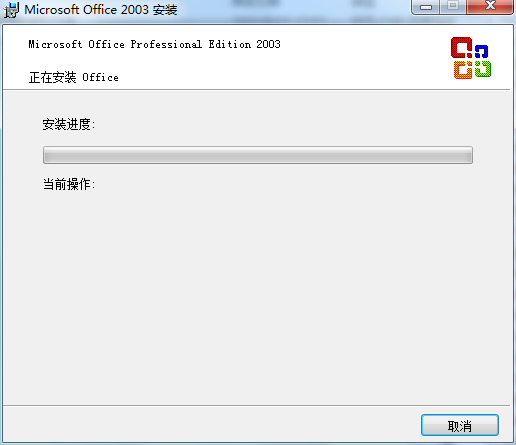
6. At this time, the installation is completed, just click the [Finish] button.
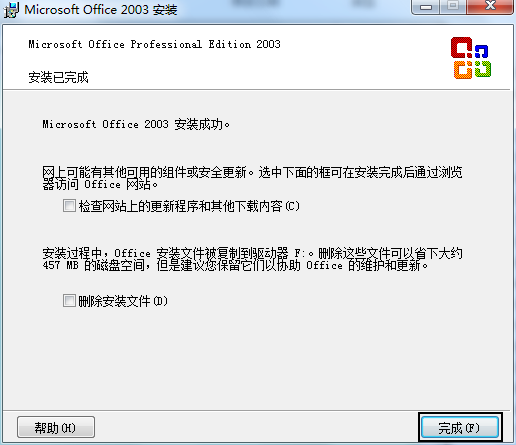
Installation summary: First, download the Access software installation package from this site, unzip it, open the exe file, and enter the installation wizard. Follow the steps to install according to the prompts. During installation, you can choose the default installation location or customize the installation location. After checking the corresponding shortcut, enter the installation program. After a short wait, the installation will be completed and enjoy this software.
Recommended Access software of the same type
SPSS, the full name of Statistical Product and Service Solutions, is an excellent data analysis software designed to provide users with professional statistical products and service solutions. SPSS is designed for industry application personnel and is widely used in statistical analysis calculations, data mining, predictive analysis and decision-making. Users need to be proficient in statistical analysis principles and are not very friendly to statistical novices.
Download address:http://softwaredownload4.com/soft/577760.htm
PLSQL Developer official version is a PL/SQL database management tool commonly used in the programming industry. The official version of PLSQL Developer has syntax enhancement, SQL and PL/SQL help, object description, code assistant, compiler prompts, PL/SQL improvement, code content, code classification, browser buttons, hyperlink navigation, macro library and many other intelligent features. And PLSQL Developer also meets the needs of the most demanding users, allowing you to easily create the server portion of your client/server application.
Download address:http://softwaredownload4.com/soft/1165406.htm
更多实用的数据分析软件尽在华军软件园,喜欢的朋友快去下载试试吧!
Access update log
Optimize user feedback issues and improve detailed experience
Huajun editor recommends:
After you use Access, I think you may also need Tarma QuickInstall, .NET, Cloud Machine Manager and other software. Come to Huajun Software Park to download and use it!
Version: Official version | Update time: 2025-10-23
Similar recommendations





Latest updates


How to change the primary key in Access-How to change the primary key in Access
How to set the Access check box-How to set the Access check box
How to add grid lines in Access-How to add grid lines in Access
How does Access export access table data - How does Access export access table data?
How to set the cell center in Access-How to set the cell center in Access
How to create a form in Access-How to create a form in Access
Access operation process for deleting specific data
How to hide tables in Access-How to hide tables in Access
How does Access generate a report-How does Access generate a report?
How to create a database in Access-How to create a database in Access
Access reviews
-
1st floor Huajun netizen 2021-07-22 14:30:24Access is very useful, thank you! !
-
2nd floor Huajun netizen 2021-08-09 01:16:39The overall feeling of Access is good, I am quite satisfied, the installation and operation are very smooth! Followed the installation step-by-step instructions and it went very smoothly!
-
3rd floor Huajun netizen 2021-11-23 14:52:38Access is not bad, the download is very fast, I give you a good review!
Recommended products








- Diablo game tool collection
- Group purchasing software collection area
- p2p seed search artifact download-P2P seed search artifact special topic
- adobe software encyclopedia - adobe full range of software downloads - adobe software downloads
- Safe Internet Encyclopedia
- Browser PC version download-browser download collection
- Diablo 3 game collection
- Anxin Quote Software
- Which Key Wizard software is better? Key Wizard software collection




