Excel 2016 is a professional spreadsheet processing software launched by Microsoft and is one of the core components of the Microsoft Office 2016 office suite. As the current mainstream form processing tool, it provides powerful data calculation, analysis and visualization functions, and supports a variety of application scenarios from simple data entry to complex data modeling. Optimized traditional formula calculation and chart display effects. Excel 2016 adopts a modern Ribbon interface design, supports cloud storage collaboration and multi-platform synchronization, and can meet the daily office and enterprise-level data analysis needs of individual users. It is the first choice tool for professionals in finance, statistics, education and other fields. Next, let Huajun editor explain to you how to sort tables in Excel 2016 and how to sort tables in Excel 2016!
first step
Open Excel 2016 and create a new blank workbook.

Step 2
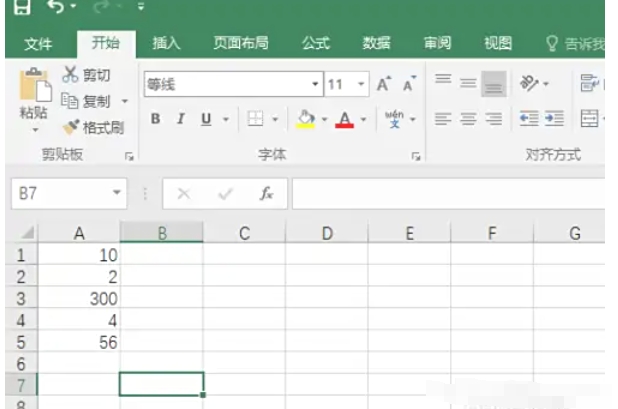
Drag to select the data area that needs to be sorted (such as A1:B4, which must include the header row).
Step 3
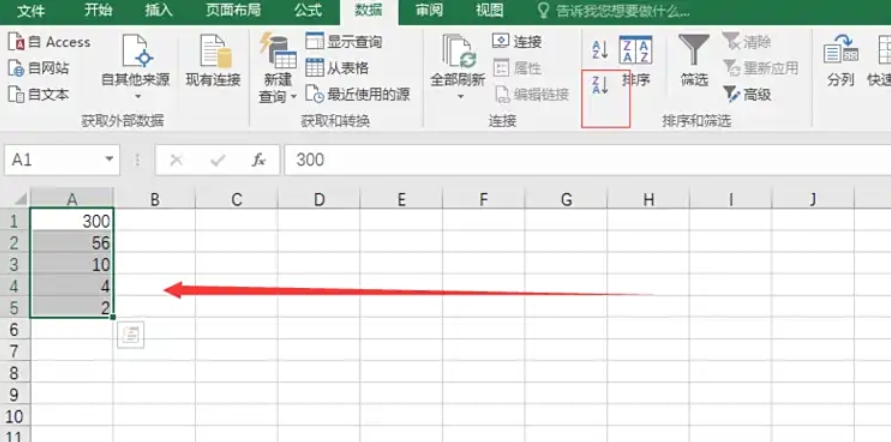
Switch to the [Data] tab → click [Ascending] (A→Z) or [Descending] (Z→A).

Step 4
The second method is to right-click for shortcut sorting, select the cells of a certain column (such as B2:B4) → right-click → select [Sort] → [Ascending Order] or [Descending Order].

Step 5
If you need to sort by multiple conditions (such as descending order by grades first, then ascending order by name), select the data area (including the title row) → click [Data] → [Sort].

In the dialog box:
Main keywords: Select "Achievements" → Sort by "Value" → Order "Descending".
Add conditions: Click [Add Level] → Select "Name" → Order "Ascending".
Step 6
Click [OK] to apply.
The above is how the editor of Huajun organizes for you how to sort tables in Excel 2016 and how to sort tables in Excel 2016. I hope it can help you!