Microsoft Excel 2016 is a professional spreadsheet software in the Microsoft Office 2016 office suite that integrates data processing, analysis and visualization. It provides powerful calculation functions (such as formulas, functions, pivot tables), intelligent tools (such as quick filling, recommended charts) and rich templates, supports multi-person cloud collaboration (through OneDrive or SharePoint), and can be connected with Power BI to achieve advanced business analysis. The forecast worksheet and 3D map functions significantly improve data forecasting and geospatial display capabilities, and are suitable for various scenarios such as finance, statistics, project management, etc., taking into account ease of use and professional depth. Next, let Huajun editor explain to you how to fill cells with patterns in Excel 2016 and how to fill cells with patterns in Excel 2016!
first step
Open Excel 2016 and create a new blank workbook.

Step 2
Click [File] → [Save As] and name the file "How to Fill Patterns in Cells in Excel 2016".
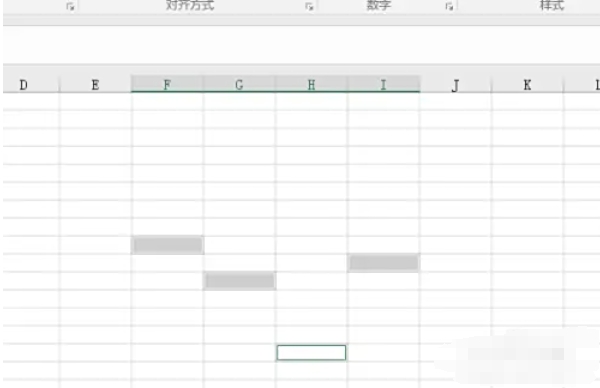
Step 3
Use the mouse to drag to select the cell area that needs to be filled with the pattern (such as A1:D5).

Step 4
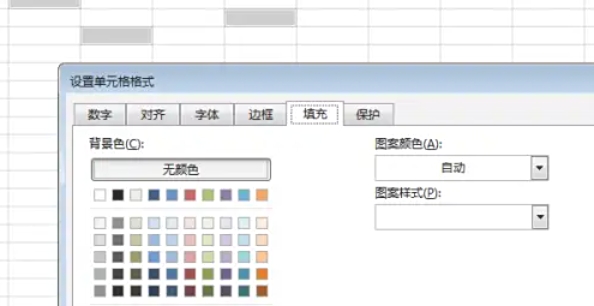
Right-click the selected cell → select [Format Cells] (or press the shortcut key Ctrl+1).
Step 5
In the pop-up dialog box, switch to the [Fill] tab.
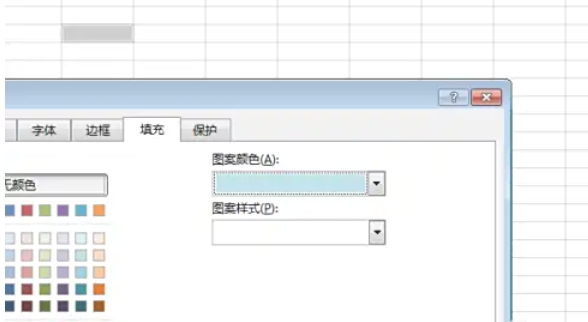
Pattern color: Click the drop-down menu and select "Light Cyan" (or other color).
Pattern style: Choose from grid lines, diagonal lines, and other styles (such as "6.25% Gray" or "Diagonal Stripes"). Click [OK] to apply the settings.
Step 6
The selected cells will display the filled pattern and color (e.g. light cyan background + gray slash).

The above is what Huajun editor has compiled for you, how to fill cells with patterns in Excel 2016 and how to fill cells with patterns in Excel 2016. I hope it can help you!