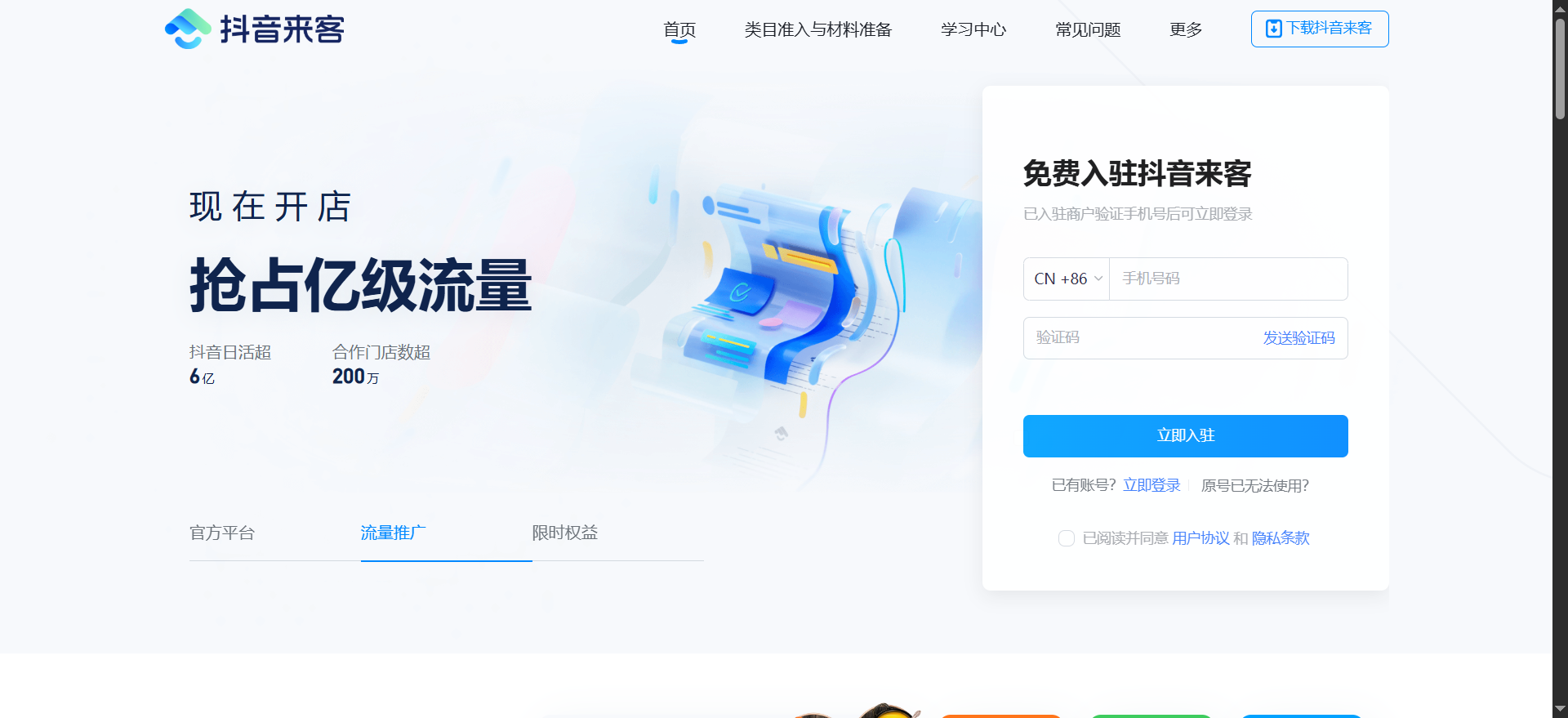
Douyin Laike is a local merchant management platform officially launched by Douyin Life Service, which specializes in providing online promotion and marketing solutions for physical stores. Through this platform, merchants can realize functions such as store recognition, group purchase product release, celebrity promotion, and live broadcast delivery, and rely on Douyin's huge user traffic to increase brand exposure and sales. The platform also provides tools such as business data analysis and intelligent traffic matching to help merchants optimize strategies and achieve efficient management.
1. Merchant settlement conditions and material preparation
Basic qualifications
Business license: It must be an individual business owner or enterprise registered in mainland China, the business scope includes the goods or services sold, and the expiration date is greater than 15 days.
Legal person/operator ID card: Provide photos of the front and back of the ID card to ensure clarity and completeness. Enterprises need to provide the ID card of the legal representative, and self-employed individuals need to provide the operator ID card.
Industry qualifications: Depending on the business category, additional corresponding qualifications need to be submitted:
Catering: "Food Business License" (including the item "Sales of Prepackaged Food").
Accommodation: "Special Industry License" and "Public Place Hygiene License" (Beijing country B&Bs need to provide an additional "Food Business License").
Fitness/Swimming: "License for High-Risk Sports Projects".
Education/Training: "Private School Operating License" or "School Operating Registration Certificate" (required in some areas).
Medical treatment/beauty: "Medical Institution Practice License", "Physician Qualification Certificate", etc. (requires official invitation to settle in).
Margin requirements
Some industries require payment: for example, 2,000 yuan for shopping convenience stores, 30,000 yuan for wedding photography, 5,000 yuan for art training, and no deposit is required for dance categories.
Refund conditions: There is no violation record and you can apply for refund after all orders are completed.
2. Detailed explanation of the settlement process
Step 1: Download and register Douyin Laike APP
Search "Douyin Laike" in the app store, download and install it, register and log in with your mobile phone number.
Chain merchants can submit brand qualifications (such as corporate business licenses, trademark registration certificates) through the PC, create a master account and then configure sub-accounts in batches.
Step 2: Claim or create a store
Search and claim:
After logging in to the APP, click "Sign in Douyin Store", select "Claim Single Store" or "Claim Chain Store", and enter the store name to search.
Confirm the store information (address, business hours, etc.). If the information is incorrect, you can edit it.
Create manually:
If the store cannot be found, click "Create Store", fill in the detailed information (such as address, business scope, store photos), and upload the business license and industry qualifications.
Step 3: Submit qualification review
Follow the prompts to upload business license, legal person ID card, industry qualifications and other materials to ensure that the pictures are clear and complete.
The review time is usually 1-3 working days, and the results will be notified via SMS.
Step 4: Bind the payment account and Douyin account
Binding of payment account:
Enter "Account Management" → "Settlement Management", select "Add Bind Account", enter bank card information and verify the reserved mobile phone number.
Chain merchants can set up branch store accounts to achieve independent settlement of funds.
Douyin account binding:
On the "My Douyin Account" page, select the corporate entity to be bound, enter the Douyin account and confirm the information. After binding, you can obtain the "Blue V Logo", content marketing and other rights.
Step 5: Store decoration and product launch
Improve store information: upload background images, set business hours, contact number, store introduction, etc.
Post group purchase products:
Enter "Product Management" → "Create Product", fill in the name, price, inventory, usage rules, etc., and support the association of short videos or live broadcasts.
The maximum size of a single file is 25MB, and you can set up tiered refund and change rules (such as full refund 1 day in advance and handling fee for refund on the same day).
3. Operation support and functional highlights
marketing tools
Expert promotion: Screen local experts through the "Expert Cooperation" function, pay a commission to invite them to shoot store visit videos or live broadcast to bring goods.
Coupons and live broadcasts: Create full discount coupons and discount coupons, and mount product links in the live broadcast to achieve "watch and buy at the same time."
Local promotion: Place precise advertisements to reach surrounding users based on geographical location and interest tags.
data analysis
Business dashboard: View order flow, write-off rate, user reviews and other data in real time, and analyze popular products and customer group characteristics.
Traffic insights: Track short video playback volume, live broadcast viewership, product click conversion rate, and optimize content strategy.
Customer service and after-sales
IM customer service: Open online consultation on the APP or PC, support multi-customer service group management (such as pre-sales, after-sales), and set up quick replies and intelligent diversion. Consultations can be allocated based on user entry pages, regions, products or store POIs to improve reception efficiency.
Refund management: Process user refund requests in the "Refund Management" module, supporting partial or full refunds.
4. Precautions
Compliance management
Product descriptions must be true and accurate and avoid false promotions (such as “absolutely effective” and “lowest price on the Internet”).
An authorization letter is required for branded products, and the sale of infringing products is prohibited.
Regional policy
Businesses in Beijing's Chaoyang District who operate accommodation, catering and other industries must strictly abide by the "Regulations on Health Management of Public Places" and local fire protection regulations.
Operation skills
Batch management: Chain merchants can batch upload store qualifications and configure sub-account permissions through the PC to improve efficiency.
Special business hours: Add holiday business hours in "Store Decoration" to avoid affecting orders due to time errors.
Review and customer service
Failure to pass the qualification review: Common reasons include incomplete information, inconsistent business scope, expired certificates, etc. It is necessary to check the clarity of the materials to ensure that the information is consistent with actual operations, and contact customer service (hotline: 950525) for consultation if necessary.
Customer Service Diversion Settings: Enter "Customer Service Diversion - Group Management" to create customer service groups based on user entry pages, regions, products or store POIs, and set reception periods and priorities.
This information comes from the Internet. If there is any infringement, please contact news@onlinedown.net to delete it.