Youqitong is a powerful USB boot disk creation tool, so how does Youqitong generate ISO and set wallpaper? How to generate ISO setting wallpaper with Uqitong? Let the editor give you the answer below!

How to generate ISO and set wallpaper in Youqitong?
1. Open the Youqitong software and select the "Generate ISO" function.
2. In the ISO generation interface, click the "Browse" button, select the save location of the ISO file, choose a suitable file name (English is recommended), and then click "OK".
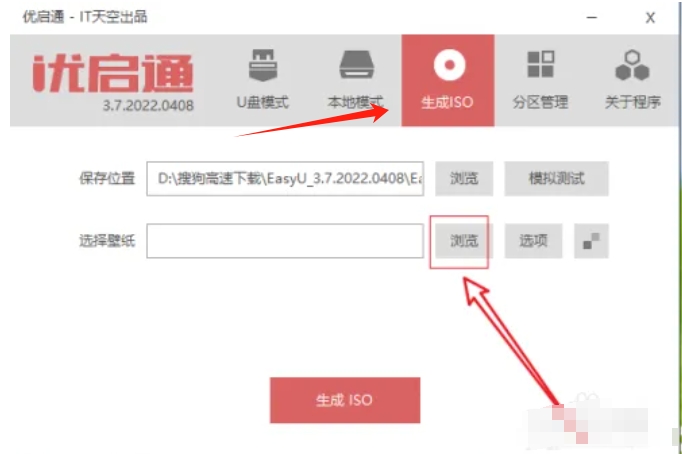
3. In the setting interface for generating ISO, find the wallpaper setting option, click the "Browse" button, and select the image file you want to use as wallpaper.
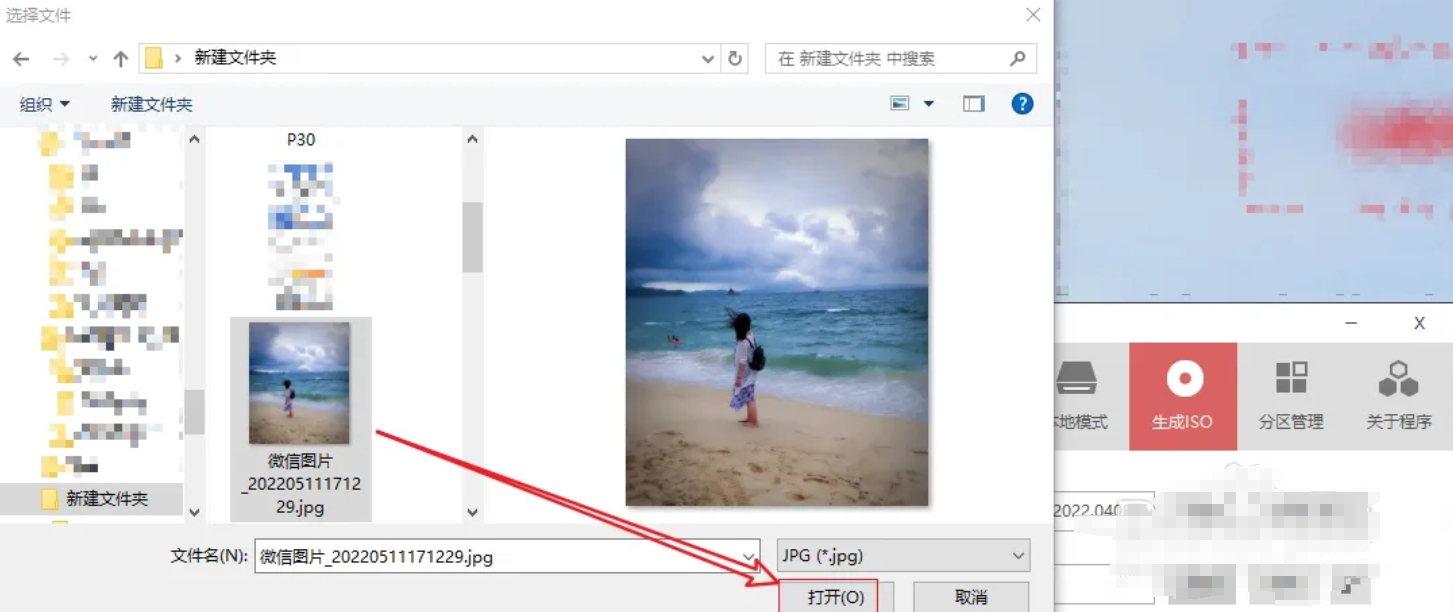
4. After confirming that all settings are correct, click the "OK" button to save the relevant settings.
The above is what Huajun editor compiled for you. How to generate ISO and how to set wallpaper for Youqitong? Youqitong has a method to generate ISO setting wallpaper, I hope it can help you.