New Tian Long Ba Bu is a role-playing online game, so how to track tasks in New Tian Long Ba Bu? How to track tasks in New Tian Long Ba Bu? Let the editor give you the answer below!

How to track tasks in New Tian Long Ba Bu?
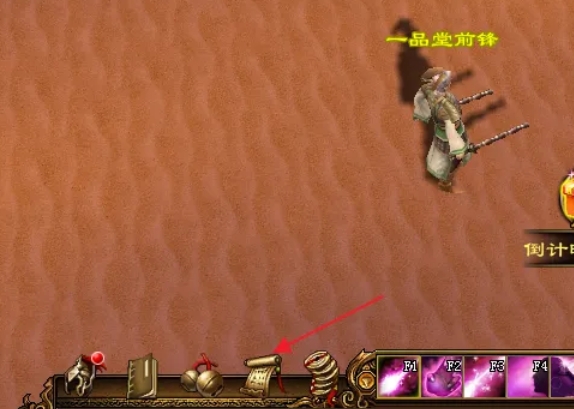
1. Open the task interface
Click the task icon in the upper right corner of the game interface, or use the shortcut key (the default may be the "Q" key) to open the task list.
2. View task details
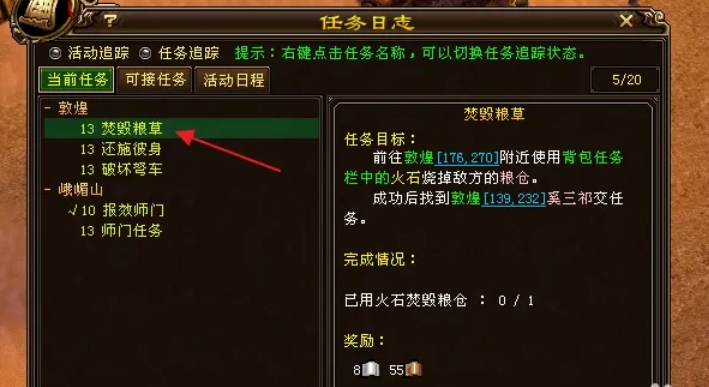
In the task list, all accepted tasks will be displayed by main line, branch line, daily, etc.
Click the task name to view the detailed description, including task objectives, NPC locations, reward content, etc.
3. Tracking tasks
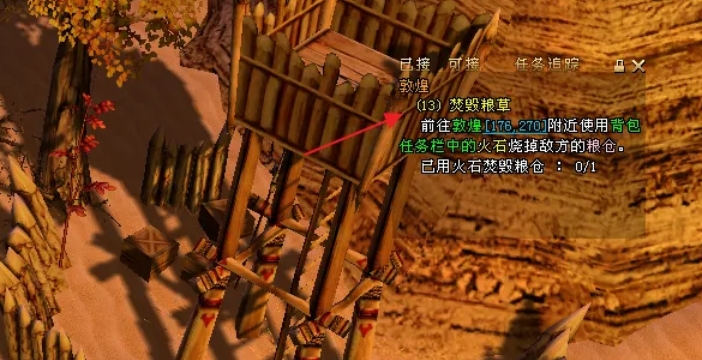
Check the task that needs to be tracked in the task list, or click the "Track" button on the right side of the task. The task target will be displayed in the task tracking bar on the right side of the screen.
The tracking bar will update the task progress in real time (such as "Defeat 10 monsters, 3/10 completed").
The above is what the editor of Huajun compiled for you. How to track the missions in the new Tian Long Ba Bu? Here’s how to track tasks in the new Tian Long Ba Bu. I hope it can help you.