Red Alert 2: Glory of the Republic incorporates a technology tree system into the game. Players can unlock more advanced facilities and more powerful weapons through research and development of technology. At the same time, units and buildings can also be upgraded to increase combat effectiveness. It is a classic in the history of video games. Its fascinating plot, exciting battle scenes and challenging strategic elements have attracted countless players. Next, let the editor of Huajun explain to you how to use the models that come with the game in Red Alert 2 and how to use the models that come with the game in Red Alert 2!
first step
Imagine you want a new unit, such as an Apocalypse Tank called the MKK, which has unique attributes and abilities, but uses the model of the original Apocalypse Tank.
Step 2
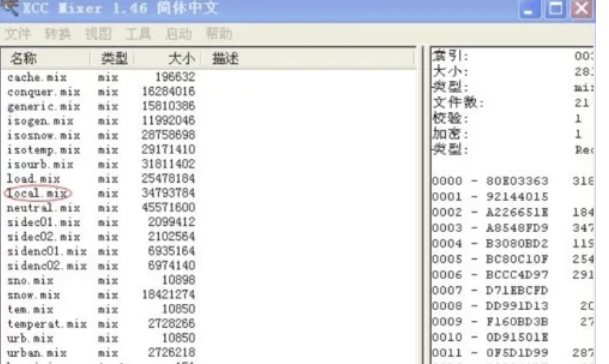
The rule file is a key file in "Red Alert 2" that defines the attributes of game units. If the file does not exist in the game installation directory, you can use the XCC.mix tool to extract it.
Step 3
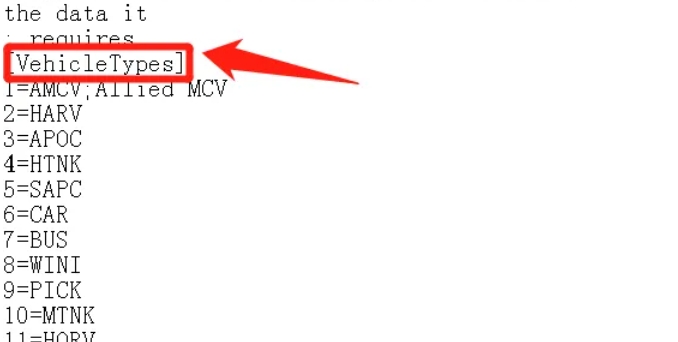
Use a text editor to open the extracted or existing rule file. Find the VehicleTypes section in the rule file. This is where the vehicle (including ship) unit is defined.
Step 4
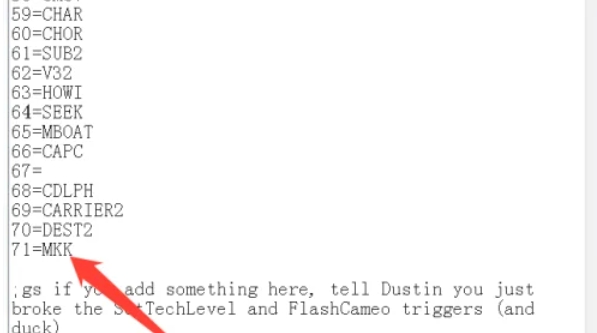
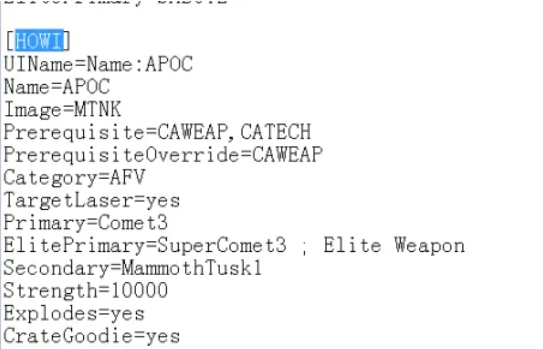
Add your new unit MKK at the bottom of the VehicleTypes section. Find the original Chinese Apocalypse Tank (HOWI) in the game and copy its code. Paste the copied code below the new unit MKK and change the name of HOWI to MKK.
Step 5
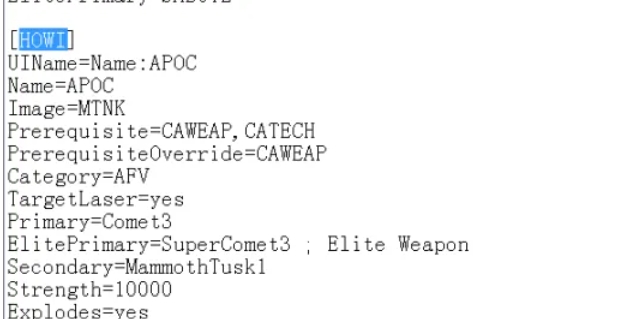
Apart from the name, keep other properties (such as the picture pointed to by Image etc.) unchanged to ensure that the new unit MKK uses the model of the original Apocalypse Tank.
Step 6
According to your ideas, adjust other attributes of the new unit MKK, such as price, health, attack power, etc.
The above is how the editor of Huajun compiled for you how to use the models that come with the game in Red Alert 2 and how to use the models that come with the game in Red Alert 2. I hope it can help you!