How to insert pictures in Microsoft Visio-How to insert pictures in Microsoft Visio
Time: 2025-01-19Source:Author:
Friends, do you know how to insert pictures in Microsoft Visio? Today I will explain Microsoft
If you are interested in the method of inserting pictures in Visio, please come and take a look with the editor. I hope it can help you.
Step 1: First open the Microsoft Visio software and choose to draw a basic flow chart on the home page (as shown in the picture).
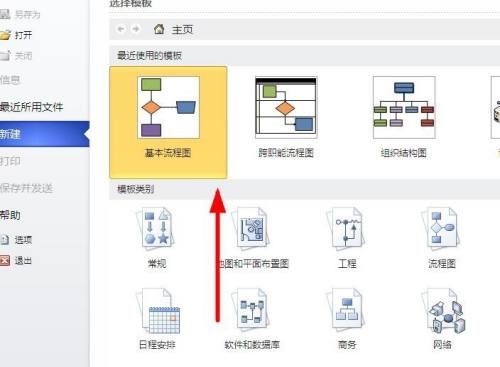
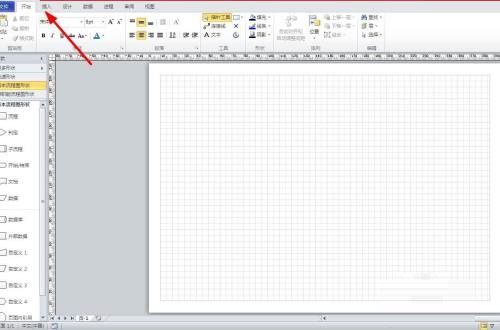
Step 2: Then click the Insert button on the upper tab (as shown in the picture).
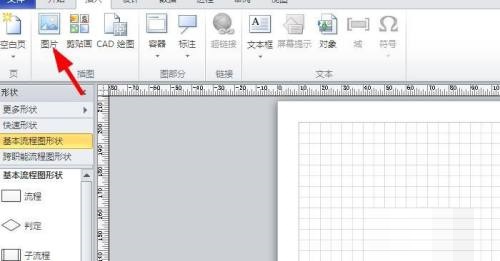
Step 3: Then click on the insert picture that pops up below (as shown in the picture).
Step 4: Select the picture to be inserted and click to open (as shown in the picture).
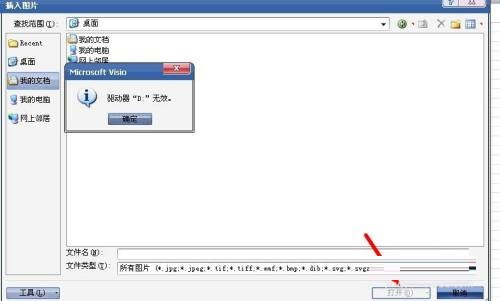
Step 5: The final picture is inserted (as shown in the picture).

The above is the entire content of how to insert pictures in Microsoft Visio brought to you by the editor. I hope it can help you.
Popular recommendations
-
Zhejiang Zhengding
Version: v2.27.0Size: 368MB
The latest version of Zhejiang Dingding is a very convenient government office software jointly created by Dingding and Zhejiang Province. The Zhejiang Ding app is mainly provided to government office personnel at all levels...
-
-
Hero Excel set wizard
Version: 1.007Size: 5MB
Hero Excel Template Wizard is a truly usable template printing software that can fill templates with Excel data and perform batch printing. Can be customized...
-
Quotation software
Version: 1.1 official versionSize: 139MB
Make a quotation, make a quotation form, open a cloud store, cloud quotation, and smart quotation.
Quotation software features
...
-
Enjoy sales XP version
Version: 1.6.2Size: 27.1MB
The official version of Fenxiangxiike XP version is a professional and powerful WinXP-specific mobile office service platform. Fenxiangxiike XP version supports lead management, customer management, business...