How to customize page size in Microsoft Visio-How to customize page size
Time: 2025-01-17Source:Author:
Many people don’t know how to customize the page size in Microsoft Visio? The article brought to you today is Microsoft
If you still don’t know how to customize the page size in Visio, let’s learn it with the editor.
Step 1: Open the Visio software and click Design in the new blank drawing.
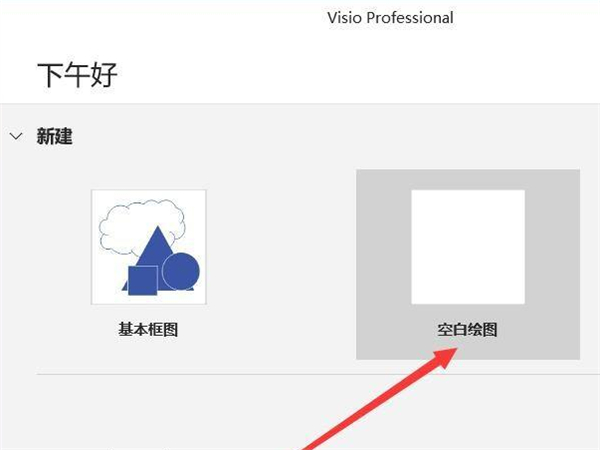
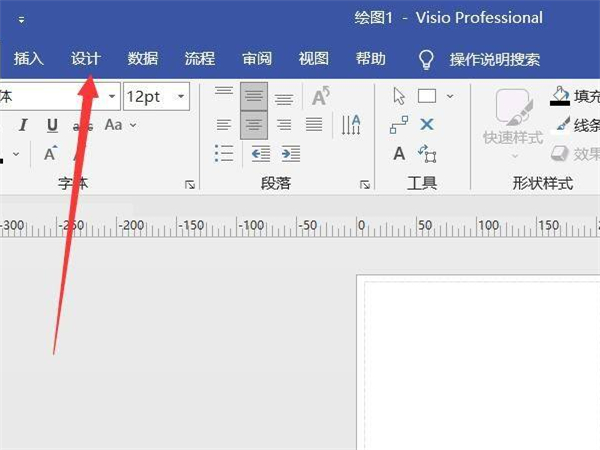
Step 2: Select the size in the design. You can use a fixed size or click on other page sizes.
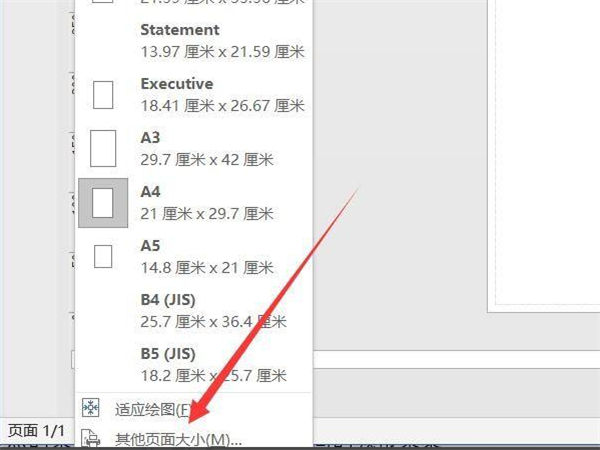
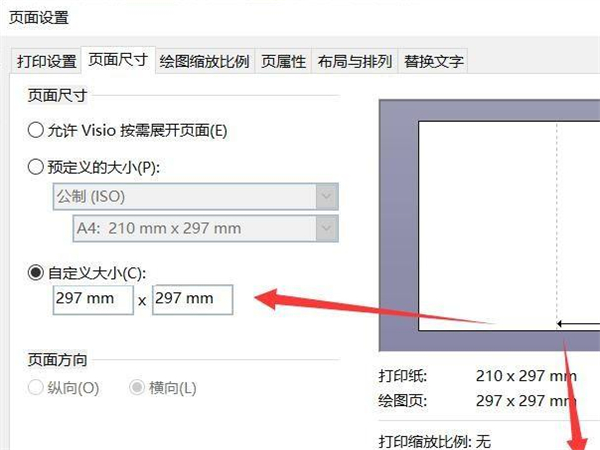
Step 3: Click Custom Size from Page Size, fill in the corresponding value, and finally confirm.
The above is the entire content of how to customize the page size of Microsoft Visio brought to you by the editor. I hope it can help you.
Popular recommendations
-
bean bag
Version: 1.82.5Size: 216 MB
Doubao PC version is an AI smart assistant launched by ByteDance. It supports Windows and Mac systems and integrates AI search, writing assistance, translation,...
-
EV screen sharing
Version: 2.4.0 official versionSize: 43.2MB
EV Screen Sharing is a screen sharing software with real-time screen sharing, secure file transfer, ultra-low latency and other functions. Using LAN...
-
518 lottery software (random rolling)
Version: 8.2.9.9 official versionSize: 30MB
518 lottery software, 518=I want to send it, top annual meeting lottery software, simple design style, random rolling lottery.
Contains text numbers...
-
New Media Plus
Version: 1.0.15Size: 79.4MB
New Media Plus - self-media cross-platform multi-account management tool supports simultaneous management of multiple accounts on 30+ mainstream self-media platforms, one-click distribution of videos/graphics...
-
XGraphing
Version: 1.5Size: 33MB
A graphic generation tool, including mind maps, flow charts, Gantt charts, organizational charts, schedules, task lists, etc.
...