How to log out of Quark Browser? -How to log out of Quark Browser
Time: 2025-01-02Source:Author:
Quark Browser is a very easy-to-use search browser. So how do you log out of Quark Browser? Let me give you the answer!
How to log out of Quark Browser?
1. Open the Quark browser, click on the avatar, and enter the personal center page.

2. On the personal center page, click the settings button in the upper right corner.

3. On the settings page, find and click the "Log out" option.
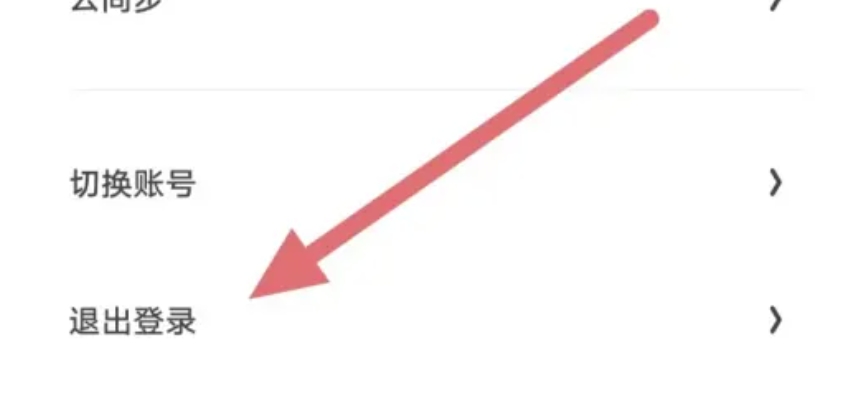
The above is the operation process of how to log out of Quark Browser compiled by the editor for you. I hope it can help you.
Popular recommendations
-
Tianyi Cloud
Version: 4.28.0Size: 52.05 MB
Tianyi Cloud is a cloud storage service platform launched by China Telecom for individual and home users. Tianyi cloud disk has powerful functions and is always considerate of users. It is...
-
All calls
Version: v1.0.3Size: 792.21KB
Communication software - All Calls app is a compact app for call record query and statistics, with no ads and no redundant permissions. With All Calls you can...
-
Enterprise WeChat
Version: 5.0.0Size: 460.13 MB
It is a powerful, simple and practical office communication tool, specially created by Tencent WeChat team for enterprise users. Enterprise micro-functions are very powerful, not only...
-
GiWiFi mobile assistant
Version: 2.0.9.14Size: 36.9 MB
GiWiFi Mobile Assistant Android version is a wifi service software developed based on factory and school scenarios. After the GiWiFi Mobile Assistant app is certified, users can...
-
Quark Browser
Version: 7.17.2.922Size: 119.8 MB
It is an ad-free and pop-up-free smart browser application. You can freely collect your favorite software and games, view them directly and add them to your bookshelf, and...