How to check the answers on ExamBao? -The operation process of checking the answers of the exam
Time: 2024-08-06Source:Author: Ai Xiaomo
Qiaobao is an online question-taking software, in which users can consolidate the knowledge they have learned and improve their performance during practice by doing questions and taking exams. So how do you check the answers on Kaabao? What is the procedure for checking answers on ExamBao? Let the editor give you the answer below!

How to check the answers on ExamBao?
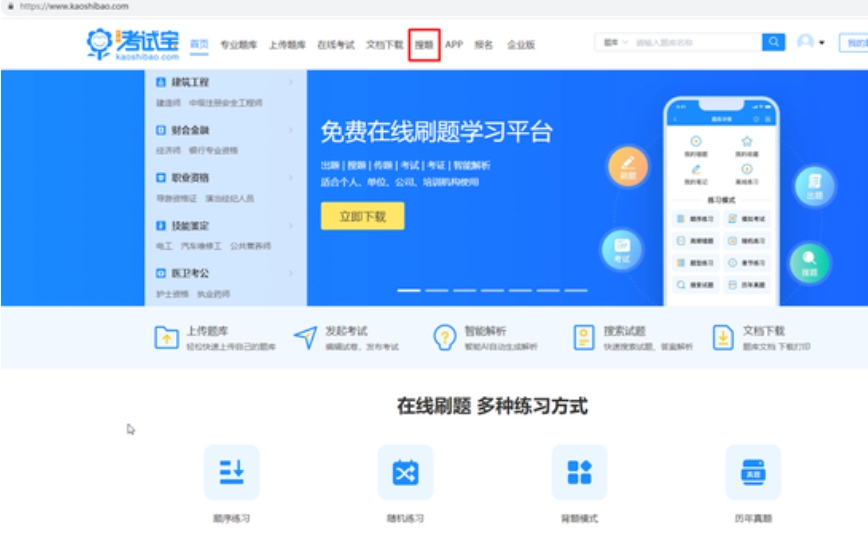
1. Open the Exam App and click [Search Questions] at the top of the page.
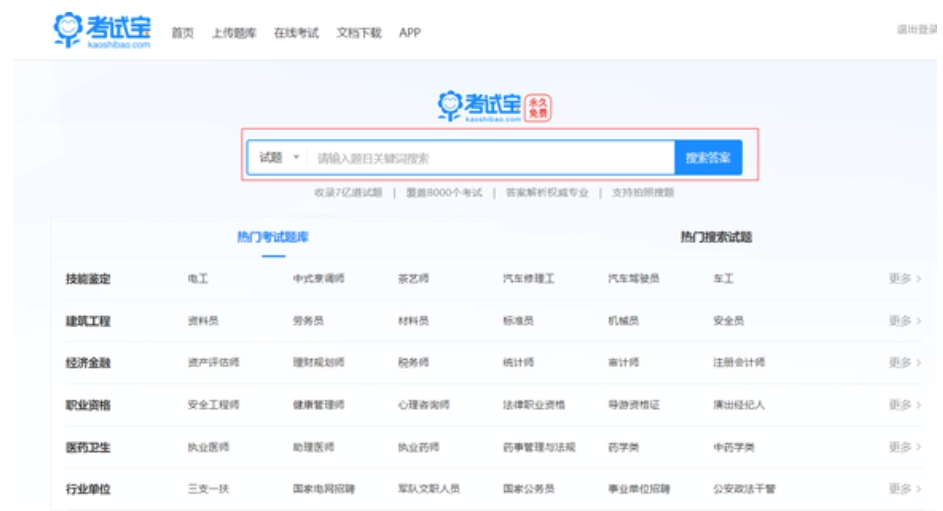
2. Then enter the test question content or related keywords in the search box, and click [Search test questions].
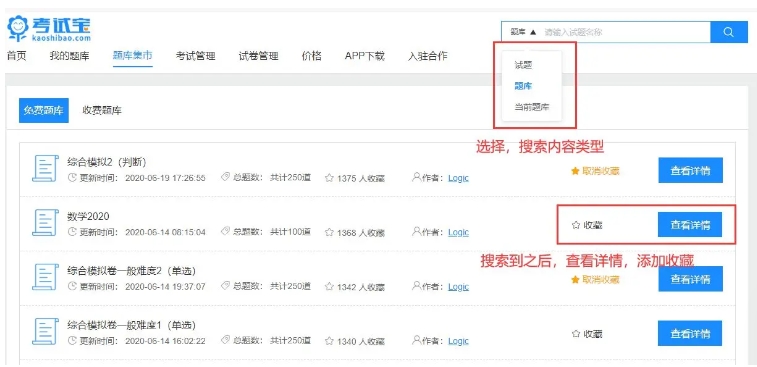
3. The system will display a list of test questions related to the search term. Click to view the answers and analysis of the test questions.
The above is the test treasure compiled by Huajun editor for you. How to check the answers? Here is the procedure for checking the answers on ExamBao, I hope it can help you.
Popular recommendations
-
Encyclopedia Park Universal Exam Client
Version: 2.3.0Size: 5.62 MB
The latest version is a professional and practical simulation system. Through the Encyclopedia Park Universal Exam Client, users can easily conduct related exams and study on their computers...
-
Office Level 1 Simulation Future Education
Version: 4.0Size: 75.81 MB
The official version of Office Level 1 Simulation Future Education is a very professional and practical random test simulation software. Office level one simulation future education official version...
-
Wanwei fully automatic online examination platform
Version: v9.4 latest versionSize: 59.33MB
The official version is a system built for colleges and universities. Wanwei fully automatic online examination platform is a login platform based on student number or admission ticket number. With automatic scoring,...
-
-
GateFace Online Examination System
Version: 7.8 PC versionSize: 207.98 MB
GateFace online examination system is a comprehensive, convenient and permanently free online examination solution, suitable for education, enterprises, government...


