How to post idle status in Zhuanzhuan? -Repost the idle method
Time: 2024-05-08Source:Author:
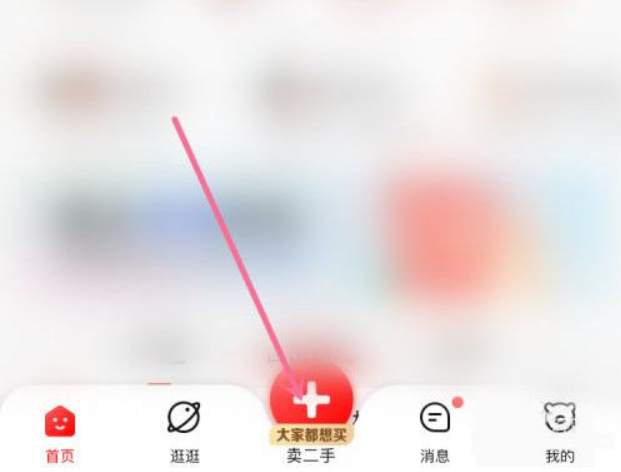
1. Open the Zhuanzhuan app, find the [+] sign at the bottom, and select the Sell Idle interface.
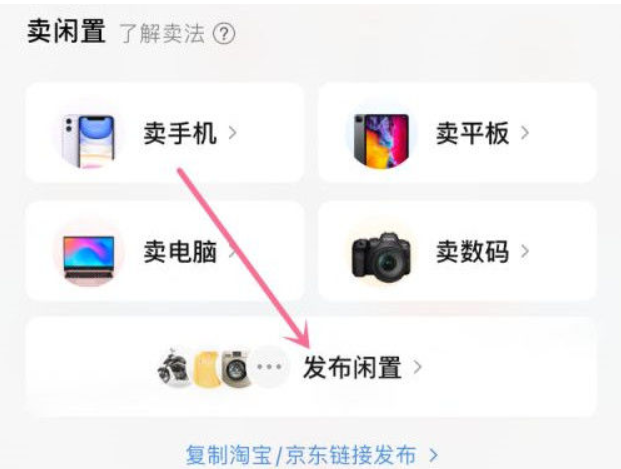
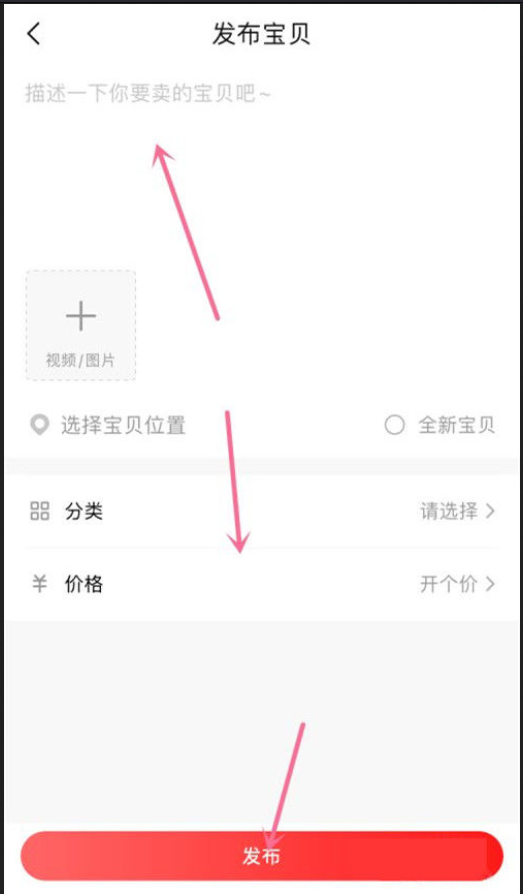
2. Select Publish Idle, find the baby information and enter it, and select Publish.
The above is the relevant content about how to publish idle information in Zhuanzhuan. I hope it will be helpful to you!
Popular recommendations
-
Yunda people
Version: 3.0.7Size: 79.13 MB
Yundaren mobile version is a service software specially created for campus friends. It can provide various services such as laundry, fitness, drinking water, etc., so that everyone can...
-
Yundaren Smart Campus
Version: 3.0.7Size: 101.12M
Yundaren Smart Campus App is a campus intelligent local life service software designed to provide teachers and students of colleges and universities with a convenient and efficient campus life experience. The App is...
-
CFMOTO YOUTH
Version: 1.2.1Size: 43.45 MB
CFMOTOYOUTHAPP is a special APP specially designed for children's cars owned by CFMOTO; the service content includes free service content, specifically, it refers to our...
-
Xinhua Smart Campus
Version: 5.1.1Size: 143.02 MB
Xinhua Smart Campus App is an online education platform suitable for students of all ages. Here you can learn and interact with teachers through online videos...
-
Zhuqu Campus
Version: 2.3.8Size: 71.94 MB
Zhuqu Campus is a comprehensive campus life service application specially created for college students, developed by Shenzhen Xunxiang Life Technology Co., Ltd. This application set...