How to add books to Quark Browser Bookshelf - How to add books to Quark Browser Bookshelf
Time: 2024-05-11Source: Huajun Software TutorialAuthor: Huluwa
Recently, some friends have asked the editor how to add books to the Quark Browser Bookshelf. The following is a method for adding books to the Quark Browser Bookshelf. Friends who need it can come and learn more.
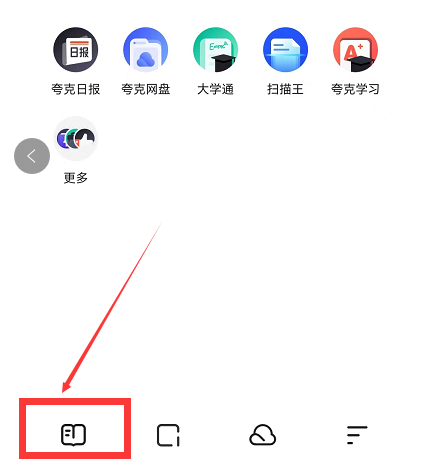
1. Open Quark Browser and click to enter the books page in the lower left corner (as shown in the picture).
2. Search for the novel or book you want to read in the search bar (as shown in the picture).

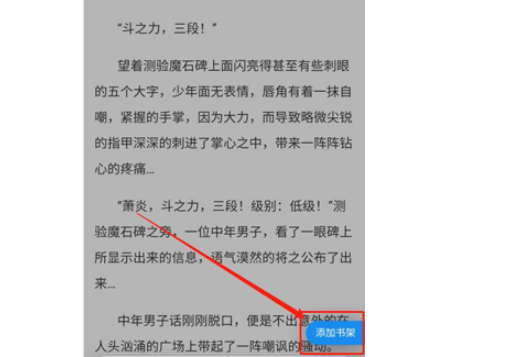
3. Click the center of the screen and you will be able to see how to add books to the bookshelf (as shown in the picture).
The above is the entire content of how to add books to Quark Browser Bookshelf brought to you by the editor. I hope it can help you.
Popular recommendations
-
Baidu large print version
Version: 2.42.0.10Size: 80.1 MB
Baidu Large Character Edition is a large font version of Baidu browser for Android phones. Baidu Large Character Edition app is a large font search tool specially designed for the elderly. You can search anytime, anywhere...
-
You search
Version: 1.2.1Size: 23.4 MB
Nisou App is an intelligent aggregated search and resource management tool, focusing on one-stop cross-platform content retrieval and personalized information integration. Supports all Android systems...
-
Material browser
Version: v1.1.5Size: 20.2 MB
The material browser helps users download and save videos, pictures, audios, copywriting and other materials in web pages with one click. It supports the download of massive materials from multiple platforms and provides you with...
-
w browser
Version: 3.3.0Size: 21.6 MB
w browser app is a compact mobile browser that makes your online experience smoother. Moreover, the overall size is not large, eliminating miscellaneous functions and focusing on practicality.
...
-
Quark Browser
Version: 7.17.2.922Size: 119.8 MB
The latest official version of Quark Browser is a mobile browser renamed from the original minimalist browser. This browser installation package cannot replace the previous browser...