Many people don’t know how to set up the startup of Tencent Mobile Game Assistant? The article brought to you today is about how to set up the startup of Tencent Mobile Game Assistant. If you still don’t know, let’s learn it with the editor.
Step 1: Click on “Tencent Mobile Game Assistant” (as shown in the picture).

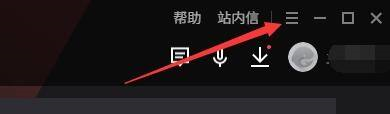
Step 2: In the "Tencent Mobile Game Assistant" window, click "Menu" (as shown in the picture).
Step 3: In the pop-up drop-down bar, click "Settings Center" (as shown in the picture).

Step 4: In the "Settings Center" window, click "Basic Settings" (as shown in the picture).

Step 5: In the "Basic Settings" window, check "Start at startup" (as shown in the picture).

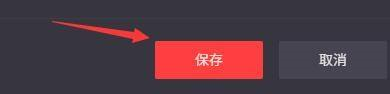
Step 6: Click "Save" (as shown in the picture).
The above is the entire content of how to set up the startup of Tencent Mobile Game Assistant brought to you by the editor. I hope it can help you.