Recently, some friends have asked the editor how to upgrade and update the Mac system. The following will bring you the method of upgrading and updating the Mac system. Friends in need can come and learn more.
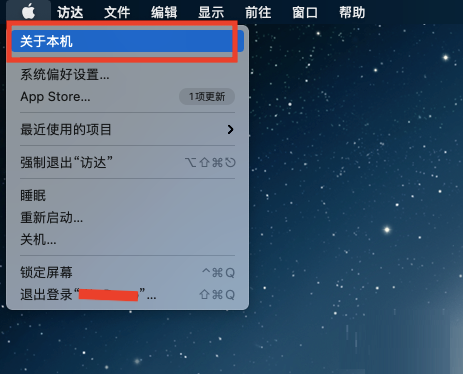
Step 1: In the Mac system start menu, open [About This Mac].
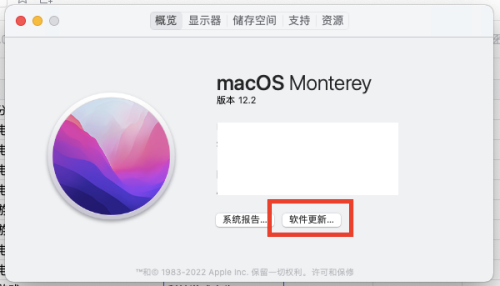
Step 2: On the overview page, click [Software Update].
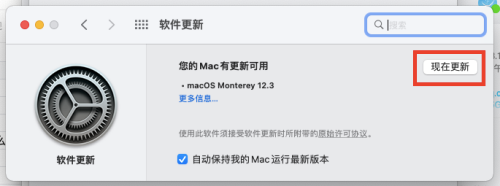
Step 3: On the software update page, click [Update Now].
The above is all the content that the editor brings to you on how to upgrade and update the Mac system. I hope it can help you.